
MTD VAT returns from the spreadsheet you already use
Keep your Excel file, your Sage export or your bespoke system. Tax Optimiser bridges the 9-box totals straight to HMRC, brings back the confirmation receipt, and tracks your liabilities and payments.
Sign up freeFree for your first year. Then £30 +VAT a year. No card required.
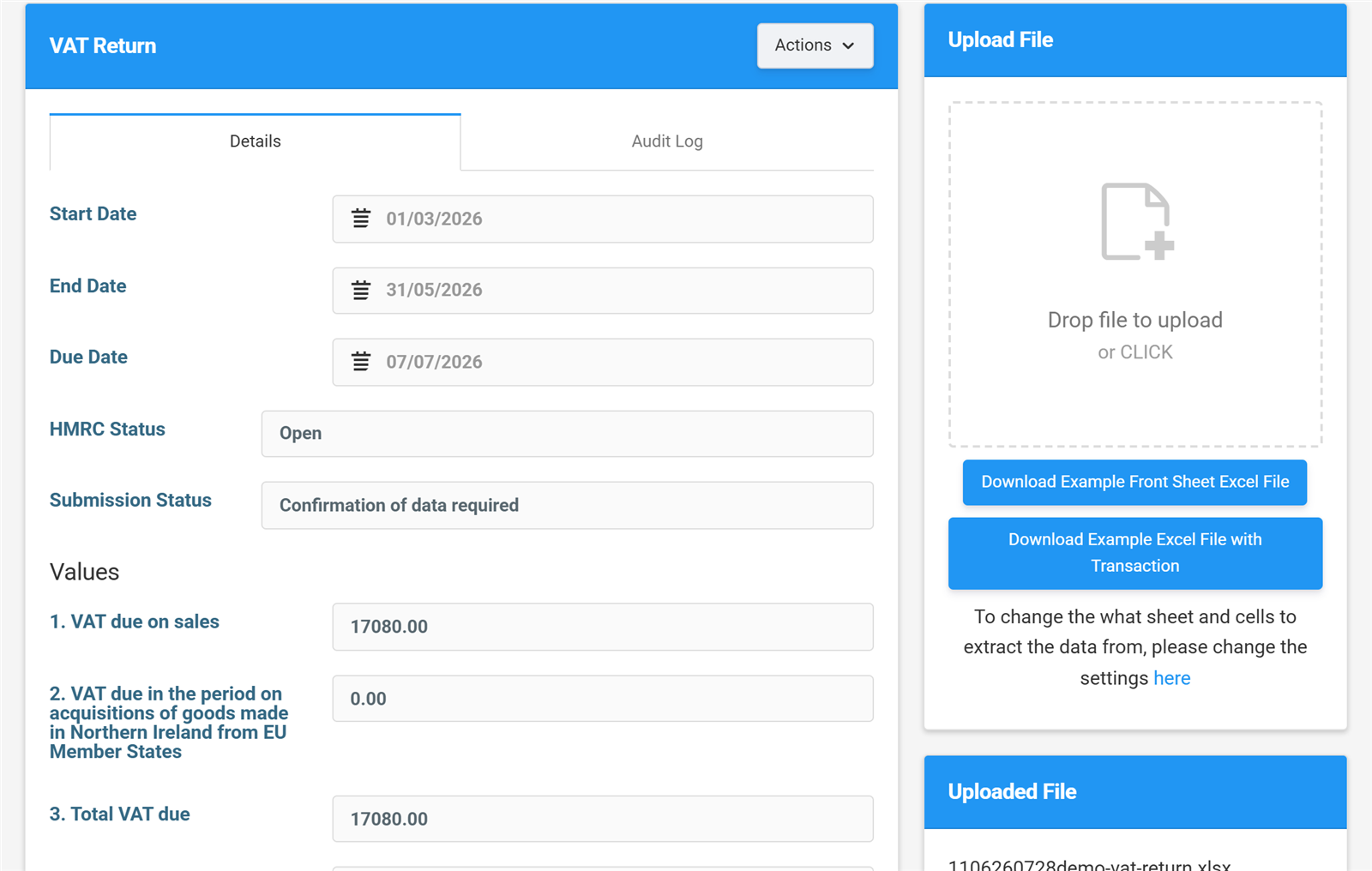
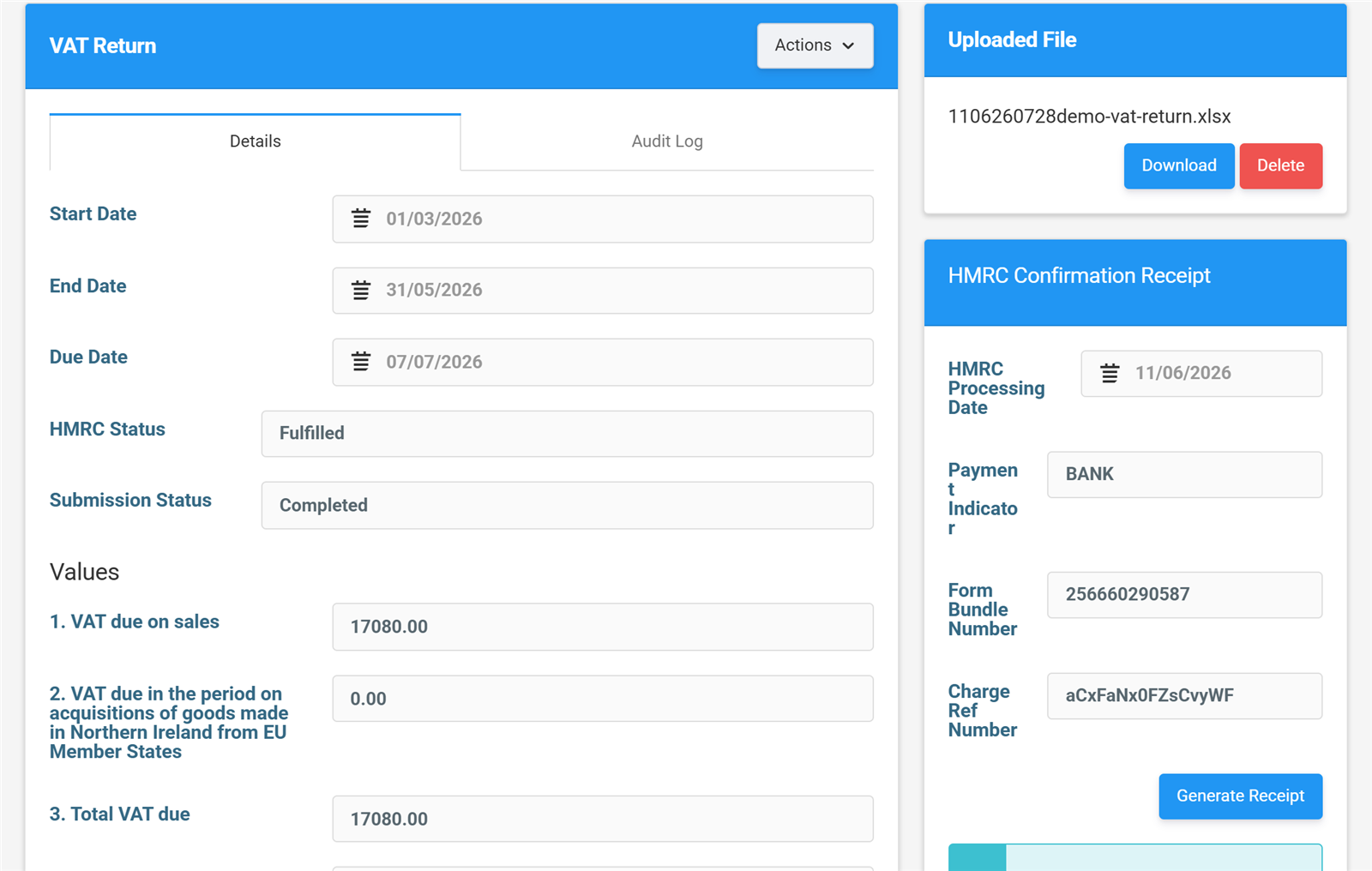
The nine boxes, filled from an uploaded Excel file.
Built for businesses and accountants alike
Whether you file one return a quarter or run returns for a hundred clients, Tax Optimiser works the way you do.

Businesses and VAT groups
If your accounting software doesn't support MTD, or you're consolidating a VAT group in a spreadsheet, you don't need to change anything. Map your cells once, upload the file each quarter, and send. Your first year is free — then £30 +VAT a year.
See how it works →
Accountants and bookkeepers
File for all your clients from one place, from £5 +VAT a month for up to ten clients. Add your own logo, brand colours and web address with white-labelling, and let clients upload while you review and send.
See accountant pricing →From spreadsheet to submitted return in four steps
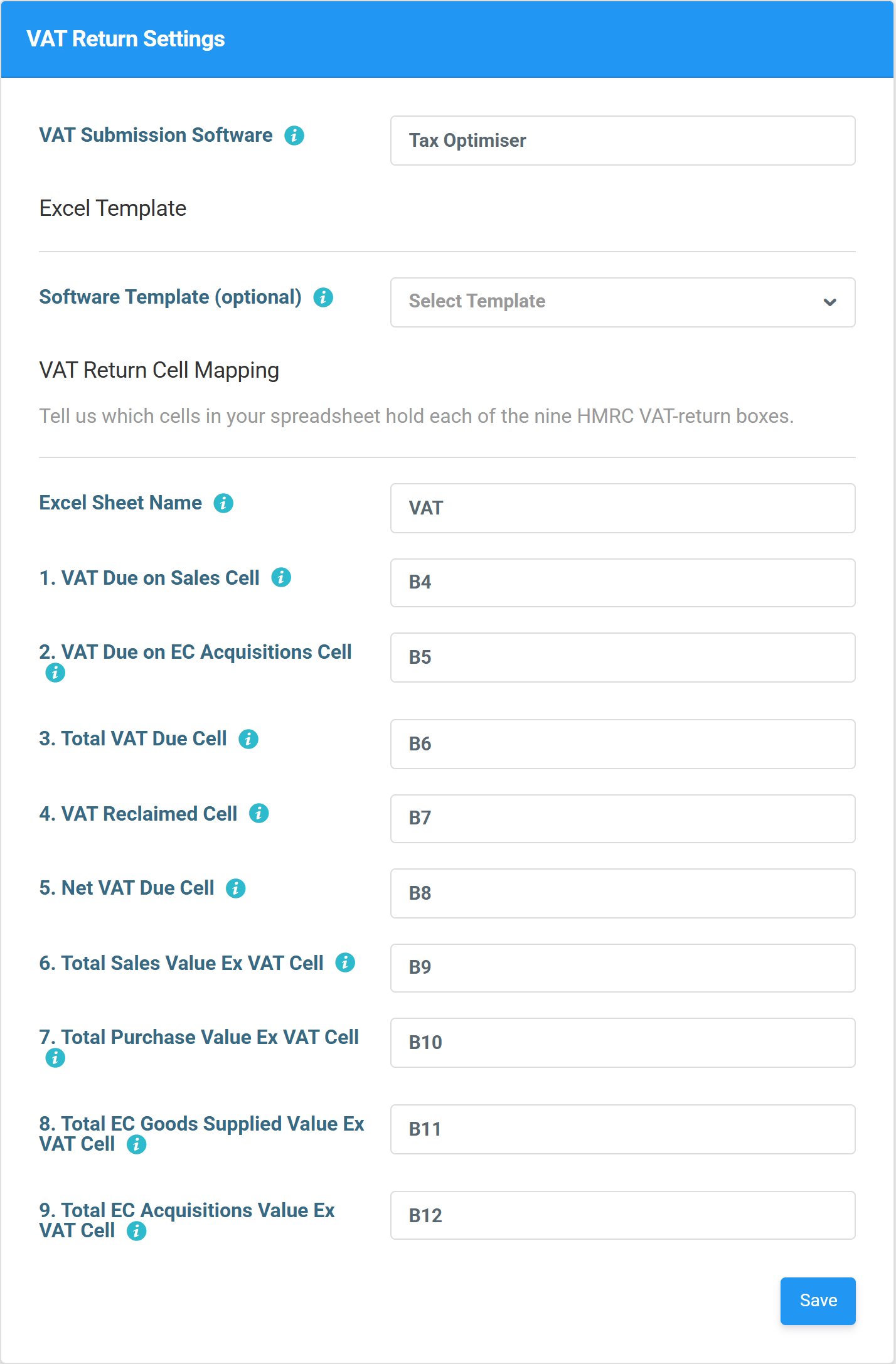
Map your spreadsheet once
Tell us the sheet name and which cell holds each of the nine boxes. Do it once — every future upload uses the same mapping.
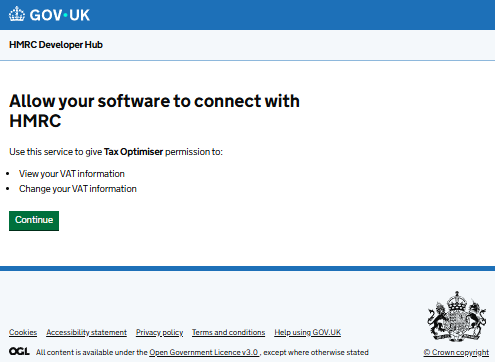
Connect to HMRC
Sign in with your Government Gateway account and grant authority on GOV.UK. The connection lasts 18 months before it needs renewing.
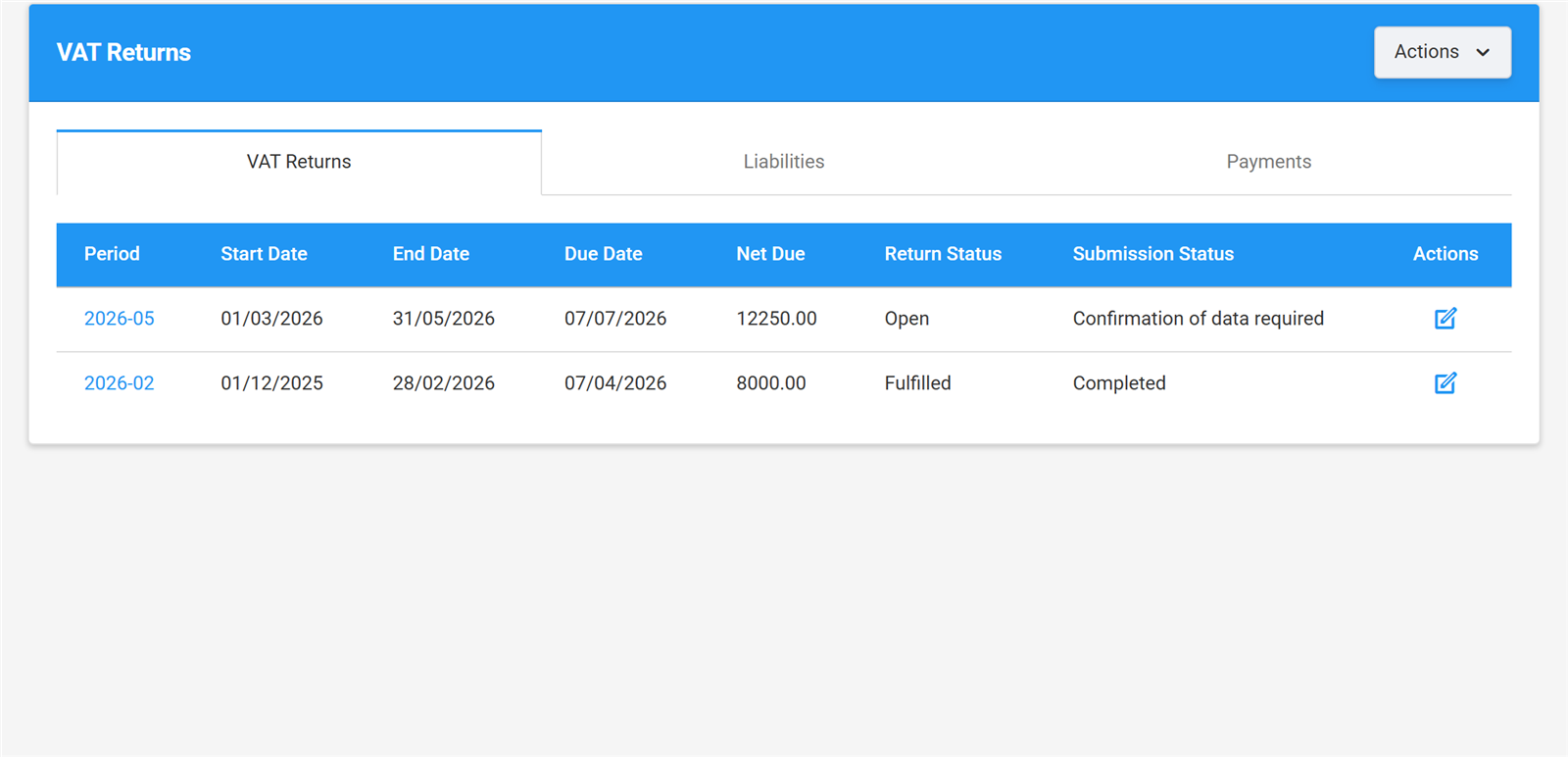
Pick the period and upload
Your obligations come straight from HMRC, with due dates and statuses. Open the period and drop your Excel file on it — the nine boxes fill themselves in.
Send and keep the receipt
Confirm the declaration and send. HMRC's processing date, form bundle number and charge reference are stored against the return — proof of filing, forever.
See exactly what you get
These are real screens from the app — the same ones our step-by-step user guide walks you through. No mock-ups, no surprises after you sign up.
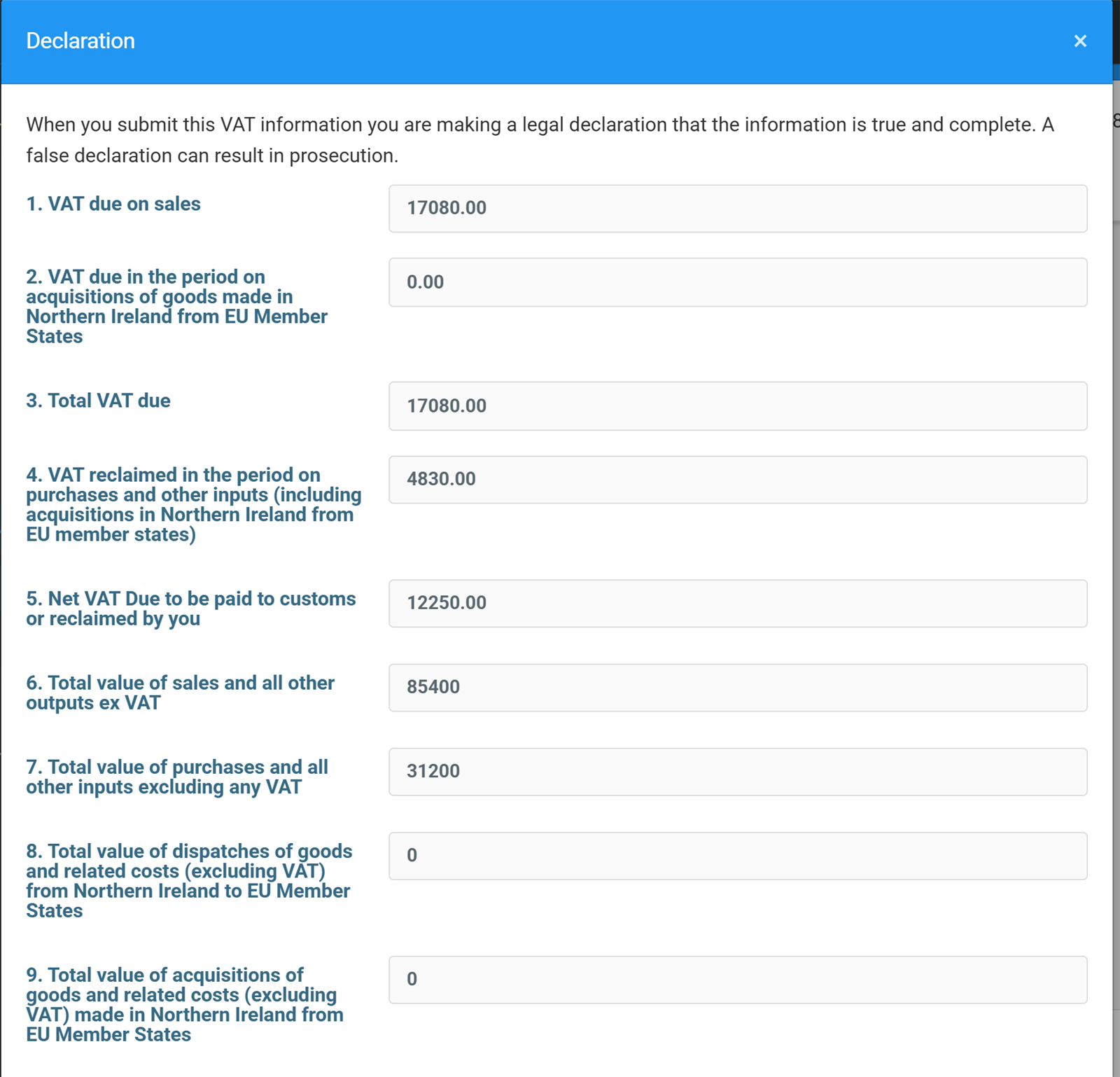
The legal declaration — exactly what HMRC will receive.
One last look before it goes
Before anything is sent, you see all nine boxes together with the legal declaration — exactly what HMRC will receive. Built-in checks compare the return against your nominal figures and the same period last year, so a typo in the spreadsheet doesn't become a submitted return.
Read the sending guide →See what you owe — and what HMRC has received
Liabilities and payments come straight from HMRC's records into the same screen as your returns. Original amount, outstanding amount, due date — no logging into the Government Gateway to find out where you stand.
Read the liabilities & payments guide →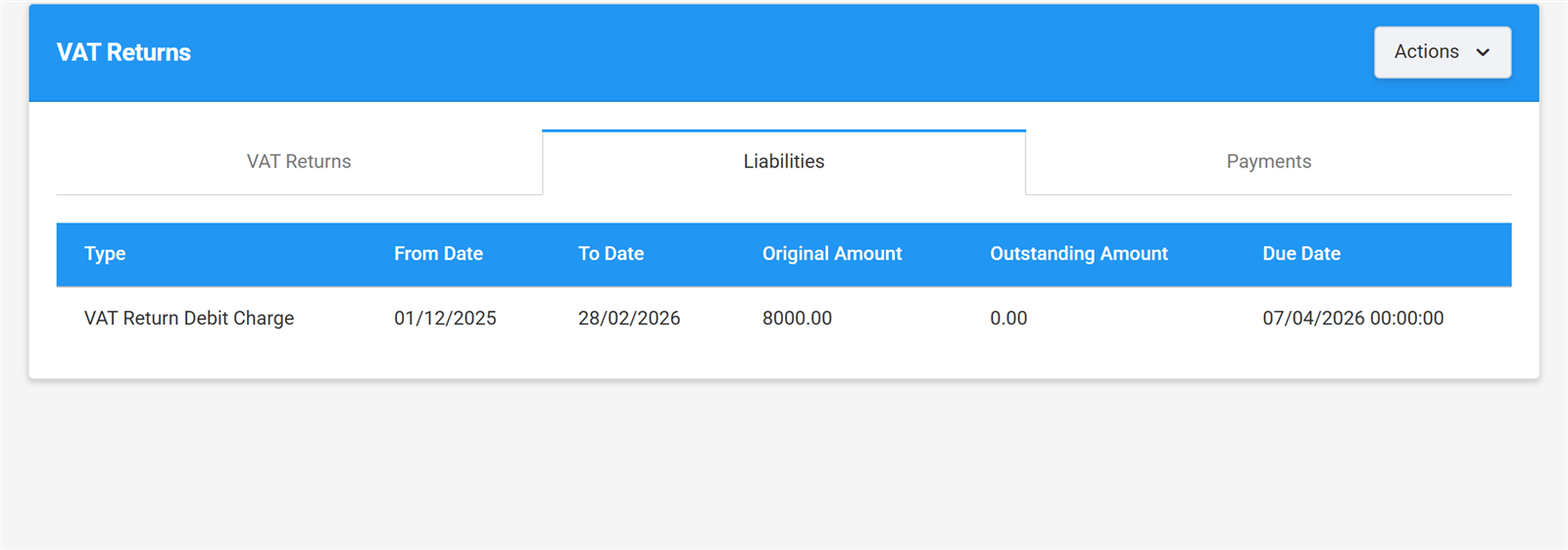
Liabilities pulled straight from HMRC's records.
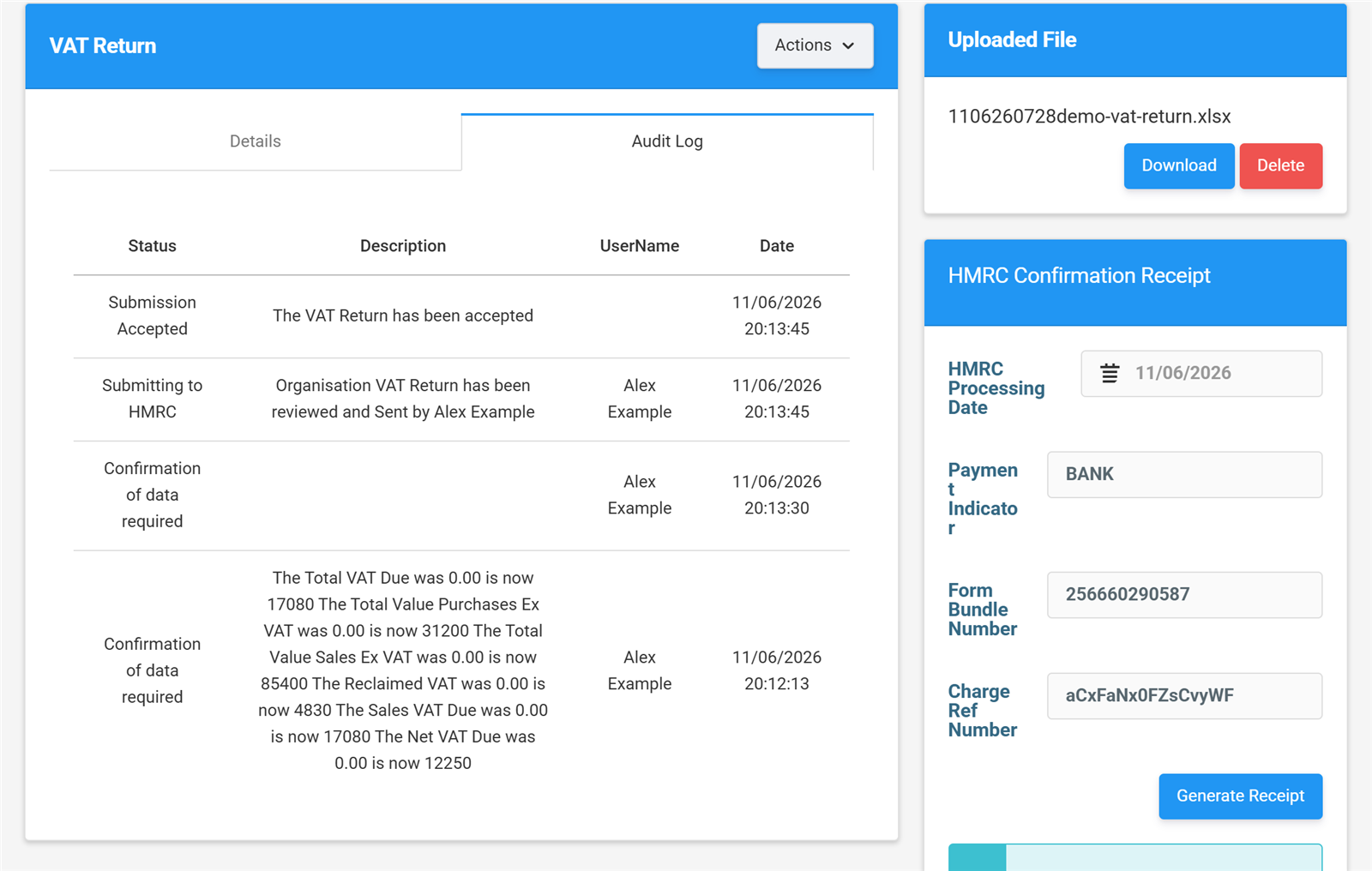
The audit log and HMRC receipt, kept with the return.
Every step on the record
Who uploaded the file, who reviewed it, when it was accepted by HMRC — the audit log keeps the whole story against each return, with the uploaded spreadsheet kept alongside it. Exactly what you want when a question comes up two years later.
Read the uploading guide →What our customers say
I recently used Tax Optimiser for the first time to submit my accounts to Companies House and HMRC, and I’m thoroughly impressed. The platform is remarkably easy to manage, walking you through the entire process without any complex jargon. On top of that, their prices are extremely competitive. It saved me a ton of time and stress—I will definitely be using them again next year.

I had next to no confidence that Tax Optimiser could handle accounts submission and Corporation Tax. But I gave it a whirl… Both Companies House and HMRC have initially accepted the submissions… I previously filed on professional software and I paid about £1500. This is dirt cheap.

Excellent software. Very affordable if you're doing your own small company accounts. Links with Xero… Tax Optimiser has been a complete life saver for me.

Simple, honest pricing
Free for your first year as an organisation. Accountants pay a small monthly fee that scales with clients — with white-labelling included.
Organisation
Run your own VAT/MTD ITSA returns, or file your own Corporation Tax and year-end accounts.

VAT & MTD ITSA
Bridging VAT returns from your spreadsheet and quarterly MTD for Income Tax updates, filed straight to HMRC. Free for the first year.
organisation or individual
No credit card required

Corporation Tax & Accounts Production
Pay as you go, with no subscription. One payment when you submit covers both your CT600 and Companies House accounts.
covers CT600 & Companies House
* Dormant companies: £5 +VAT
Compare with TinyTax, Xero & others →
How pay as you go CT600 filing works →
Now available in beta at the same £10 +VAT per return:SA100 Self Assessment · SA800 partnership returns
Accountants
We also offer the option to white label Tax Optimiser with your firms branding and custom website address

VAT & MTD ITSA
Scales with the number of clients you manage. Pricing is for the VAT / MTD ITSA module only.
| Clients (organisations / individuals) | Per month |
|---|---|
| 1–10 | £5 +VAT |
| 11–25 | £10 +VAT |
| 26–50 | £15 +VAT |
| 51–75 | £20 +VAT |
| 76–100 | £30 +VAT |
| 101–125 | £35 +VAT |
| 126+ | £40 +VAT |
Billed monthly. Counts your active organisations / individuals.
Get started - free trial
Corporation Tax & Accounts Production
Buy credits up front and spend them as you file — the more you buy, the less each credit costs.
For accountants and bookkeepers
One credit = one company, one year, both filings. All prices + VAT.
| Pack | Credits | Price | £ per credit |
|---|---|---|---|
| Pay-as-you-go | 1 | £10 | £10 |
| Starter | 25 | £200 | £8 |
| Practice | 100 | £600 | £6 |
| Growth | 250 | £1,250 | £5 |
| Scale | 500 | £2,000 | £4 |
| Enterprise Best value | 1,000 | £3,000 | £3 |
All prices exclude VAT. Credits do not expire.
Sign up to buy creditsDormant company credits: £2 each (+VAT).

See every screen before you sign up
Our free VAT guide walks through the whole journey — from mapping your spreadsheet and connecting to HMRC through to the confirmation receipt — using the same screenshots you've seen on this page. Read it online or download the PDF edition.
Frequently asked questions
Making Tax Digital — all you need to know about VAT returns
Here is a video on our thoughts about Making Tax Digital VAT returns and how to be as productive as possible
Further reading
More from Tax Optimiser


Your spreadsheet. HMRC's receipt. Free for a year.
Sign up free, map your cells once, and your next VAT return takes minutes.
Sign up free