
Before anything is filed, three documents deserve a careful read: the Corporation Tax computation, the statutory accounts, and the CT600 itself. All three are generated live from your data, so a fix anywhere — a trial balance line, a disallowable, an asset date — regenerates them instantly.
The computation document
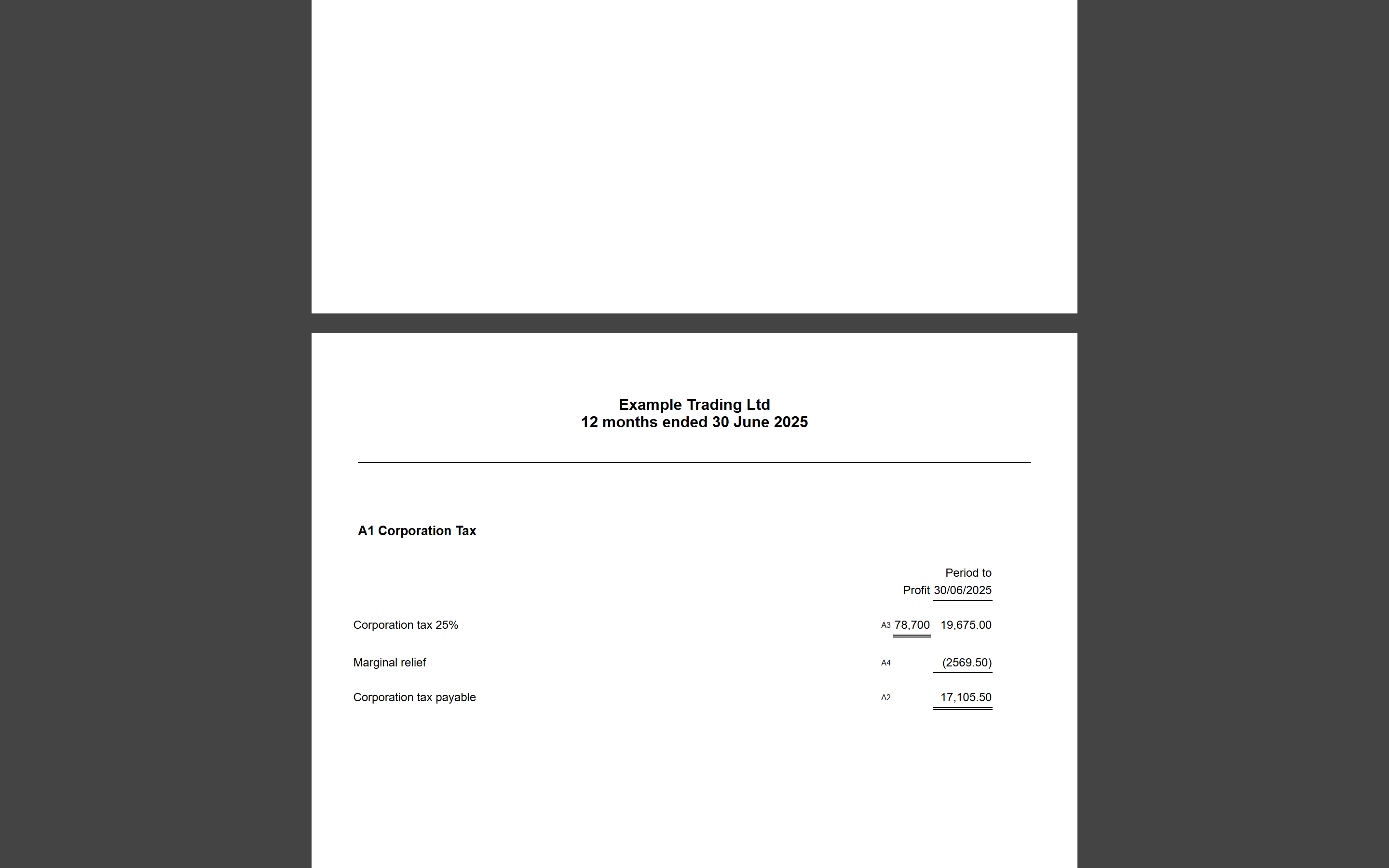
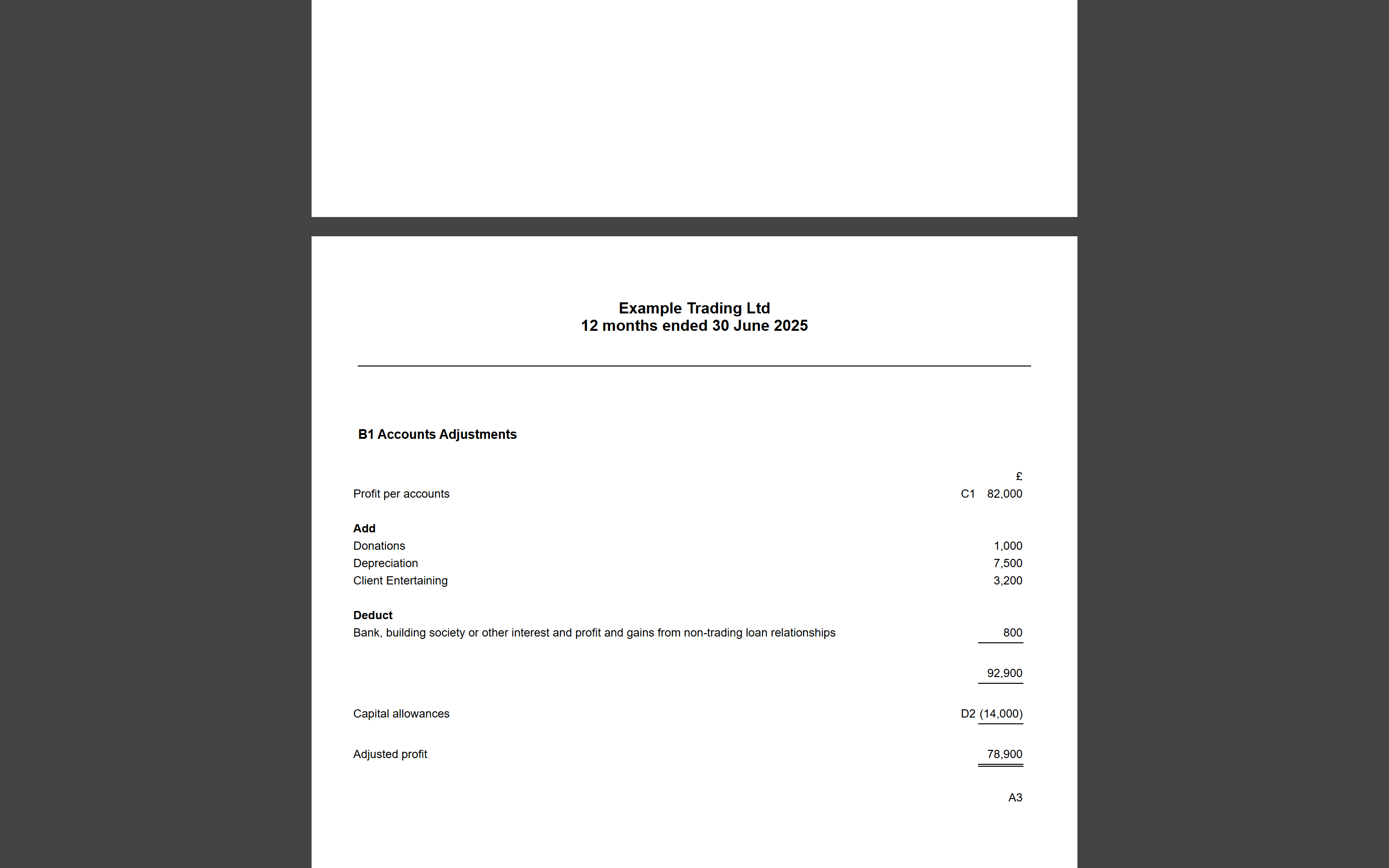
Open it from the Output Documents card in Corp Tax Calculations (it's also embedded in the submission flow). It's a fully cross-referenced computation: A-schedules for the tax (including the marginal relief working, financial-year by financial-year), B1 for the adjustment of profit, C-schedules itemising each add-back, and D-schedules for capital allowances. Every figure traces back to a schedule reference, which makes review — and any conversation with HMRC — far easier.
The statutory accounts
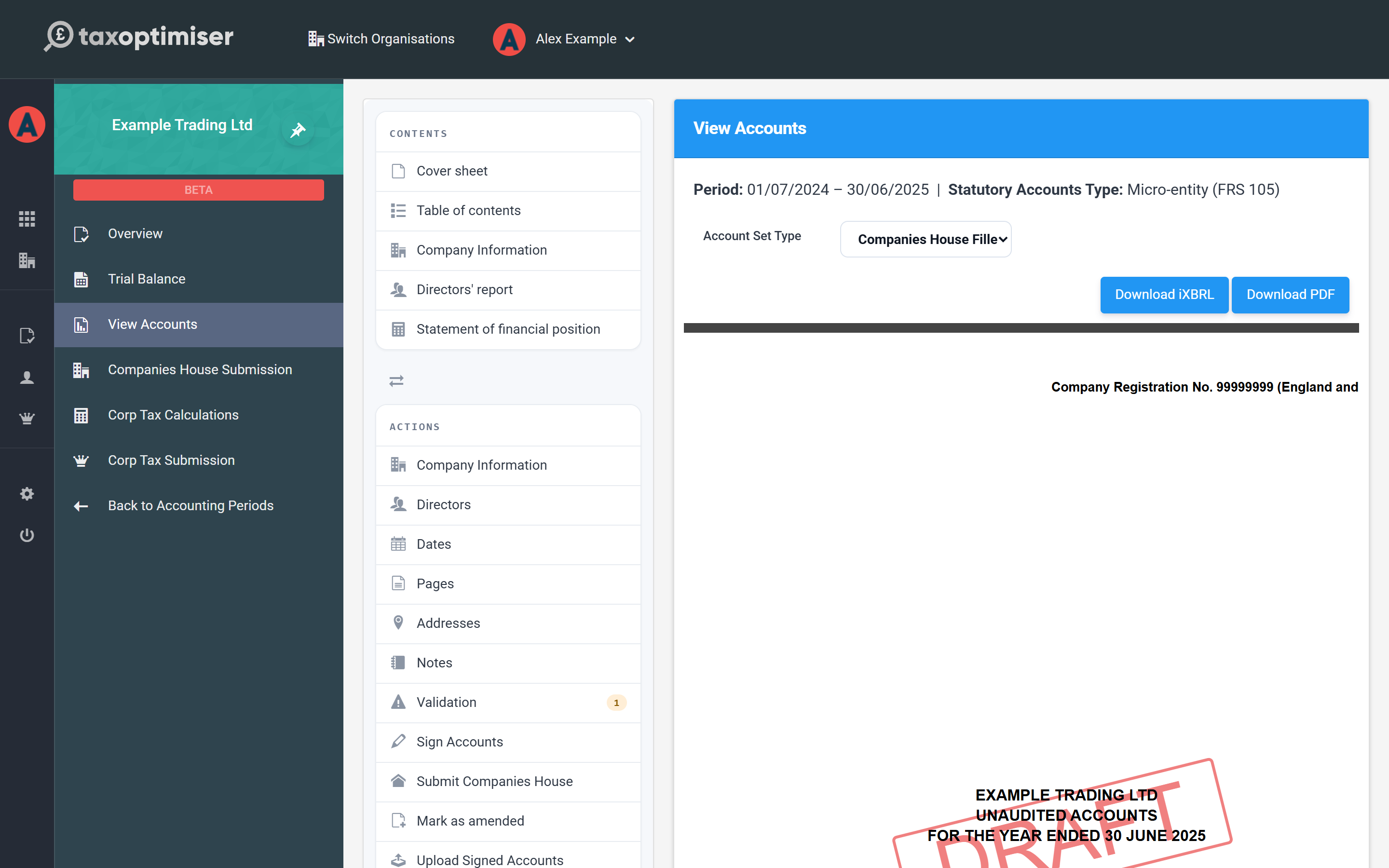
Open View Accounts from the period menu. The accounts render as they will file — with a DRAFT watermark until they're signed off. Use the Contents list to jump between pages and the Actions panel to complete the supporting information:
- Company Information, Dates, Addresses and Pages — cover-page and report details.
- Directors — add the directors who served in the year, and mark who signs the balance sheet.
- Notes — the accounts notes, including the employee count Companies House requires.
The Account Set Type switch toggles between the full members' accounts and the filleted set filed at Companies House, and both are downloadable as iXBRL or PDF at any time.
Validation
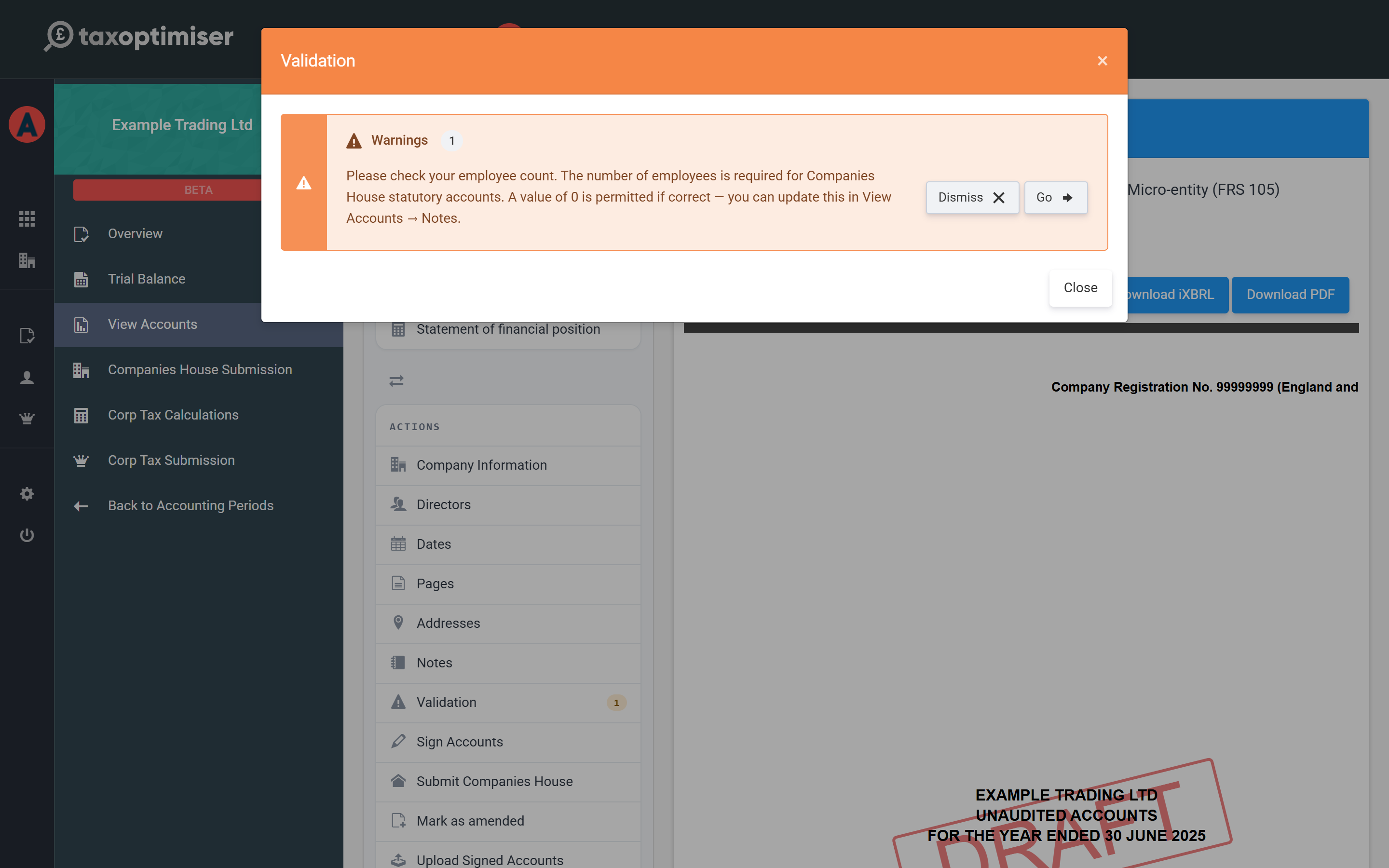
The Validation action runs the pre-filing checks and explains anything that needs attention — in plain language, with a Go button that takes you to the screen where the fix lives. Warnings (like confirming a zero employee count) can be reviewed and dismissed; errors block submission until resolved.
The CT600
The CT600 PDF — the actual return form, box by box — is available from the Output Documents card and is embedded for a final read in the submission flow, which the next article walks through. If your previous filing was made elsewhere, Import CT600 on the CT600 screen lets you load and compare it.