
When a company makes a trading loss it can set it against the profits of the previous year and get Corporation Tax back — or, in the year the trade stops, against the profits of the previous three years. This guide explains the rules, shows how the Carry back to earlier periods panel on the Losses tab works them out and updates the earlier periods for you, and covers what to do when an earlier return has already been filed.
The order of relief for a trading loss
A company’s trading loss is relieved in this order:
- Against other profits of the same period (CTA 2010 s37(3)(a)) — property income, interest, chargeable gains. Tax Optimiser does this automatically.
- Carried back against the total profits of the previous 12 months (s37(3)(b)). This is a claim: the company chooses whether to make it, but it can only carry back what the same-period claim has not used.
- Carried forward against future profits. Whatever is not used in steps 1 and 2 carries forward automatically.
A loss surrendered as group relief, or for an R&D or creative industries tax credit, is no longer available to carry back, so the panel works with the loss that is left after those claims.
Terminal loss relief when the trade stops
In the period the trade ceases, a loss cannot be carried forward because there are no future profits of that trade. Instead, terminal loss relief (s39) extends the carry-back from 12 months to three years for the loss of the final 12 months of trading.
Relief goes to the latest earlier period first, then back in time. An earlier period that only partly falls inside the 12-month or three-year window can only absorb the matching share of its profits, worked out by days (s38). Anything still unrelieved after the carry-back is lost.
Tick Trade ceased in this period on the Assets tab of the final period. That also switches the capital allowances to balancing allowances, and the Losses tab then offers the three-year window.
The claim must be made within two years of the end of the loss-making period.
Step 1: see the loss available
Open the loss-making period’s Corp Tax Calculations and choose Losses. The loss movement shows the loss arising (box 780). For a ceased trade, until you carry it back, the whole loss appears as Unrelieved on cessation of trade.
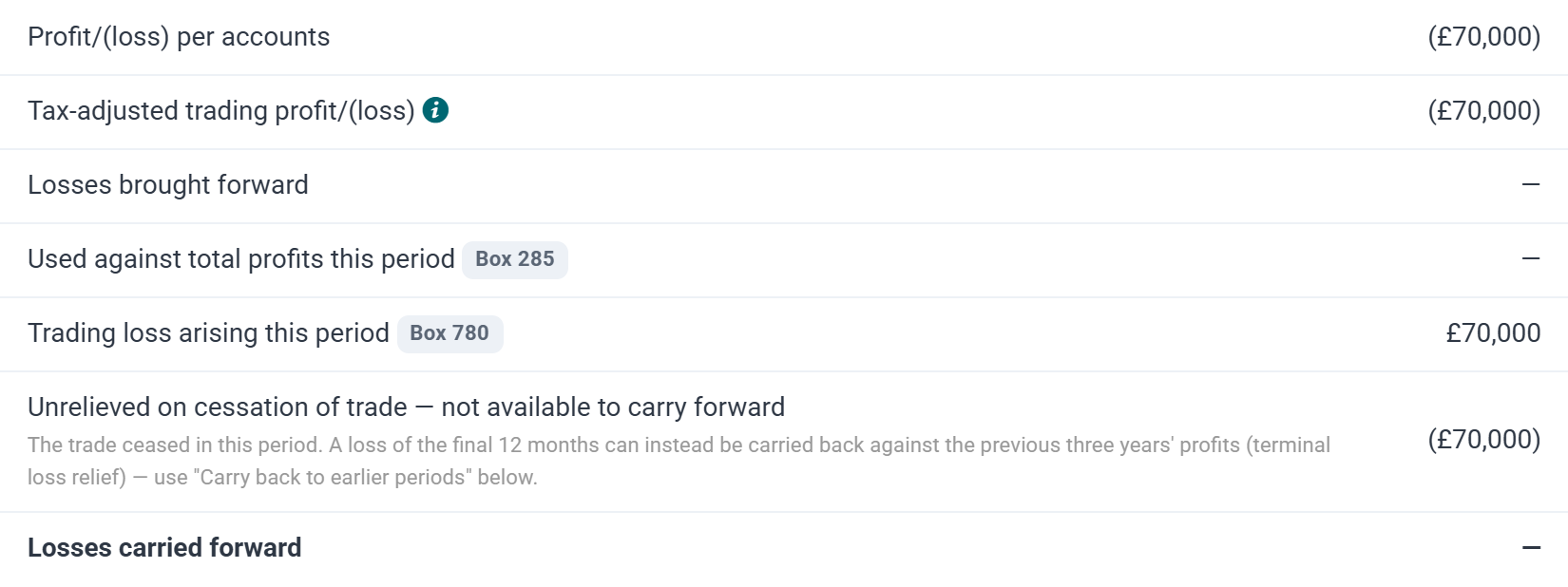
In the example, Example Final Year Ltd made profits of £30,000, £20,000 and £15,000 in the three years to 31 March 2022, 2023 and 2024, paying £12,350 of Corporation Tax at 19%. In its final year to 31 March 2025 it made a loss of £70,000 and stopped trading.
Step 2: work out the carry-back
Below Trading Loss Carried Back, the Carry back to earlier periods panel says which window applies and how much loss is available. Save any changes first, then click Work out carry-back.

Tax Optimiser finds the company’s earlier periods in the window, reads each one’s profits from its own computation and shares the loss out, latest first:
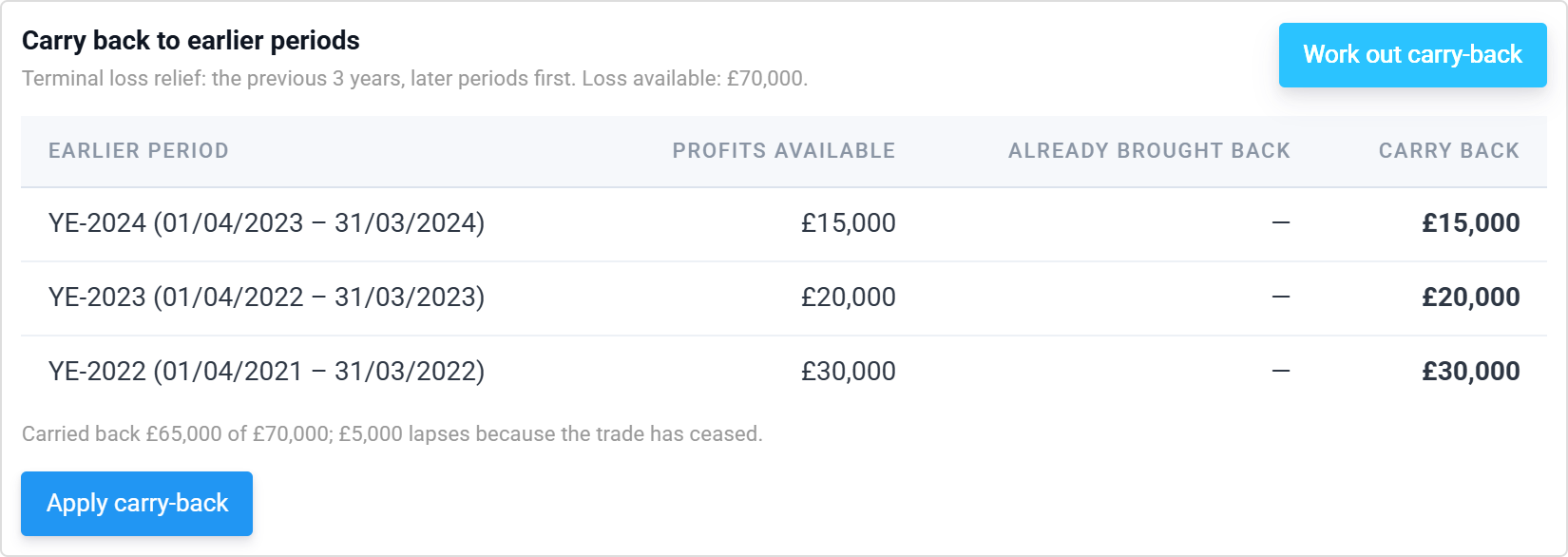
- Profits available is the earlier period’s total profits after its own reliefs, before any loss brought back into it — reduced to the share inside the window where the period straddles its start.
- Already brought back shows any loss already brought back into that period, for example from a different loss-making year.
- Carry back is the amount the plan will set against it.
Here £15,000 goes back to the year to March 2024, £20,000 to 2023 and £30,000 to 2022. That is £65,000 in total; the remaining £5,000 lapses because the trade has ceased.
Only periods held in Tax Optimiser with a saved computation are included. If part of the window is not covered — years before the company moved to Tax Optimiser, say — the panel says so, and you claim against those years’ profits outside the app.
Step 3: apply it
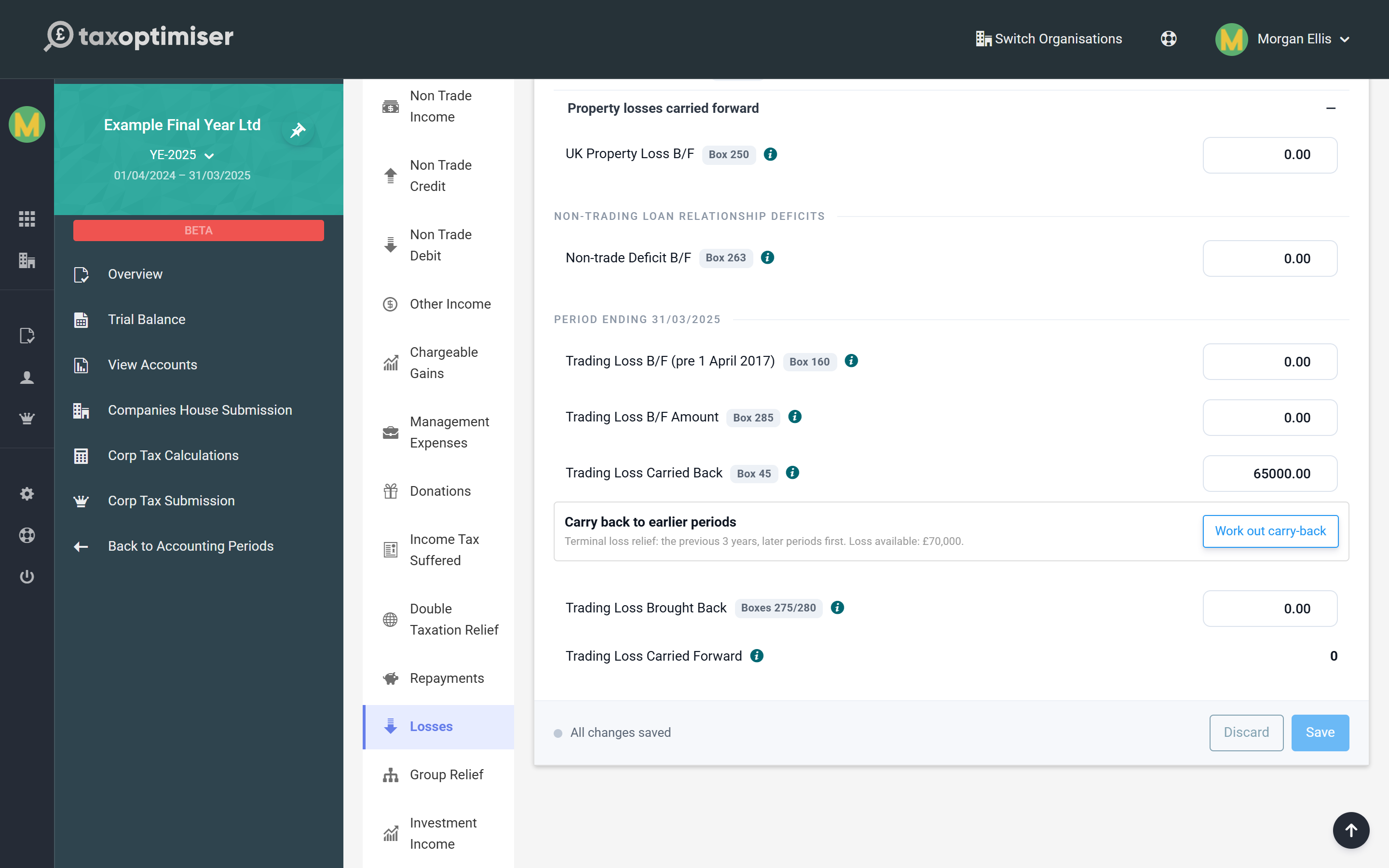
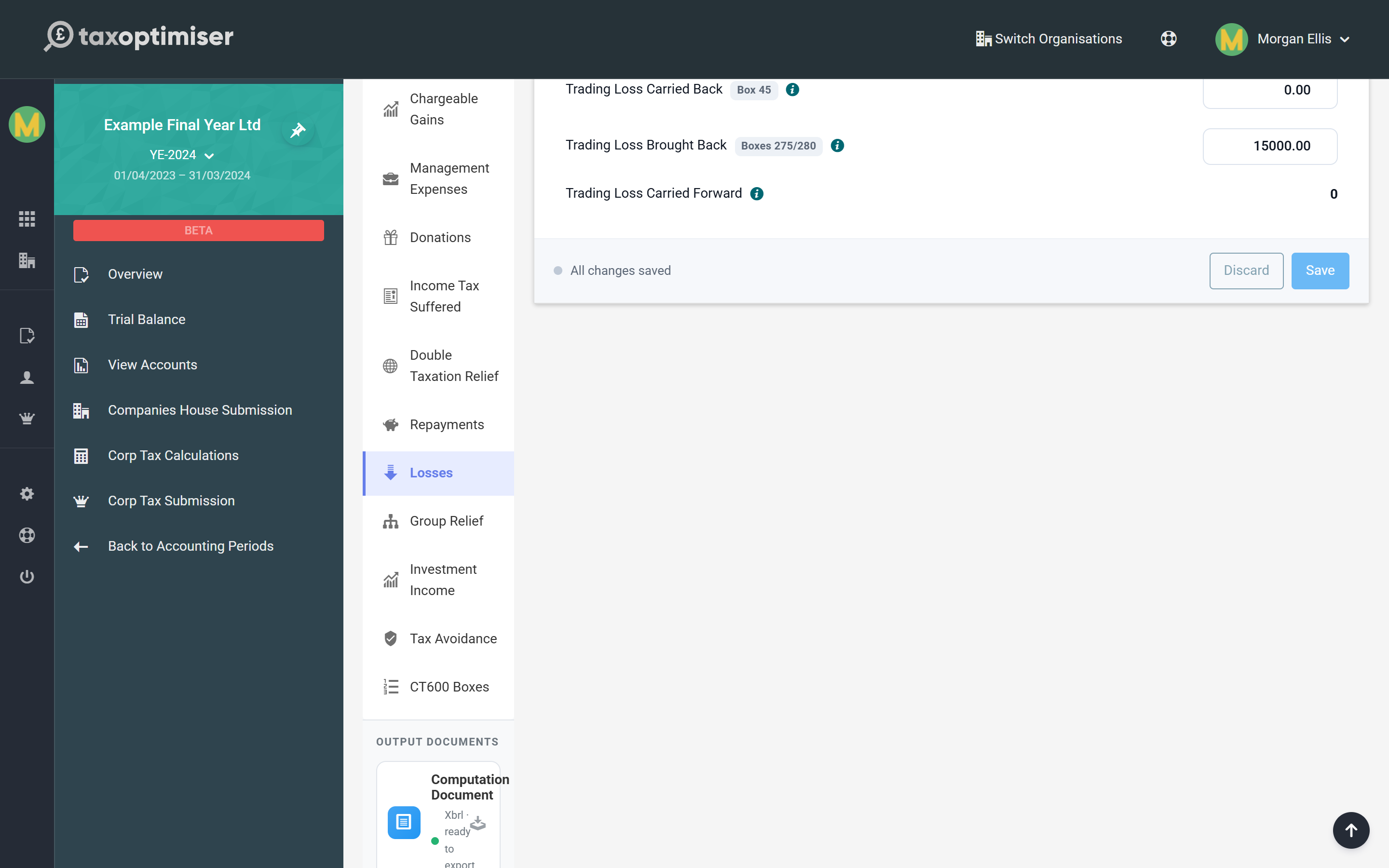
Click Apply carry-back. Tax Optimiser writes the amount into Trading Loss Brought Back on each earlier period, recalculates and saves each one, then sets this period’s Trading Loss Carried Back and saves it.
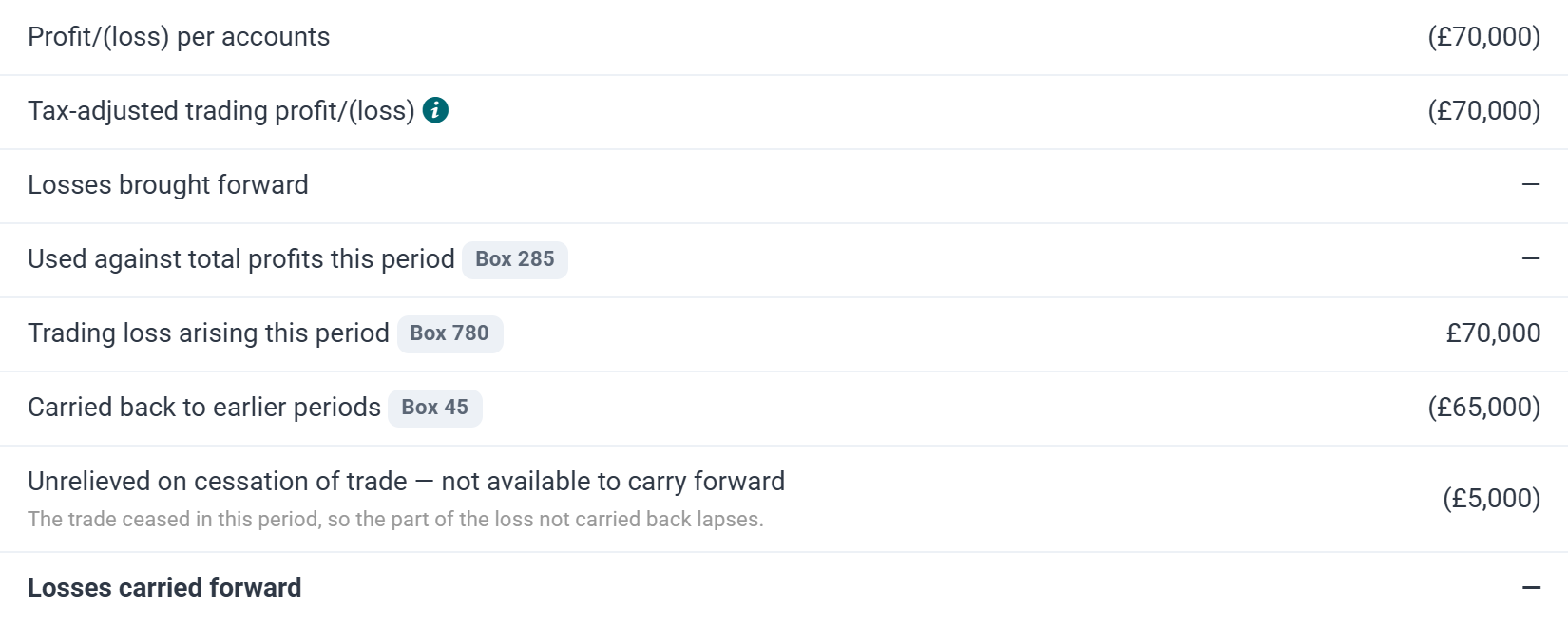
The loss movement now shows £65,000 carried back (box 45) and only £5,000 unrelieved on cessation.
If an earlier period already has a different figure brought back into it, Apply stops and names the period. Tick Replace the figures already brought back into those periods only if the old figure should go.
Step 4: the earlier returns
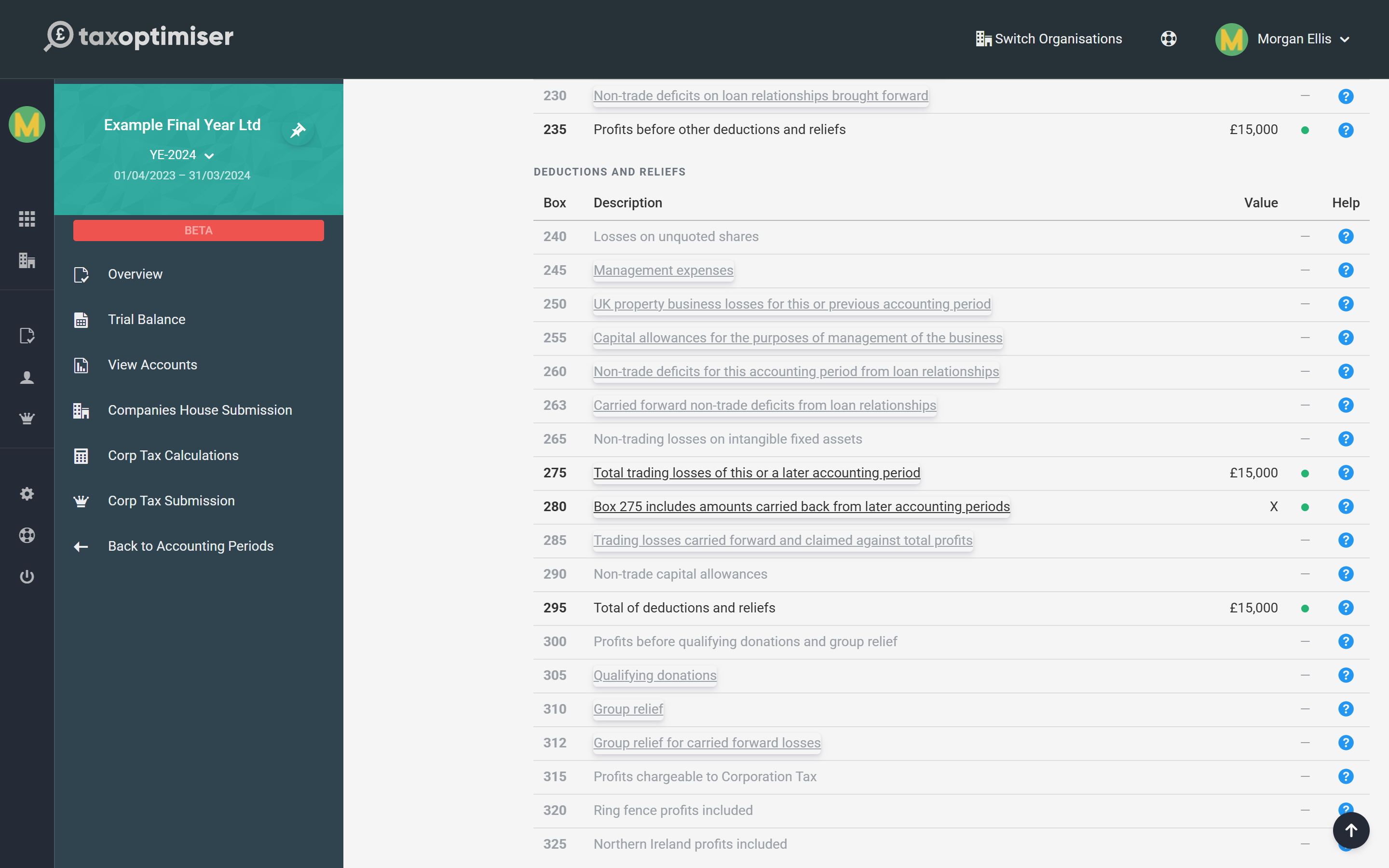
Each earlier period now shows the loss in Trading Loss Brought Back, reported in box 275 with box 280 ticked, and its Corporation Tax falls — to nil for all three years in the example, so £12,350 is repayable.
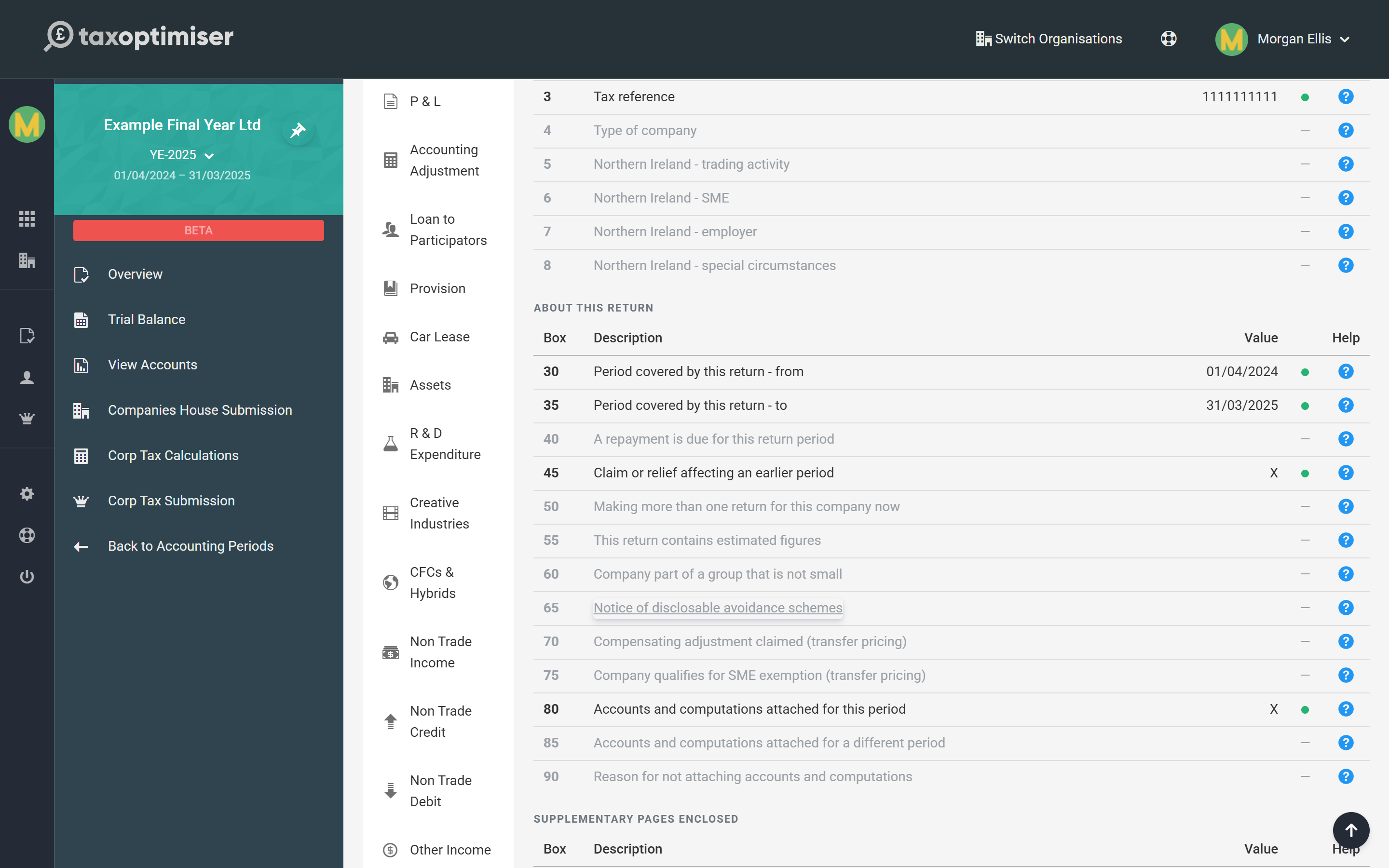
The loss-making return ticks box 45 to tell HMRC it makes a claim affecting earlier periods.
If an earlier return has already been filed, the panel lists it after you apply: file an amended return for that period with Mark as amended on its submission (see Submitting to HMRC and Companies House). HMRC repays the tax for the earlier period once the claim is processed.
What the panel does not do
- Long periods of account. When the loss-making accounts run for more than twelve months they are split into two returns. Enter the carry-back by hand in each return’s Trading Loss Carried Back and Trading Loss Brought Back fields.
- A final period shorter than 12 months. Terminal loss relief covers the loss of the final 12 months of trading, which can include part of the previous period’s loss. The panel carries back this period’s loss only; add any extra share by hand.
- Choosing not to carry back. The claim is optional for an ongoing trade. If carrying forward is better, leave Trading Loss Carried Back at nil and the loss carries forward.
CT600 boxes
Box 45 — Claim or relief affecting an earlier period
Ticked on the loss-making return whenever Trading Loss Carried Back is more than nil.
Box 275 — Trading losses of this or a later accounting period
On the earlier return, the loss brought back into it from a later period, set against its total profits.
Box 280 — Amounts carried back from later periods
Ticked alongside box 275 when it includes a loss carried back from a later period.
Box 780 — Trading losses arising
On the loss-making return, the whole trading loss of the period — before any of it is set off, carried back or lost on cessation.
Frequently asked questions
How far back can a company carry a trading loss?
Twelve months, against the total profits of the previous year, after first setting it against other profits of the same period. When the trade ceases, the loss of the final 12 months can go back three years.
What is terminal loss relief?
The extension of the carry-back to three years for the loss of a company’s final 12 months of trading. Relief goes to the latest year first. Any loss left over after the carry-back is lost.
Is there a time limit for the claim?
Yes. A carry-back claim must be made within two years of the end of the loss-making period.
Does Tax Optimiser update the earlier years for me?
Yes. Apply carry-back writes the loss into each earlier period’s Trading Loss Brought Back, recalculates and saves it, and sets the carried-back figure on the loss-making period.
What if an earlier return has already been filed?
The panel lists it after you apply. File an amended return for that period with Mark as amended; HMRC repays the tax once the claim is processed.
My earlier years are not in Tax Optimiser. Can I still carry back?
Yes, but the panel only reaches periods held in the app with a saved computation. It tells you when part of the window is not covered; claim against those years’ profits separately.
What happens to a loss that is not carried back?
For a continuing trade it carries forward against future profits automatically. In the final period of a ceased trade it is lost.
Where to go next
- Trading losses: carry forward and carry back — brought-forward losses, property losses and non-trading deficits.
- CT600 box-by-box guide — every box on the main return.
- HMRC’s Company Taxation Manual on trading losses — the detailed rules.