
Company accounts show two years side by side: this year and the one before. The prior year column (the comparatives) has to agree with what was filed last year. There are four ways to fill it in Tax Optimiser, and you rarely need to type anything:
- Pull from last year's period in Tax Optimiser, if you prepared last year here.
- Import them in the same spreadsheet as this year's trial balance.
- Type them into the prior year columns of Manual Entry or Simple Entry.
- Simple Entry's pull, which uses last year's period if there is one and otherwise reads the accounts filed at Companies House.
Where the prior year comes from
Each accounting period has prior period dates, shown on its Overview. A new period gets the year before its start date automatically. Those dates decide which of your earlier periods counts as “last year” for every pull below, and they print as the heading of the prior year column in the accounts.
A company in its first accounting period has no prior year. Leave the column empty. If the prior year should not print at all, see Excluding the prior year.
Pull from last year: Manual Entry
If last year's period is in Tax Optimiser with figures, open this year's Trial Balance and press Pull in Prior Year Figures in the blue header.

A box explains what will happen. Every figure in the prior year columns is replaced with last year's final trial balance, and accounts that had no balance last year are set to nil. This year's figures are not touched. Press Pull in figures.

The Prior Year Debit and Prior Year Credit columns now hold last year's balances.

The pull only works when:
- last year's period starts and ends on this period's prior period dates. If they differ, the message names the nearest earlier period and both sets of dates, so you can correct one of them on the Overview;
- last year's period has not been archived; and
- this period is not locked.
You can press the button again at any time, for example after last year's figures change. It replaces the whole column each time.
Pull from last year: an imported trial balance
On an imported trial balance the same Pull in Prior Year Figures button needs one more thing: last year's period must be locked, because only a locked period's figures are final. Until it is, the button is greyed out, and hovering over it tells you which period to lock.

To lock it, open last year's period, go to its Overview and press Lock on the Lock Status row. A locked period can't be changed until you unlock it from the same row.

Back on this year's trial balance the button is now active. The box warns you if the file you imported already carried prior year figures: the pull replaces them.


Once pulled, this year's prior year column keeps following last year's period. If you unlock last year and change it, the change comes through the next time this year's trial balance is rebuilt. Two things stop the pull: journals already posted to this year's prior year column (their effect would be lost), or last year's trial balance being empty. Importing a new file that has prior year figures in it switches back to the file's figures.
Import them in your file
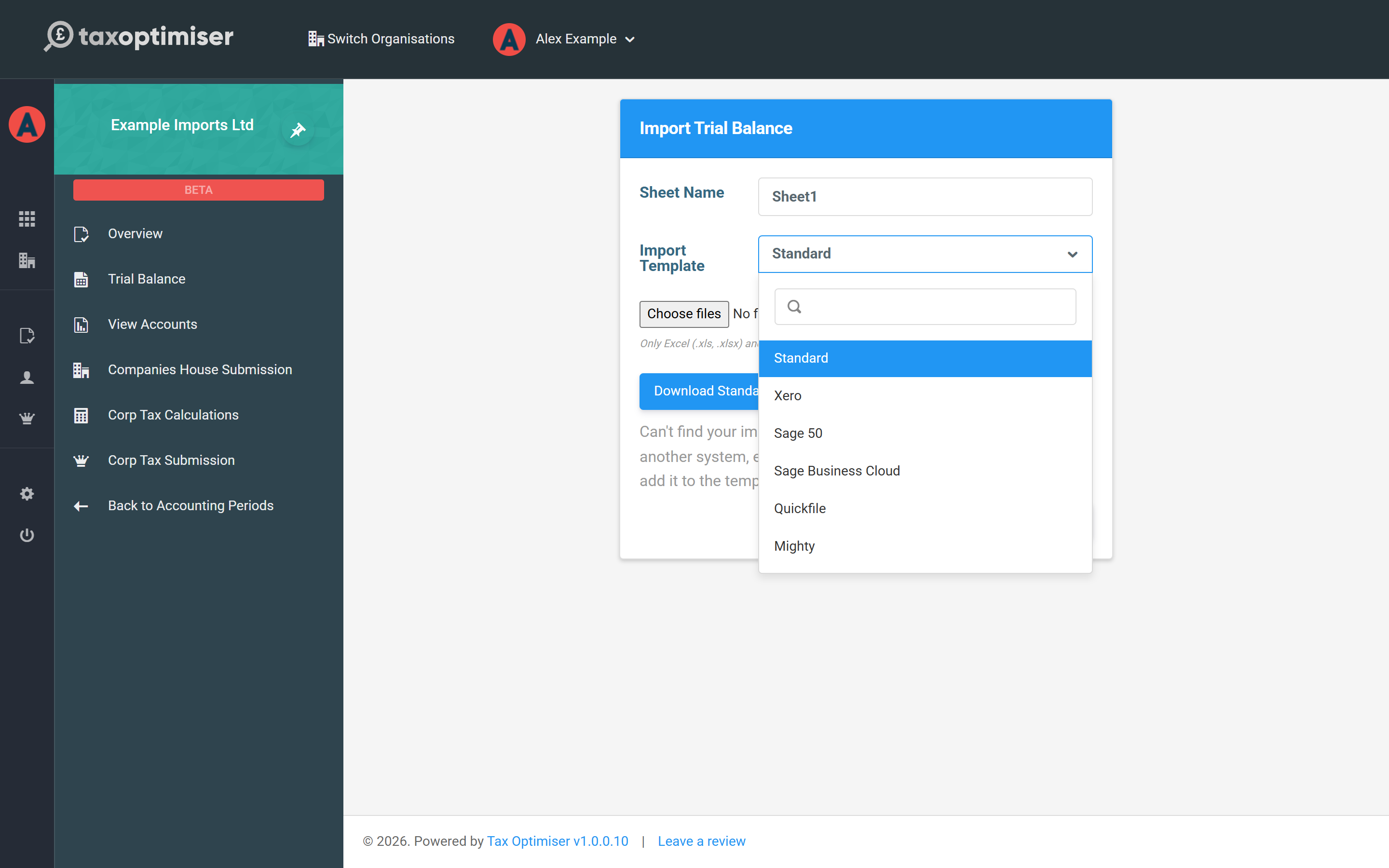
If last year was prepared somewhere else, the simplest route is to include it in the import. The Standard template has Prior Year Debit and Prior Year Credit columns next to this year's. Xero's Trial Balance export carries its comparative column too. Make sure the prior year figures balance on their own, just like this year's.
Type them in
The prior year columns are always open for typing. In Manual Entry they are the shaded Prior Year Debit and Prior Year Credit columns. In Simple Entry every box has a Prior year cell beside the current year. Copy each figure from last year's filed accounts, then check the totals:
- the prior year balance sheet must balance on its own; and
- this year's retained earnings brought forward should equal last year's retained earnings carried forward. Simple Entry warns you when they differ.
Simple Entry: pull in prior year figures
When Simple Entry's prior year column is empty, a strip above the summary offers Pull in prior year figures. It tries two sources in turn.

1. Last year's period in Tax Optimiser
If last year's period is in Tax Optimiser with figures, every box is copied: profit and loss and balance sheet. Simple Entry says which period the figures came from, and there is nothing to check.

2. The accounts filed at Companies House
If last year isn't in Tax Optimiser, Simple Entry reads the company's accounts from the Companies House register, using the company number saved on the Company and directors step. It looks for the accounts made up to the day before this period starts.
Companies House doesn't hold everything, so these figures come with a warning to check them:
- Balance sheet only. Micro-entity accounts filed at Companies House don't include a profit and loss account, so the prior year profit and loss boxes stay empty. You can type them in if you have them.
- Capital and reserves as one total. Where the filing doesn't split share capital from retained earnings, Simple Entry takes this year's share capital (or the share capital you typed for last year) and treats the rest as retained earnings.
- Corporation tax payable is part of creditors on the register. Type last year's tax into its own box if you know it, and it is taken out of the other creditors.

The prior year balance sheet now holds the filed figures. Compare them with the accounts on the register: the warning's View the accounts filed at Companies House link opens the company's filing history.

When you are happy, press I've checked the prior year figures and the warning goes.
Pull again
Pull again, on the warning, fetches the filed figures a second time, for example after you have added the company number or changed boxes by mistake. Over figures that are already there it asks first. Prior year profit and loss figures you have typed are kept.

When nothing can be pulled
If Companies House can't supply the figures, the warning says why and the column stays empty for you to type into:
- no company number has been entered;
- Companies House has no accounts made up to the prior year end date (the company may be in its first year, or filed late);
- the accounts were filed on paper, so there are no figures to read;
- the filing couldn't be read, or Companies House couldn't be reached. Try Pull again later.

If the company was incorporated on or after the period's start date, Simple Entry tells you this is its first accounting period and there is nothing to pull in.
Excluding the prior year
A company's first accounts have no comparatives, and occasionally you may want accounts to print a single year. The Prior Period row on the period's Overview has an Exclude button, which becomes Include once excluded. Excluding keeps the figures and dates; they just don't print.

The pulls are switched off while the prior year is excluded. Include it first.
If prior year figures have been entered but the prior year is excluded, Simple Entry says so, because the accounts would otherwise print one year without you noticing. Press Include in the accounts.


Questions
Why is Pull in Prior Year Figures greyed out?
On an imported trial balance, last year's period isn't locked yet. Lock it from the Lock Status row on its Overview, then come back. If it isn't shown at all on an imported trial balance, there is no earlier period with figures on this period's prior period dates.
It says the dates don't match. What should I change?
Last year's period must start and end on exactly this period's prior period dates. Correct whichever is wrong on the Overview: usually this period's Prior Period dates, after a change of year end.
This is the company's first year. What goes in the prior year?
Nothing. Leave the column empty, and exclude the prior period on the Overview if you don't want an empty column printed.
The pulled figures differ from the accounts I filed. Why?
A pull from Tax Optimiser copies last year's trial balance as it is now, so a change made after filing comes through. A pull from Companies House reads the balance sheet only and assumes the split of capital and reserves. Correct the boxes by hand: the figures must match what was filed.
I pulled in the wrong figures. Can I undo it?
Pull again after fixing the source (last year's period, the dates or the company number), or type over the figures. A pull never changes this year's figures.
Companies House says there are no digital accounts. What now?
Accounts filed on paper can't be read automatically. Open the filing history from the warning's link and type last year's figures from the PDF.
