Help Centre · Partnership Returns (Beta) · 3 min read

The Partnership Statement: partners and profit shares

Adding partners, boxes 6-12, entering each partner's share, and the live checks: the allocation-vs-return warning and the UTR check that prevents error 8205.

Beta feature — Partnership (SA800) returns are currently in beta and are switched on for one accountant firm at a time. To gain access for your firm, email support@taxoptimiser.co.uk and the team will enable it and help you get started.

The Partners step is the SA800’s Partnership Statement — the schedule that tells HMRC who the partners were and how the period’s result was divided between them. Each partner takes their share from here onto their own personal return.

Adding partners
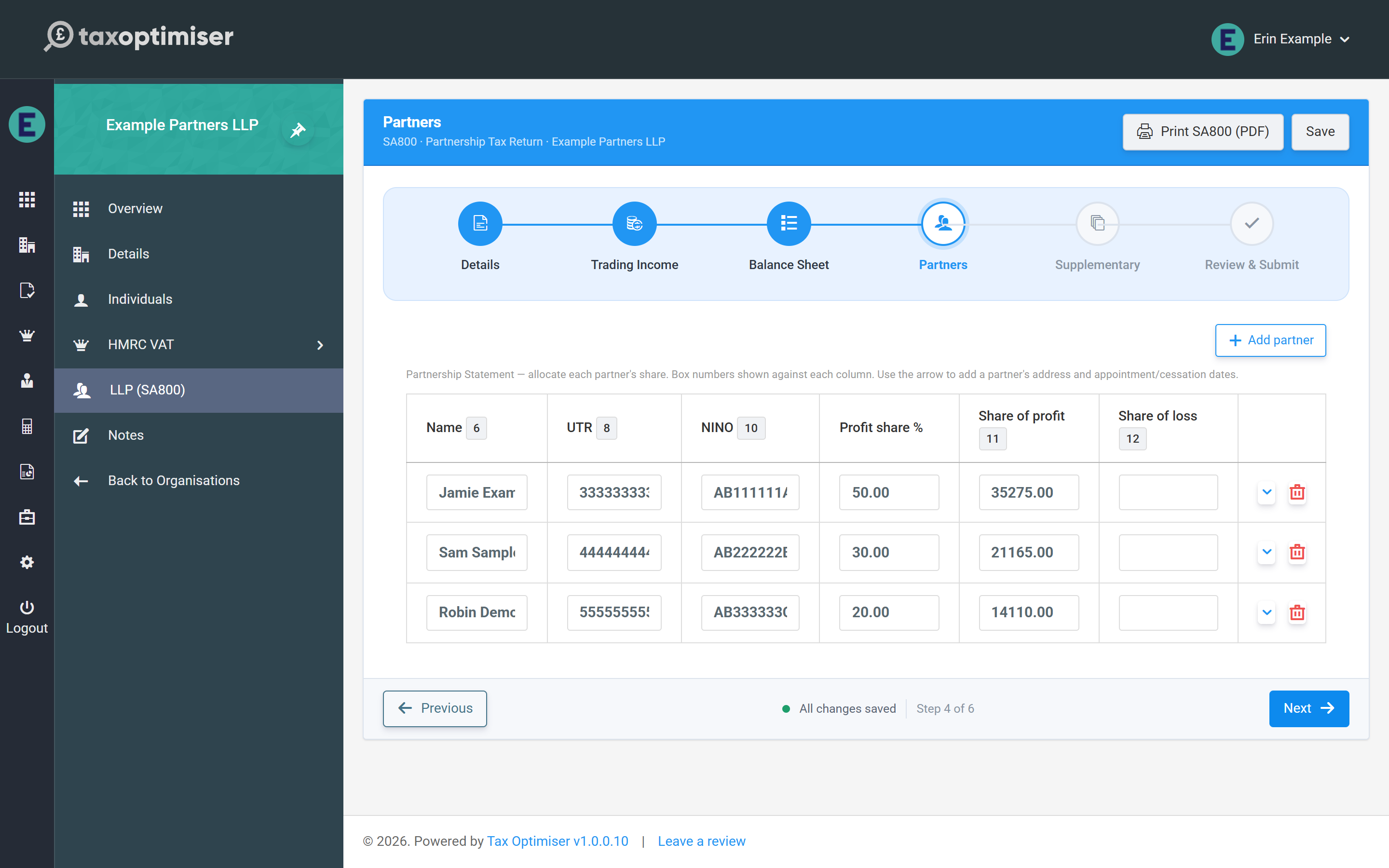
The Partners step: the Partnership Statement table with name, UTR, NINO, profit share percentage and share of profit columns

Click Add partner for each partner. The table columns carry the statement’s box numbers: name (box 6), the partner’s own UTR (box 8), National Insurance number (box 10), and the shares of profit (box 11) and loss (box 12). The arrow at the end of each row opens the partner’s detail panel for their address and, where relevant, date appointed (box 7) or date ceased (box 9) — only enter those dates if they fall during 2024-25 or 2025-26.
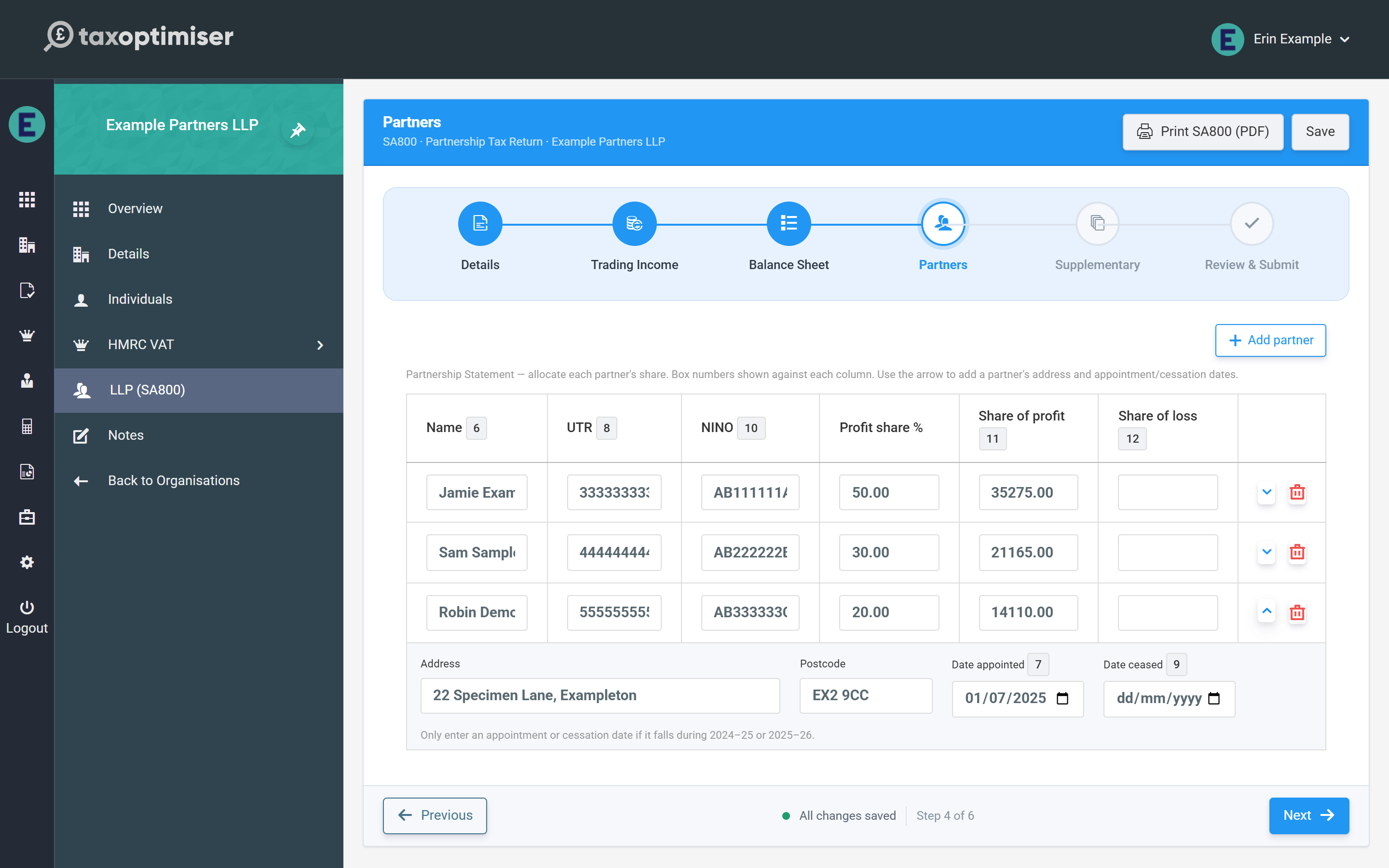
A partner row expanded to show the address, postcode and appointment date fields

Allocating profit shares

Enter each partner’s share of the trading result directly in the profit and loss columns, so agreements with fixed shares, salaries or interest on capital can be entered exactly as computed. The rule the statement must obey is simple: the partners’ shares must add up to the return — box 11 shares to the taxable profit (3.83), box 12 shares to the allowable loss (3.84).

The profit share % column does a different job: it is how everything else on the statement is divided — property income, interest, dividends, foreign income and tax, disposal proceeds, residential finance costs, partnership charges, and CIS deductions unless you type each partner’s CIS share in the last column. Set the percentages to how those items are actually shared; they must total 100% whenever the return has any of them. Each share is rounded to the penny and the last partner takes any odd penny, so the partners always add back to the total.

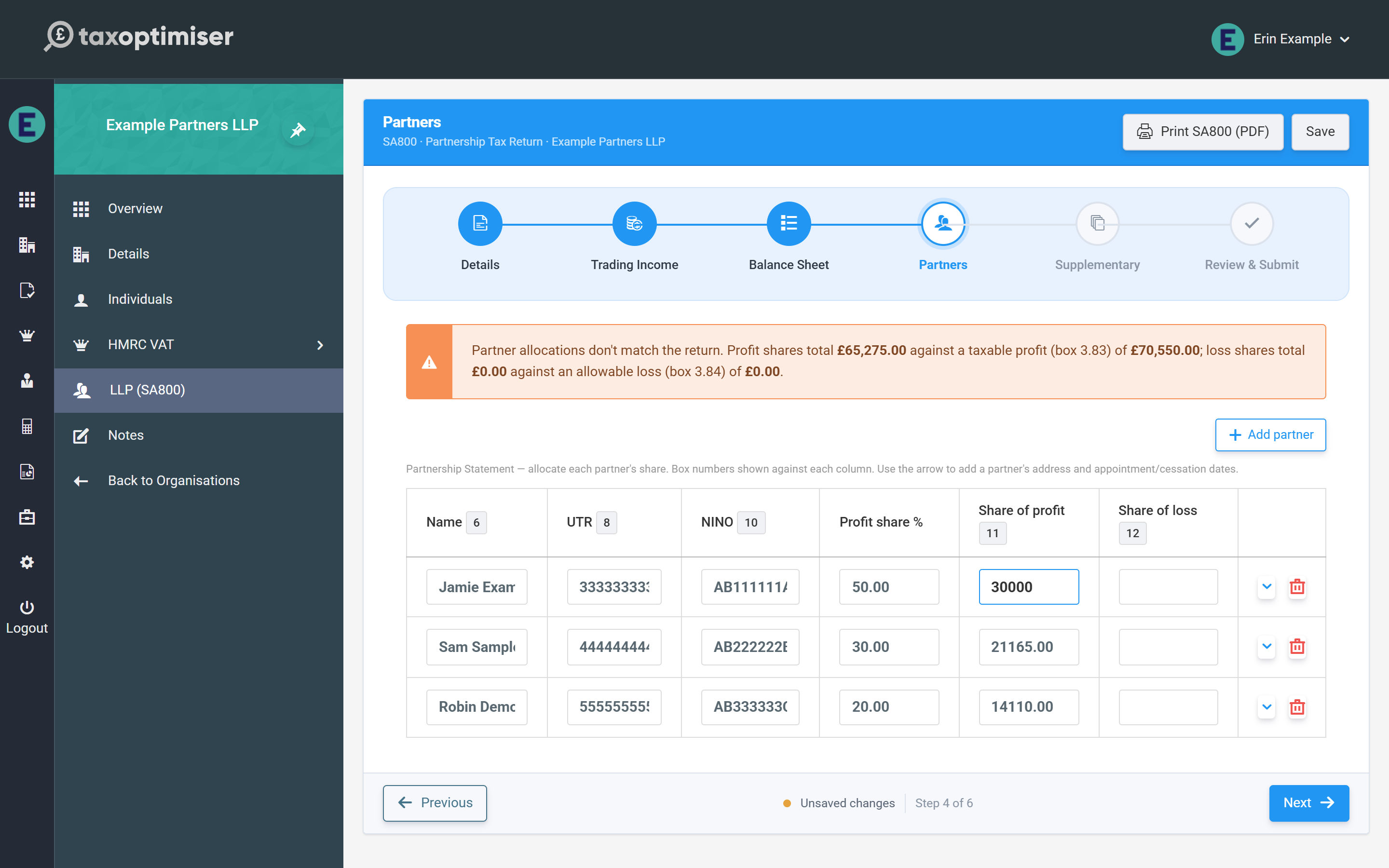
A totals row under the table adds up the percentages and the profit, loss and CIS shares as you type, and shows each against the figure it must match — 100%, box 3.83, box 3.84 and box 3.97 — turning red where they differ. A warning above the table quotes the gap as well. Neither blocks saving — you can leave the allocation half-done and come back — but the return cannot be submitted until the shares match boxes 3.83/3.84 exactly.

The allocation warning and the red totals row: partner profit shares totalling less than the taxable profit in box 3.83

The checks that stop an HMRC rejection

Two per-partner checks run as you type:

  • Partner UTR — required for every partner, and validated against the same HMRC check-digit rule as the partnership’s own UTR. A blank UTR is flagged and blocks submission; one bad partner UTR causes HMRC to reject the whole return (error 8205), so the field turns red immediately.
  • NINO — optional, but if you enter one it must be in the standard format (two letters, six digits and an optional final letter); spaces and lower case are tidied up for you. A malformed NINO blocks submission. No NINO is sent for a partner that is a company.

A partner who left before they joined (a date ceased earlier than the date appointed) is refused too, as HMRC would reject it.

Next: the supplementary pages (SA801–SA804).

The short version

The Partnership Statement: partners and profit shares — in brief

The Partners step is the SA800 Partnership Statement: one row per partner with boxes 6-12.

Shares of profit and loss are entered directly, so fixed shares, salaries and interest on capital can be allocated exactly.

The shares must sum to boxes 3.83/3.84; a live warning quotes both totals whenever they differ, and a mismatched return cannot be submitted.

Partner UTRs are check-digit validated as you type - one bad UTR rejects the whole return (error 8205).