
Beta feature — Self Assessment tax returns are currently in beta and are switched on for one accountant firm at a time. To gain access for your firm, email support@taxoptimiser.co.uk and the team will enable it and help you get started.
The Tax Reliefs and Student Loan sections carry the SA100’s claims and charges. Everything here feeds the live calculation the moment it is entered, so you can see exactly what each claim is worth.
Tax reliefs
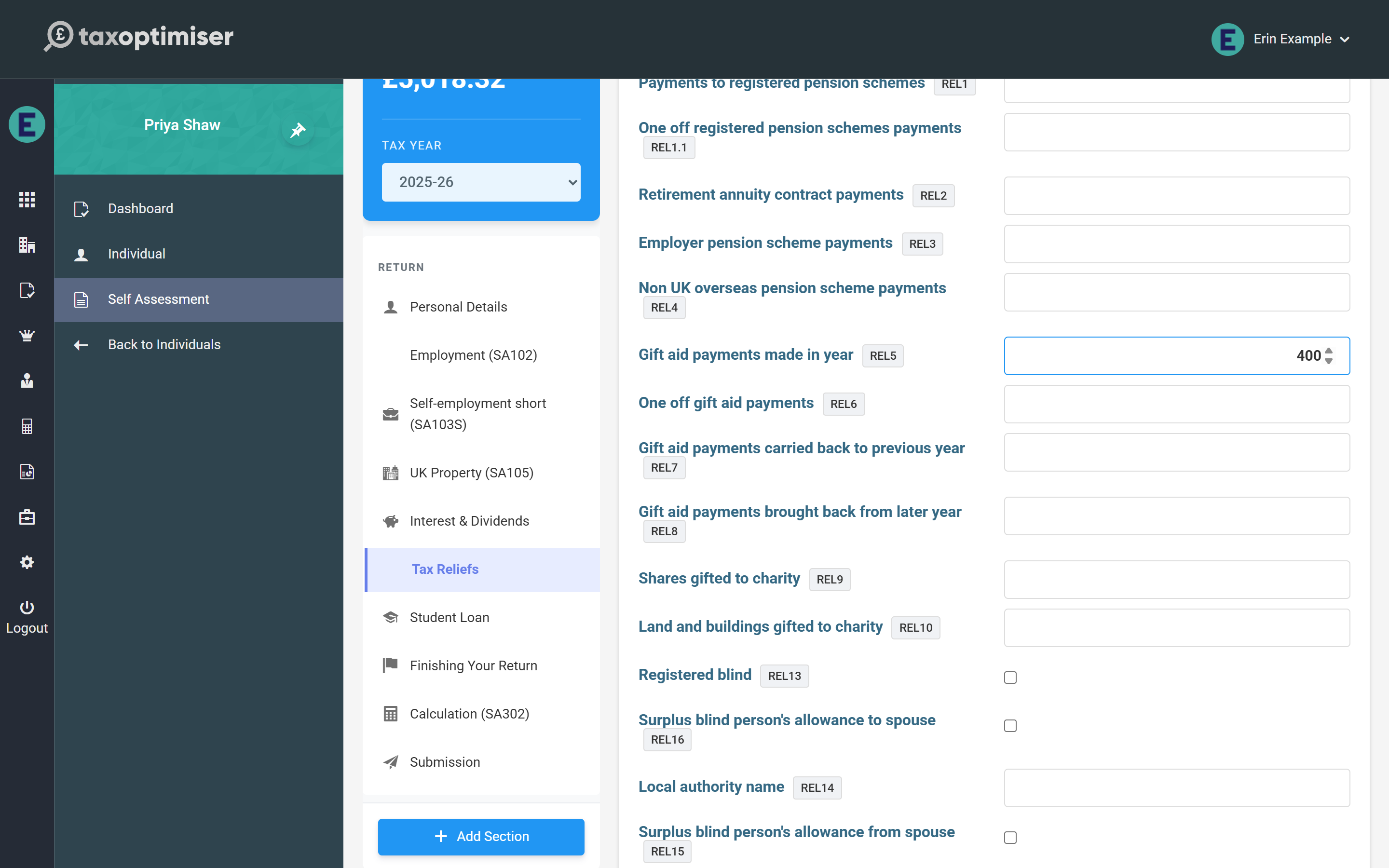
- Pension contributions — enter relief-at-source payments gross (as the form asks); the calculation extends the basic-rate band and protects the Personal Allowance taper accordingly. Retirement annuity and overseas scheme payments are deducted from income.
- Gift Aid — enter what the client actually paid; the gross-up and band extension happen in the calculation. You can see the effect in the band breakdown: the basic-rate band grows by the grossed-up gift.
- Marriage Allowance — tick whether the client is receiving from or transferring to their partner; the £252 reduction (or reduced allowance) is applied automatically. The spouse identity boxes are also here.
- High Income Child Benefit Charge — enter the Child Benefit received and number of children; the charge is calculated from adjusted net income (1% per £200 over £60,000, fully clawed back at £80,000).
- Blind Person’s Allowance — tick registered blind and the allowance is added.
Student and postgraduate loans
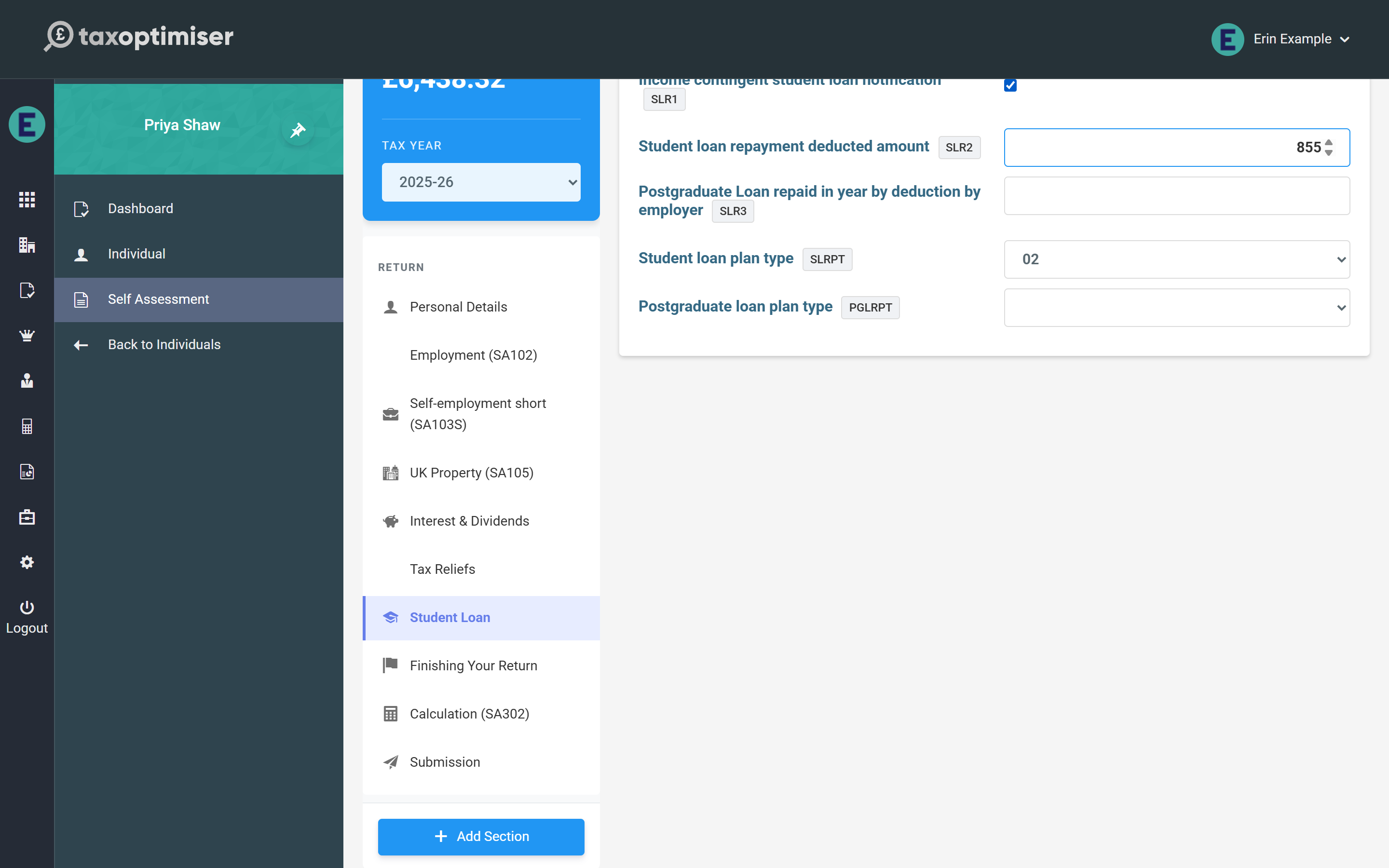
Tick the notification box, pick the plan type, and enter anything already repaid through PAYE — the calculation works out the Self Assessment repayment from total income (unearned income counts once it exceeds £2,000) and nets off the PAYE deductions.
Finishing your return
The Finishing Your Return section carries the SA100’s closing boxes — repayment and nominee details, the tax adviser’s details, and the provisional-figures indicator. The declaration itself is confirmed on the Submission screen at filing time, so nothing here blocks day-to-day data entry.