
Once the boxes are right, sending is two clicks — a declaration, then HMRC's acceptance comes back with a receipt that is your proof of filing. You can only send once the period has actually finished; until then the return shows a polite reminder instead of the send button.
The declaration
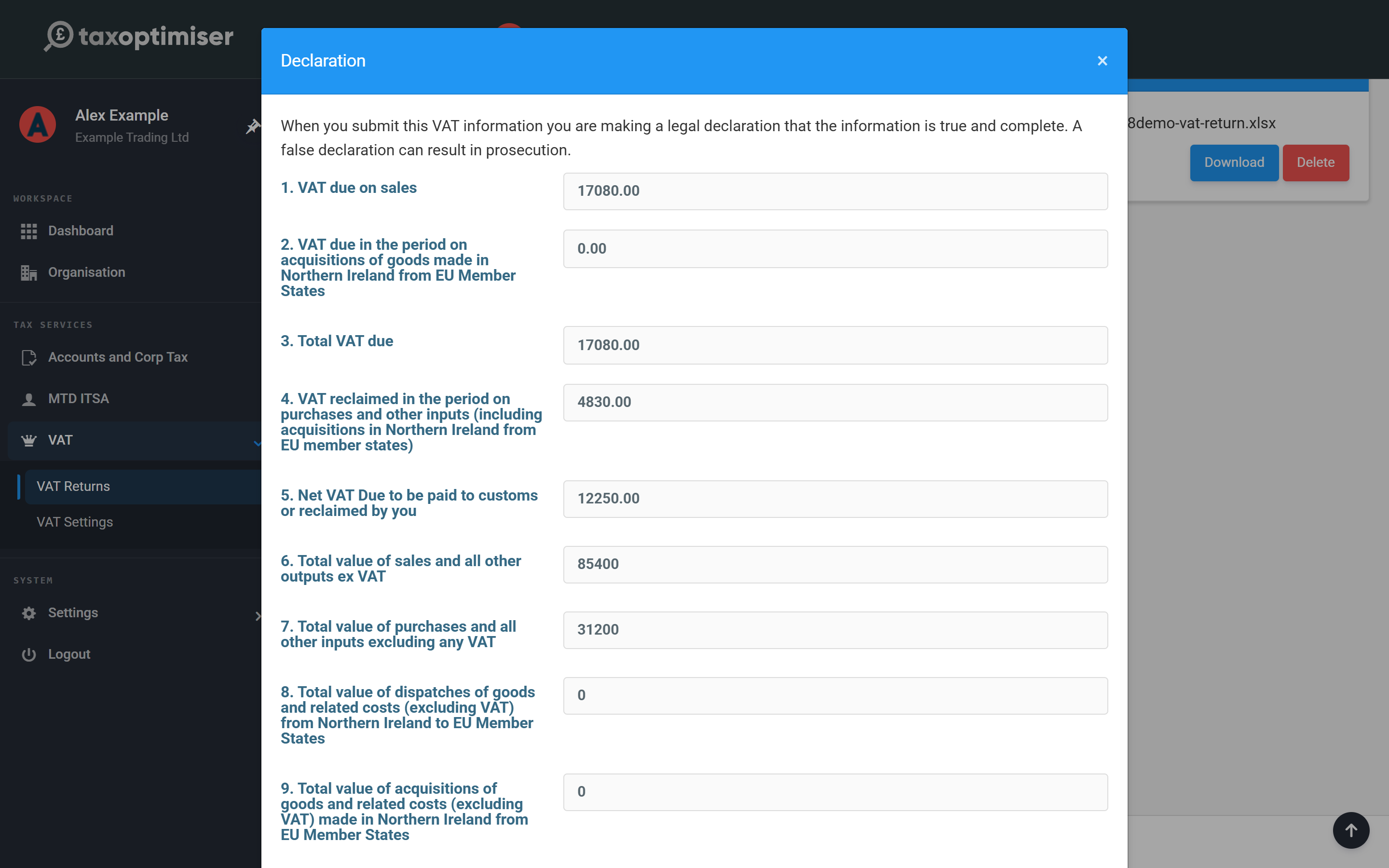
Click Send VAT Return. The declaration asks you to confirm the figures are true and complete — this is the legal declaration HMRC requires, so only accept it once you've checked the boxes. You can add an internal note (it stays in Tax Optimiser, nothing extra goes to HMRC). Click Accept.
What happens next
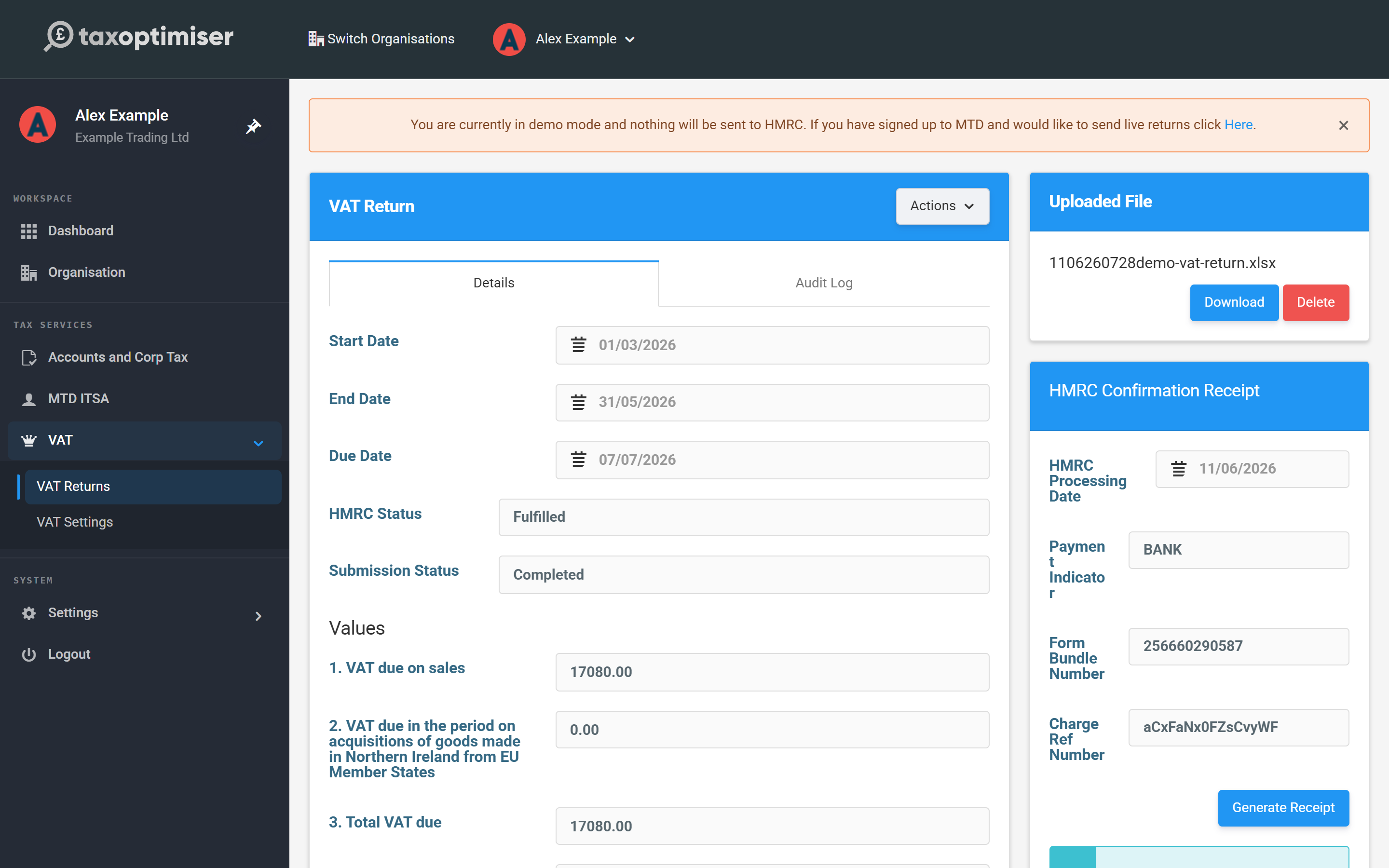
The return is queued and submitted to HMRC using the authority you granted, and the Submission Status moves from Submitting to HMRC to Submission Accepted — the screen updates itself, no need to refresh. In demo mode the cycle completes instantly and nothing leaves Tax Optimiser.
Your HMRC receipt
On acceptance the HMRC Confirmation Receipt panel fills in: the Processing Date, the Payment Indicator (how HMRC expects the balance to move — BANK means direct payment to or from your bank), the Form Bundle Number (HMRC's internal reference for the submission) and, where money is due, a Charge Ref Number. These are generated by HMRC and are your proof the return was filed; Generate Receipt turns them into a PDF you can keep or send to a client.
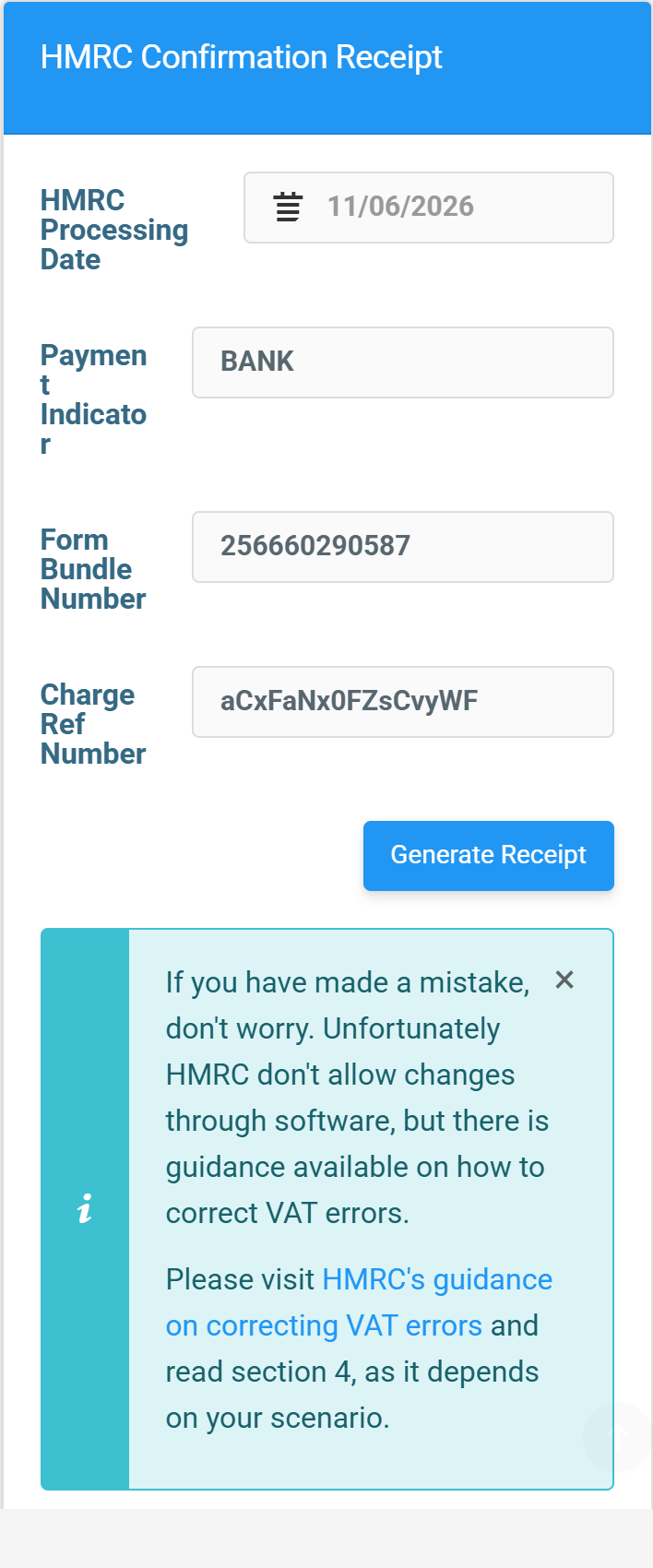
Spotted a mistake after filing? HMRC doesn't allow corrections through software — depending on the size of the error it's adjusted on your next return or reported separately. Follow the link on the receipt to HMRC's guidance on correcting VAT errors.
The audit log
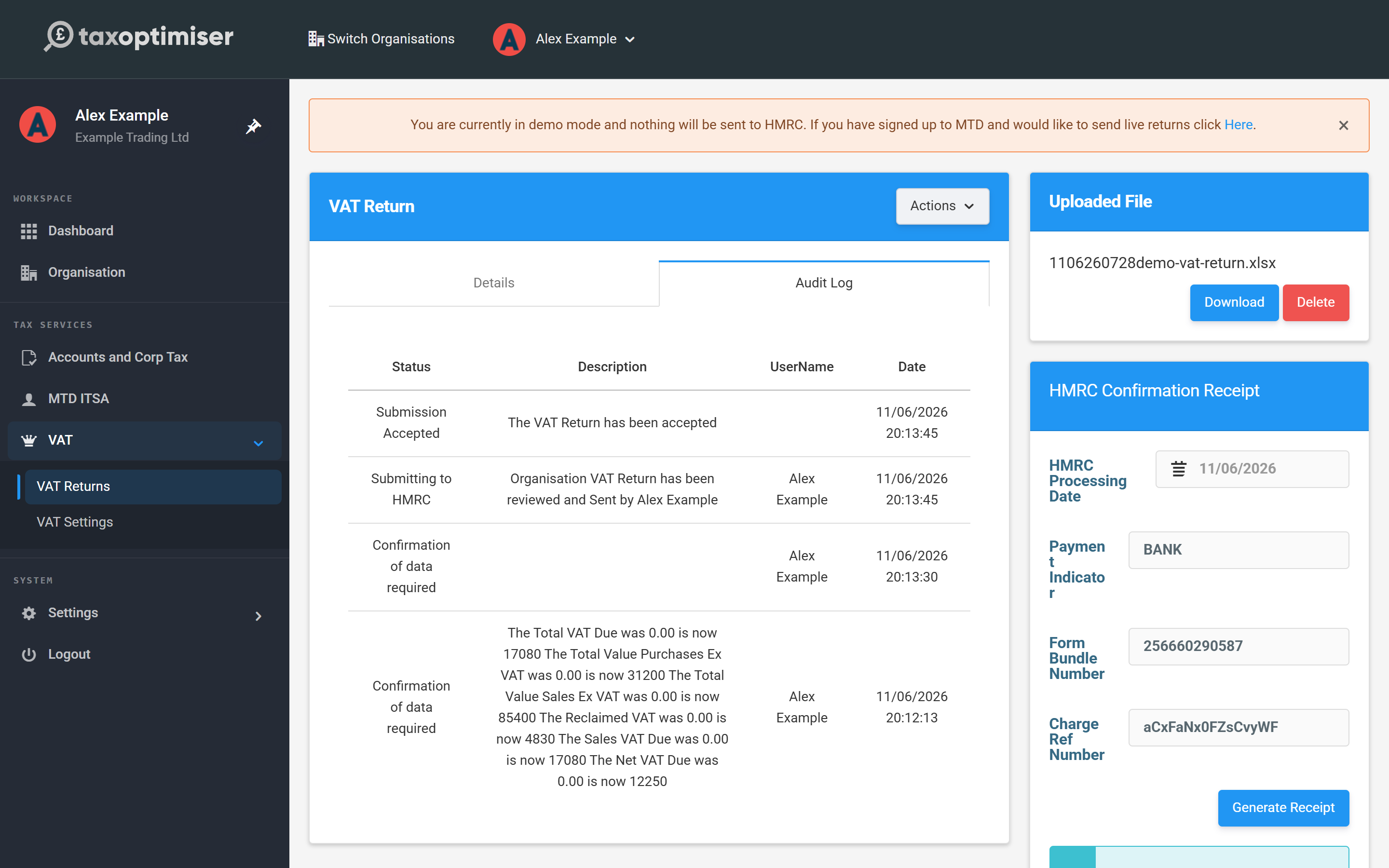
The Audit Log tab on the return records every step — who uploaded, who accepted the declaration, what was sent and HMRC's response — with timestamps. Useful when an accountant and client share the work.
If HMRC rejects it
A rejected return shows the HMRC error and the status changes to Submission Error — fix the cause and send again with Retry sending VAT return. Two cases worth knowing:
- Authority expired — the error links you straight to the reconnect flow; grant authority again and retry.
- "Already submitted" — HMRC sometimes reports a duplicate even when the return went through, or it was filed in other software. Check the period in your Government Gateway account, then confirm in Tax Optimiser to mark it filed.
If an error doesn't make sense, contact support@taxoptimiser.co.uk.