
With the period prepared — trial balance in, accounts reviewed, validation clear — filing the accounts is a short guided wizard. Two things are specific to filing as a firm: credits and the firm-level presenter.
Credits: how firms pay for filings
Firms don’t pay the per-period fee that standalone organisations see. Instead your firm holds a balance of credits: opening a period’s submission wizard for the first time consumes one Active credit, and that single credit covers both filings for the period — Companies House and HMRC. Credits are bought in packs (unit price falls with volume), can be added with a redemption code, and never expire. If the balance is empty, the wizard takes you to the Credits page instead:
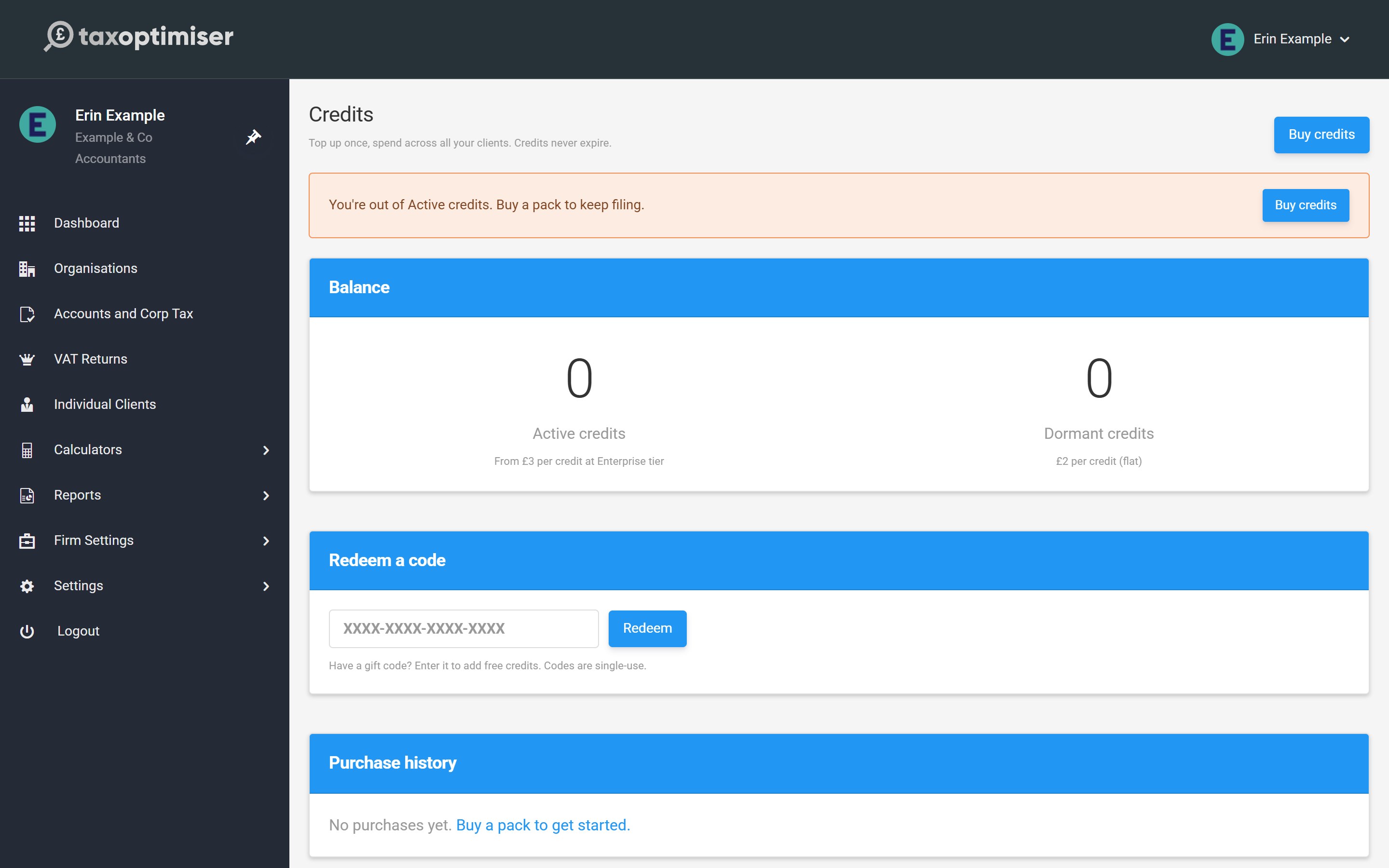
Pre-flight
Open Companies House Submission from the period menu. The first step lists every requirement with its status, so nothing surprises you at the send step:
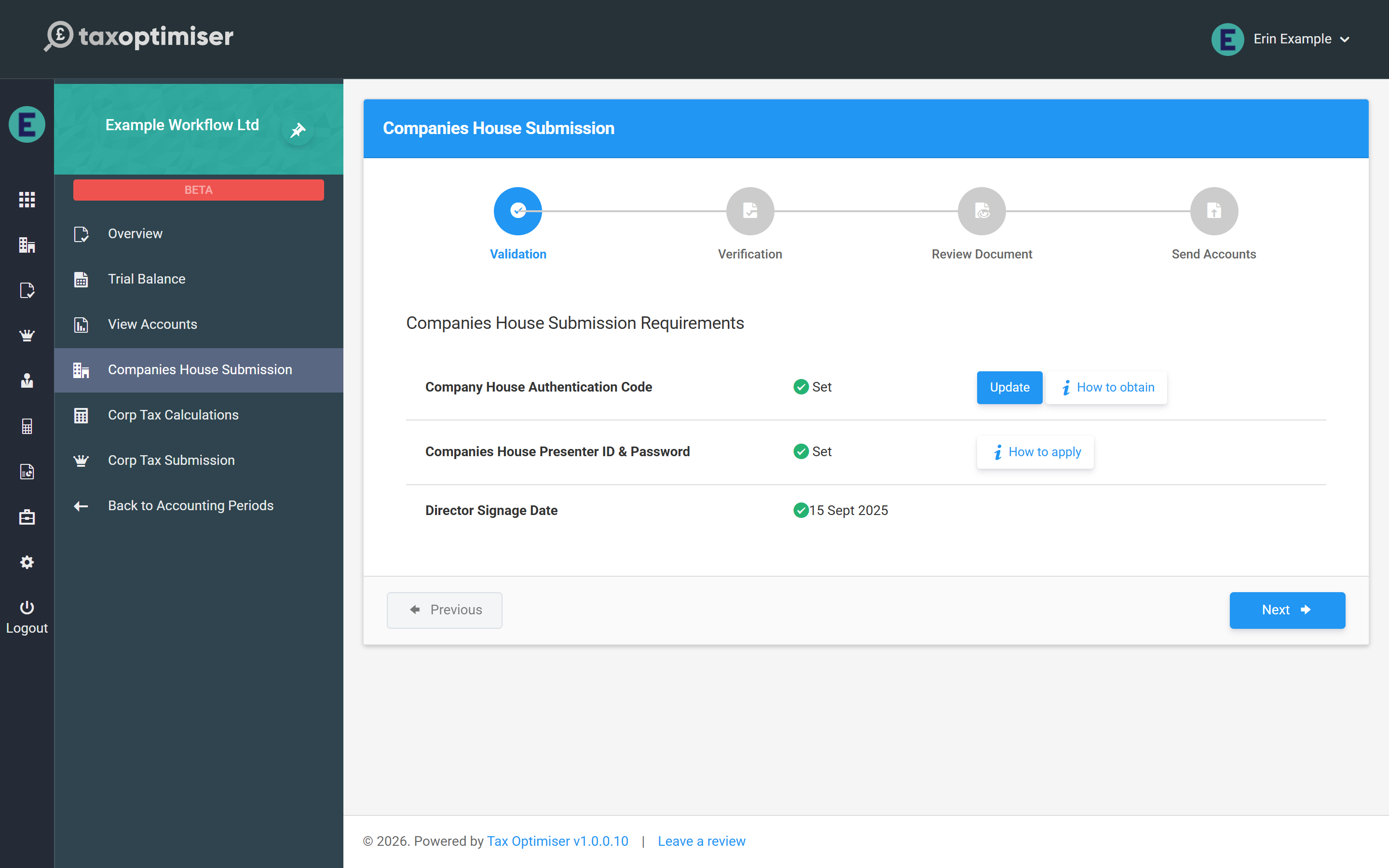
- Authentication code — the client’s 6-character Companies House code (on their organisation record).
- Presenter ID & password — your firm’s, from Firm Settings (see the credentials rules).
- Director signage date and the accounts out of draft — both come from signing the accounts in View Accounts (see Validation and signing).
Through the wizard
From there it’s Verification → Review Document → Send Accounts: confirm the client has approved, give the (usually filleted) document a final read, and send. The step-by-step detail — including choosing full vs filleted at the review step — is in Submitting to HMRC and Companies House.
One firm-specific footnote: every electronic filing carries your firm’s submission sequence number (the read-only counter on the Companies House tab of Firm Settings). It increments by itself; you’ll only ever think about it if filings are also sent under the same Presenter ID outside Tax Optimiser.
After sending, the submission status is tracked on the period until Companies House accepts — electronic filings usually clear in minutes to hours.
Next: Sending the CT600 to HMRC.