
The Corporation Tax side files the CT600 with the full iXBRL accounts and the computation attached — Tax Optimiser assembles all three from the period’s data. As a firm you need two things on record before the wizard will send: the client’s Corporation Tax UTR (on their organisation record) and a Government Gateway login — normally your firm’s, filing as agent; a client-level Sender Id overrides it and files as the company (the rules).
The Errors step
Open Corp Tax Submission from the period menu. The wizard opens on anything that needs attention — blocking errors in red, warnings in amber. Warnings are advisory and common ones look like this:
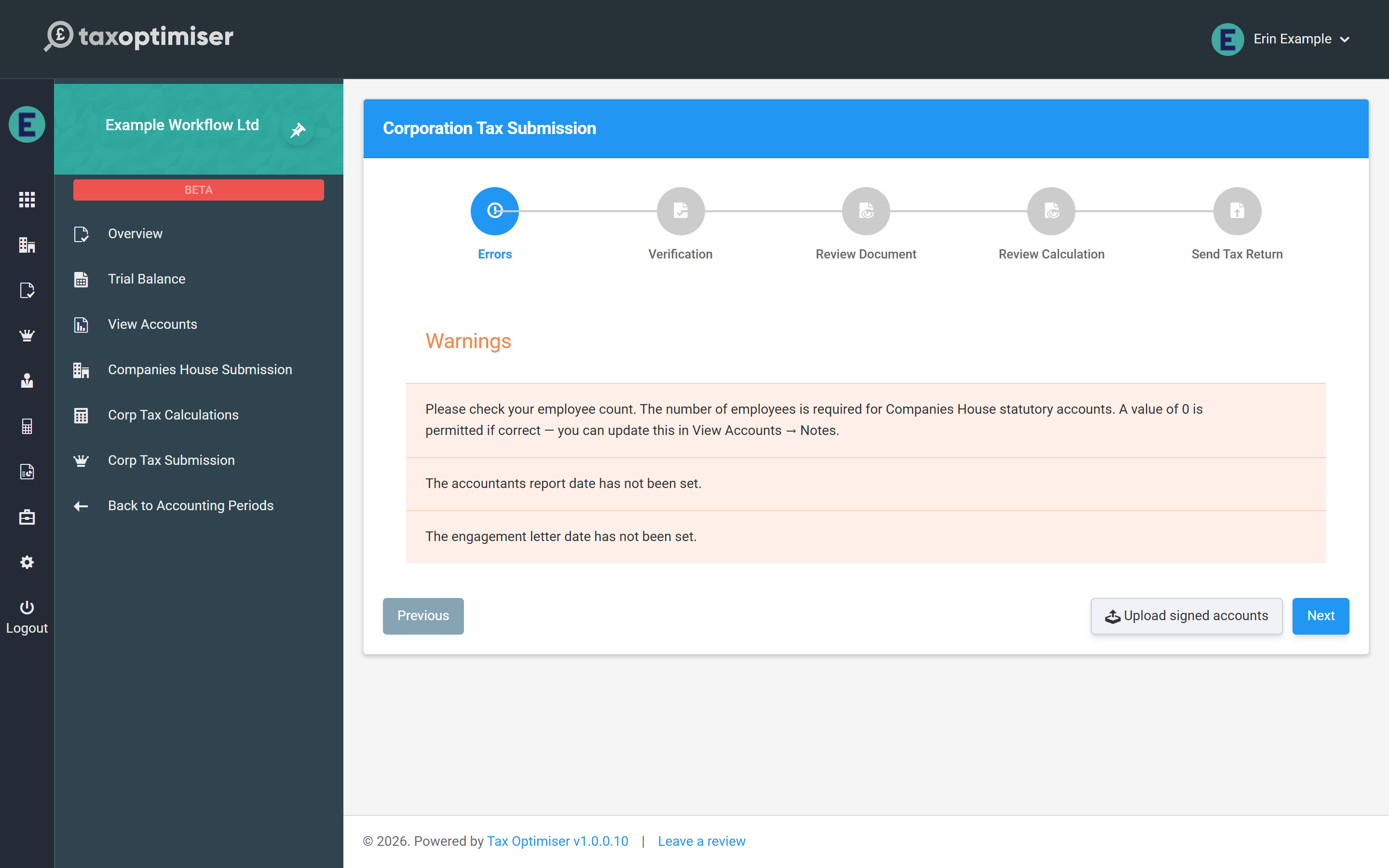
- Employee count — statutory accounts must state the average number of employees; a genuine zero is fine, but confirm it (View Accounts → Notes).
- Accountants report date / engagement letter date — housekeeping dates for the accountants’ report wording in the accounts.
Fixable items offer their fix inline — a missing UTR or signage date can be entered right on this step.
Verify, review, send
The remaining steps mirror the Companies House wizard: confirm the client has approved the accounts, then re-read the full accounts and the computation exactly as HMRC will receive them. The deeper review workflow — what to look for in the computation document — is covered in the Corporation Tax guide’s submission article.
The send step asks for two final confirmations — the company type for the CT600 and the director accepting the declaration — then transmits to HMRC:
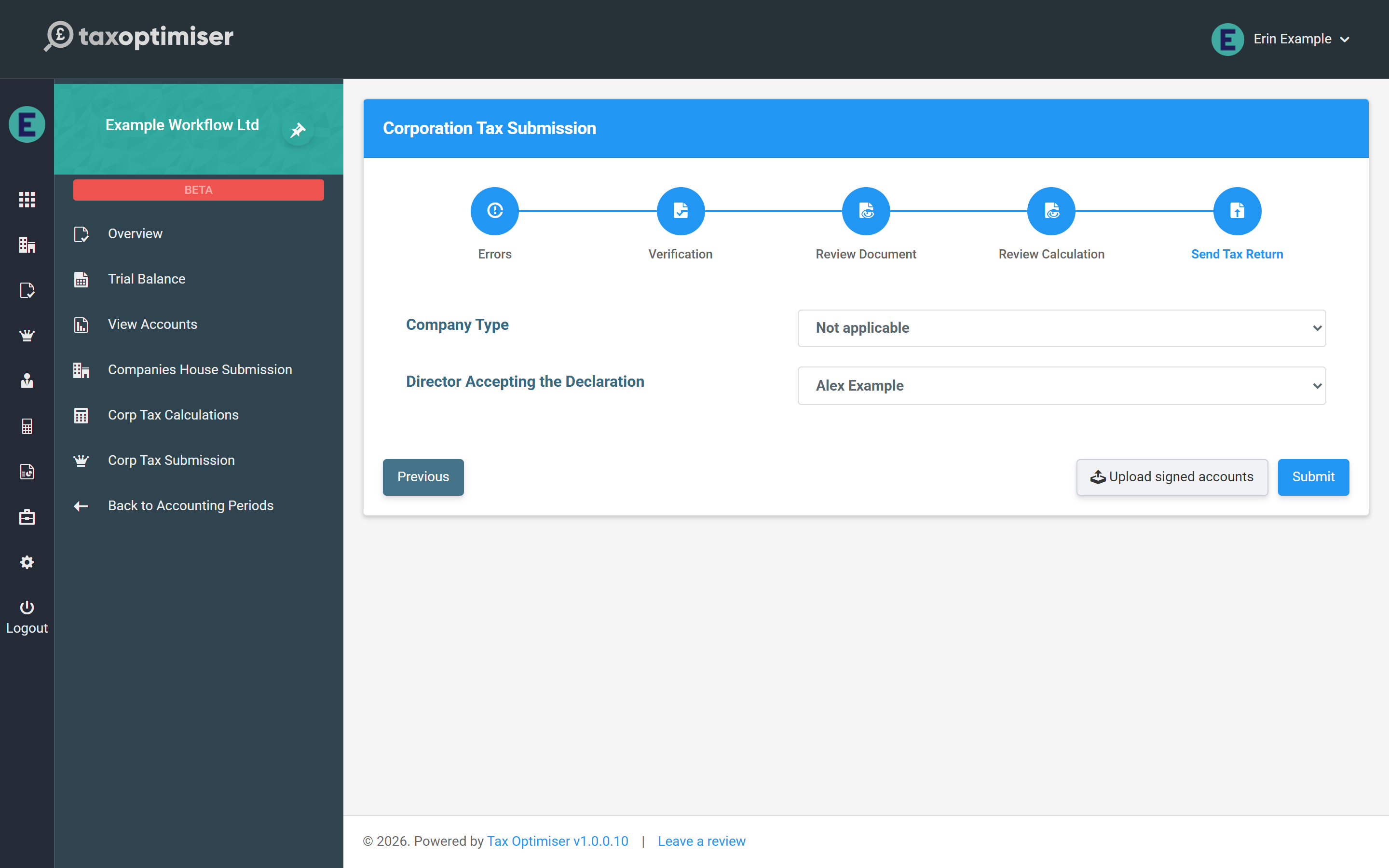
No extra payment happens here — the period’s credit (consumed when the first wizard was opened) covers this filing too (how credits work). HMRC’s response is polled automatically and the receipt is stored against the period; once both filings are accepted, lock the period from the Overview so the filed numbers can’t drift.
That completes the journey — back to the workflow overview.