
The first step of the wizard captures the partnership’s identity and the whole-return declarations — everything on the front of the SA800 plus the yes/no questions from page 2.
The partnership’s identity
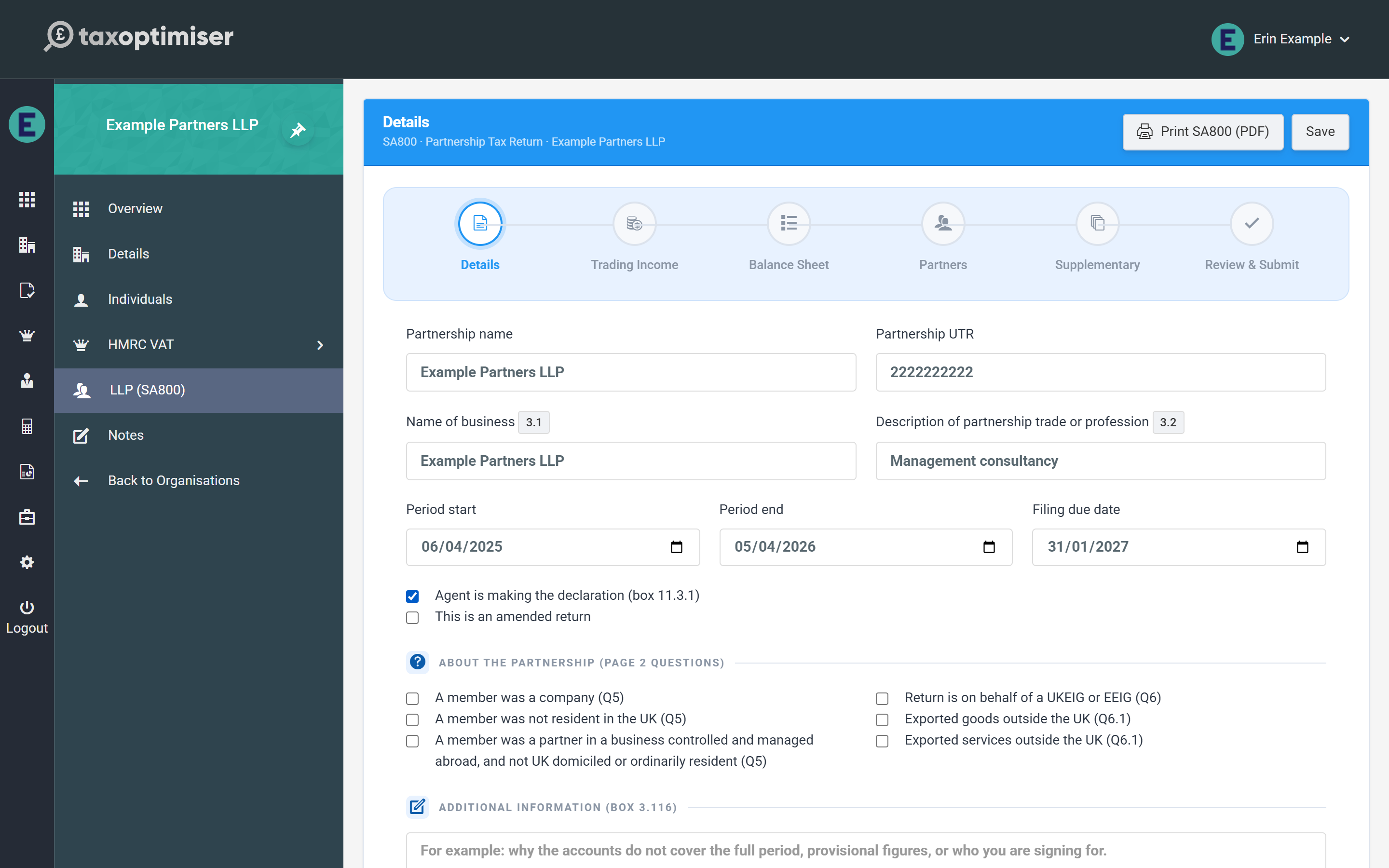
- Partnership name and Partnership UTR — the UTR is checked as you type against HMRC’s own check-digit rule. A UTR that fails the check turns the field red immediately: HMRC rejects a return carrying a bad UTR outright (error 8205), so it is worth fixing here rather than at submission.
- Name of business (box 3.1) and Description of partnership trade or profession (box 3.2) — box 3.1 falls back to the partnership name if left blank.
- Period start / end and the filing due date.
Declarations
Two checkboxes control how the return is signed off:
- Agent is making the declaration (box 11.3.1) — tick this when your firm declares on the partnership’s behalf; leave it clear for a partner declaration.
- This is an amended return — tick when re-filing a return HMRC has already accepted; the submission is flagged as an amendment and replaces the original.
The page 2 questions and additional information
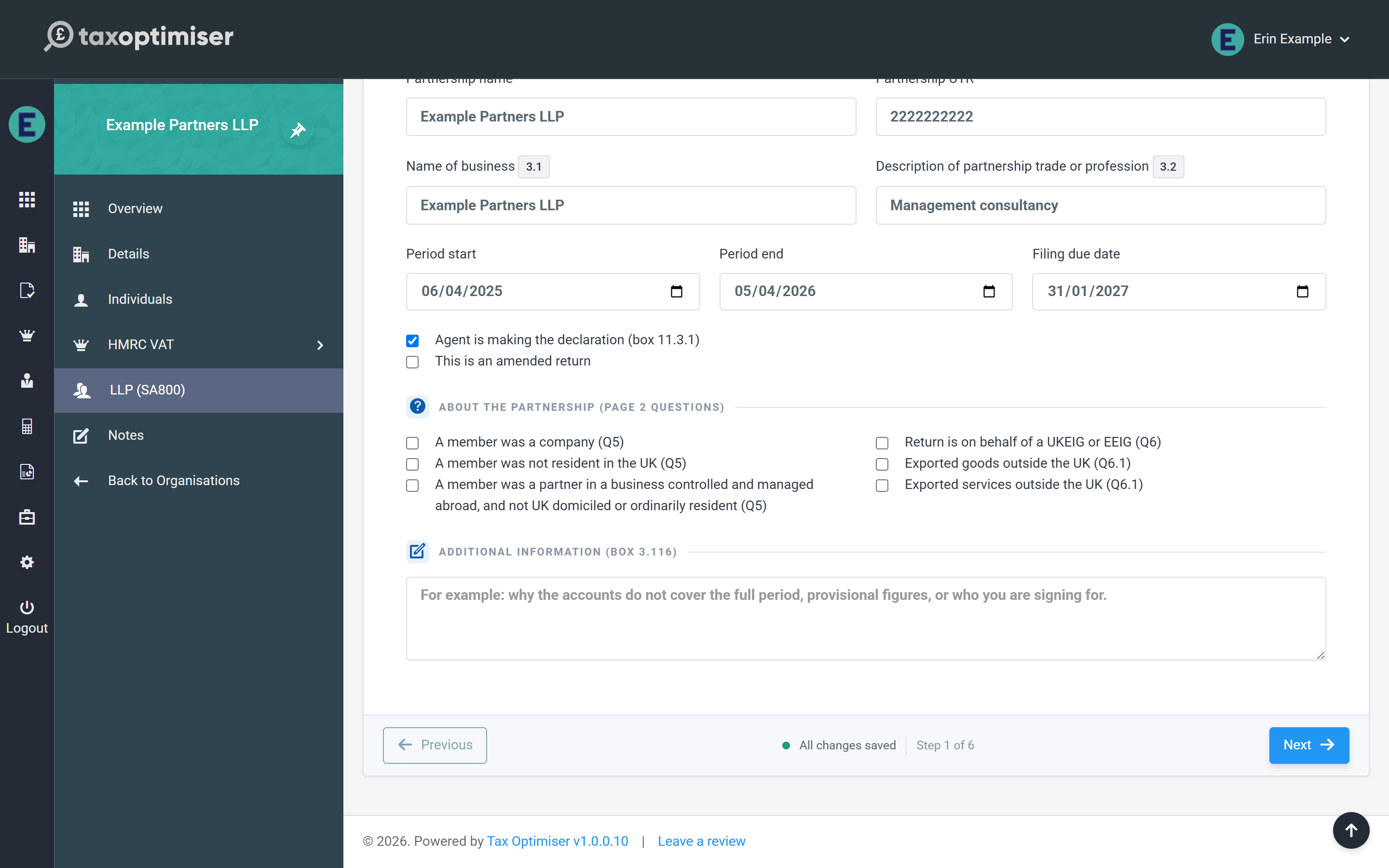
The six checkboxes mirror questions 5, 6 and 6.1 on page 2 of the form: whether any member was a company, was not UK resident, or was a partner in a business controlled and managed abroad; whether the return is on behalf of a UKEIG or EEIG; and whether the partnership exported goods or services outside the UK.
Additional information (box 3.116) is the free-text box HMRC reads for anything that needs explaining — for example why the accounts don’t cover the full period, provisional figures, or who you are signing for.
Next: trading income & expenses.