
Beta feature — Partnership (SA800) returns are currently in beta and are switched on for one accountant firm at a time. To gain access for your firm, email support@taxoptimiser.co.uk and the team will enable it and help you get started.
The Trading Income step is the heart of the return: the SA800’s full income & expenses page (boxes 3.29–3.73). Tax Optimiser implements the full page for every partnership — it is also valid below the £90,000 three-line-accounts threshold, so there is one screen to learn regardless of the client’s size.
Entering the figures
Every money box works the same way: type the amount (the £ sign, commas and spaces are all tolerated), and boxes that can go negative accept brackets — (1,500) means minus 1,500, matching how the form itself shows losses. Boxes with a grey tint are calculated and read-only; each one explains its own arithmetic underneath.
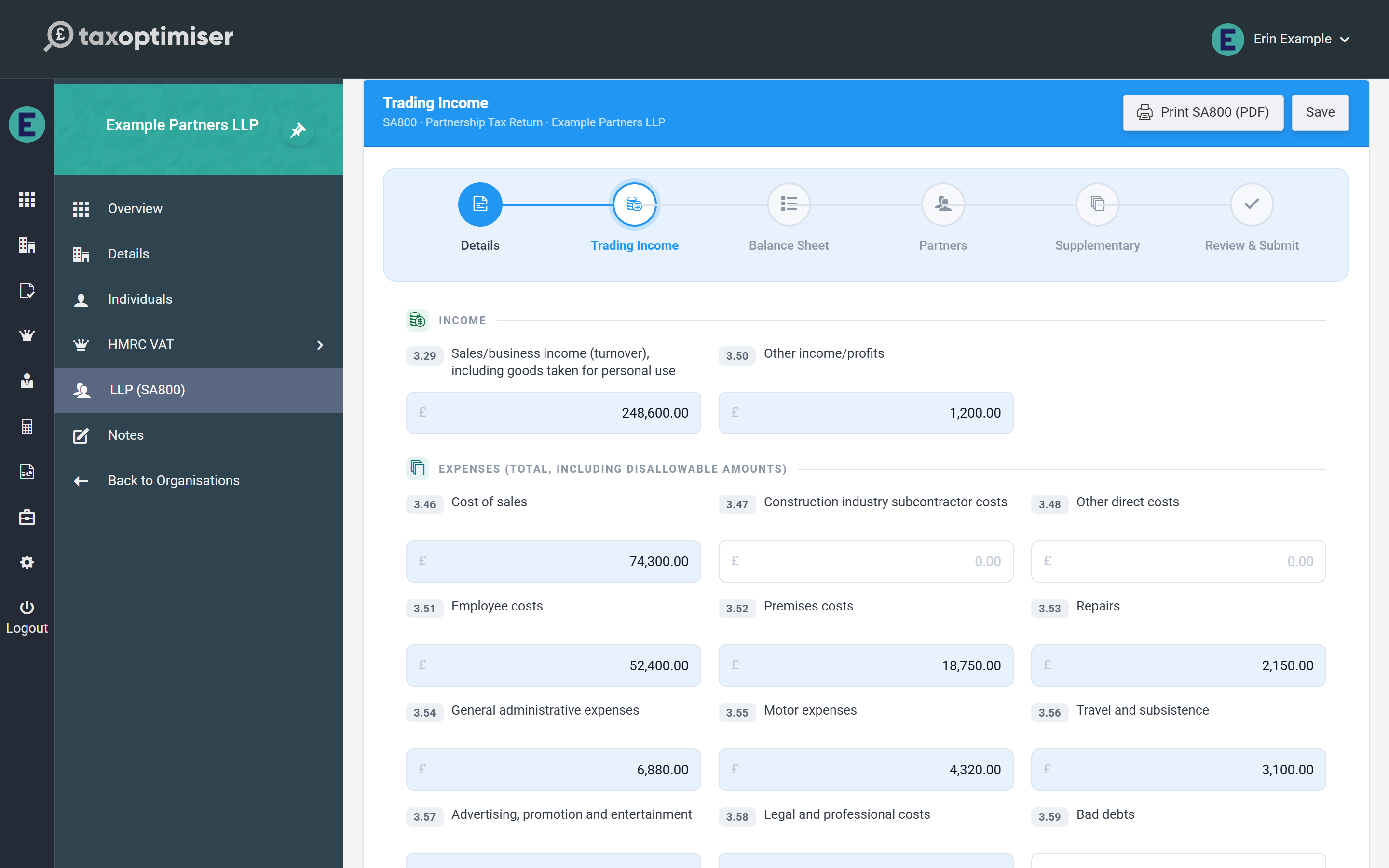
Income and expenses
- Income: sales/business income (box 3.29, including goods taken for personal use) and other income/profits (3.50).
- Expenses (boxes 3.46–3.63): entered at their full amounts including any disallowable part — cost of sales, subcontractor costs, employee costs, premises, repairs, admin, motor, travel, advertising, legal, bad debts, interest and finance charges, depreciation, and other expenses. The disallowable total is added back separately in box 3.66.
Capital allowances and the calculated result
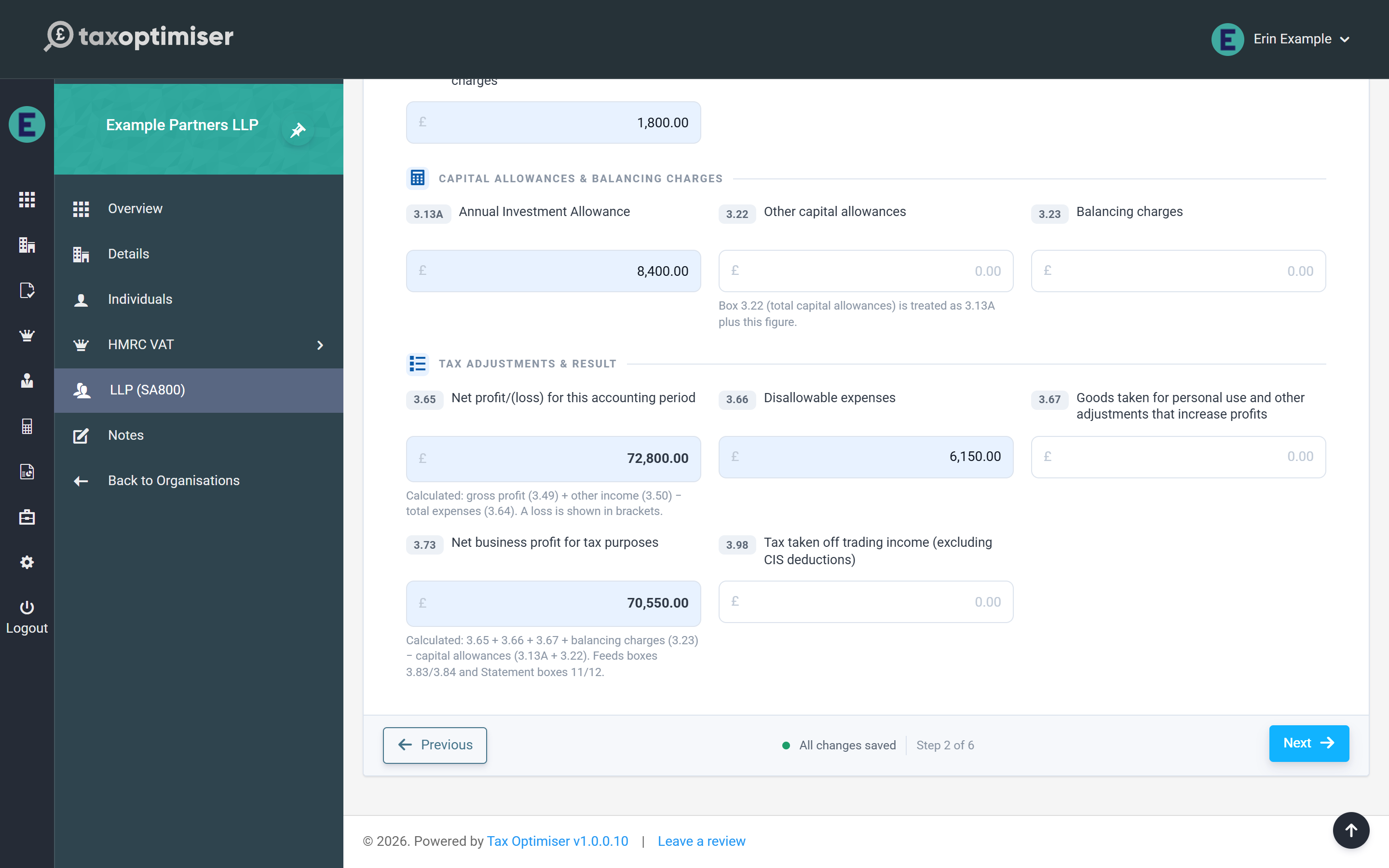
- Annual Investment Allowance (3.13A), other capital allowances (3.22) and balancing charges (3.23).
- Net profit/(loss) (3.65) — calculated: gross profit (3.49) + other income (3.50) − total expenses (3.64).
- Disallowable expenses (3.66) and goods taken for personal use (3.67) add back to profit.
- Net business profit for tax purposes (3.73) — calculated: 3.65 + 3.66 + 3.67 + balancing charges − capital allowances. This figure drives the whole return: a positive result becomes the taxable profit (3.83) and a negative one the allowable loss (3.84), and those are exactly what the Partnership Statement must allocate to the partners.
- Tax taken off trading income (3.98) for any tax already deducted at source (excluding CIS deductions).
Next: the balance sheet.