
The Partners step is the SA800’s Partnership Statement — the schedule that tells HMRC who the partners were and how the period’s result was divided between them. Each partner takes their share from here onto their own personal return.
Adding partners
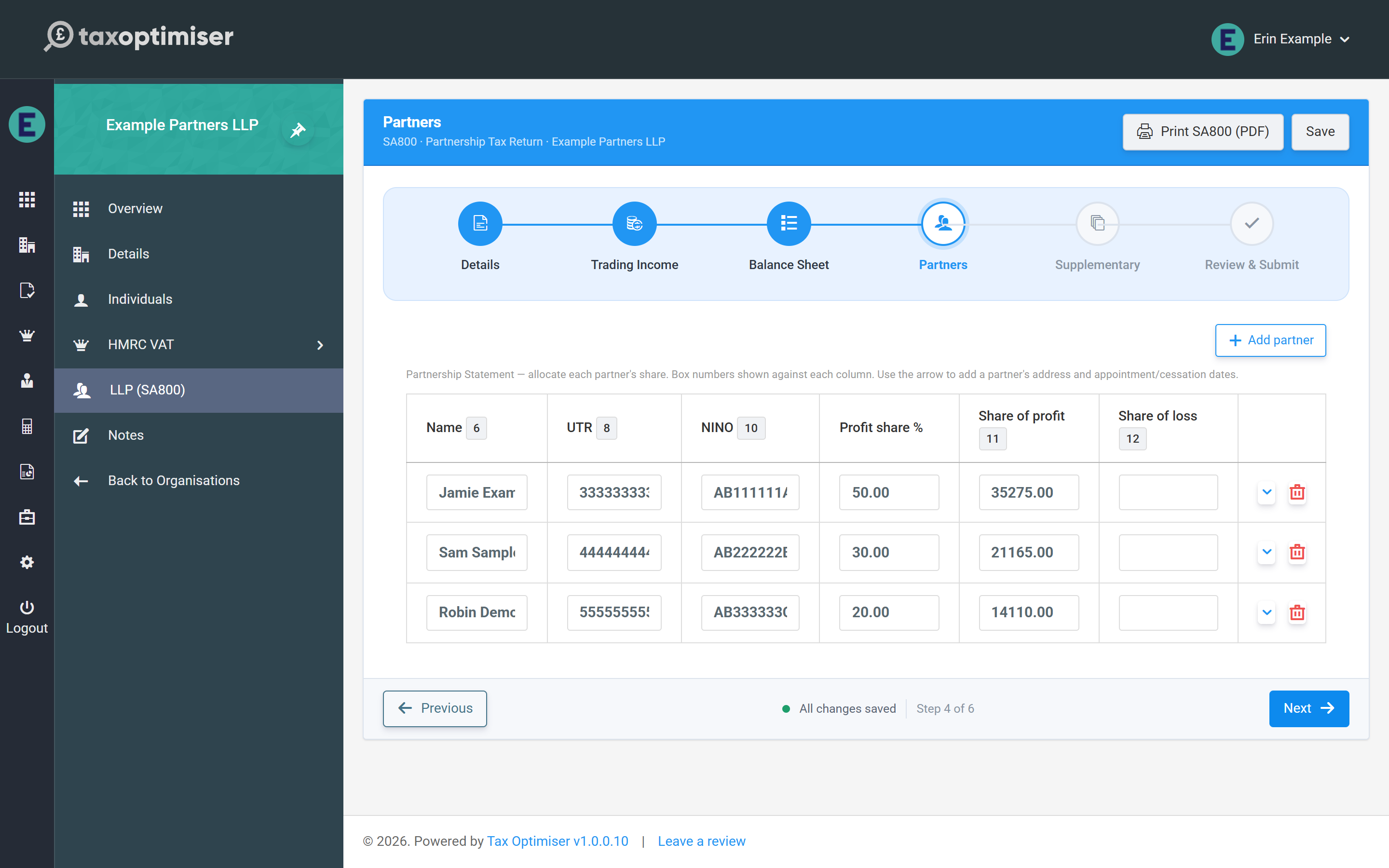
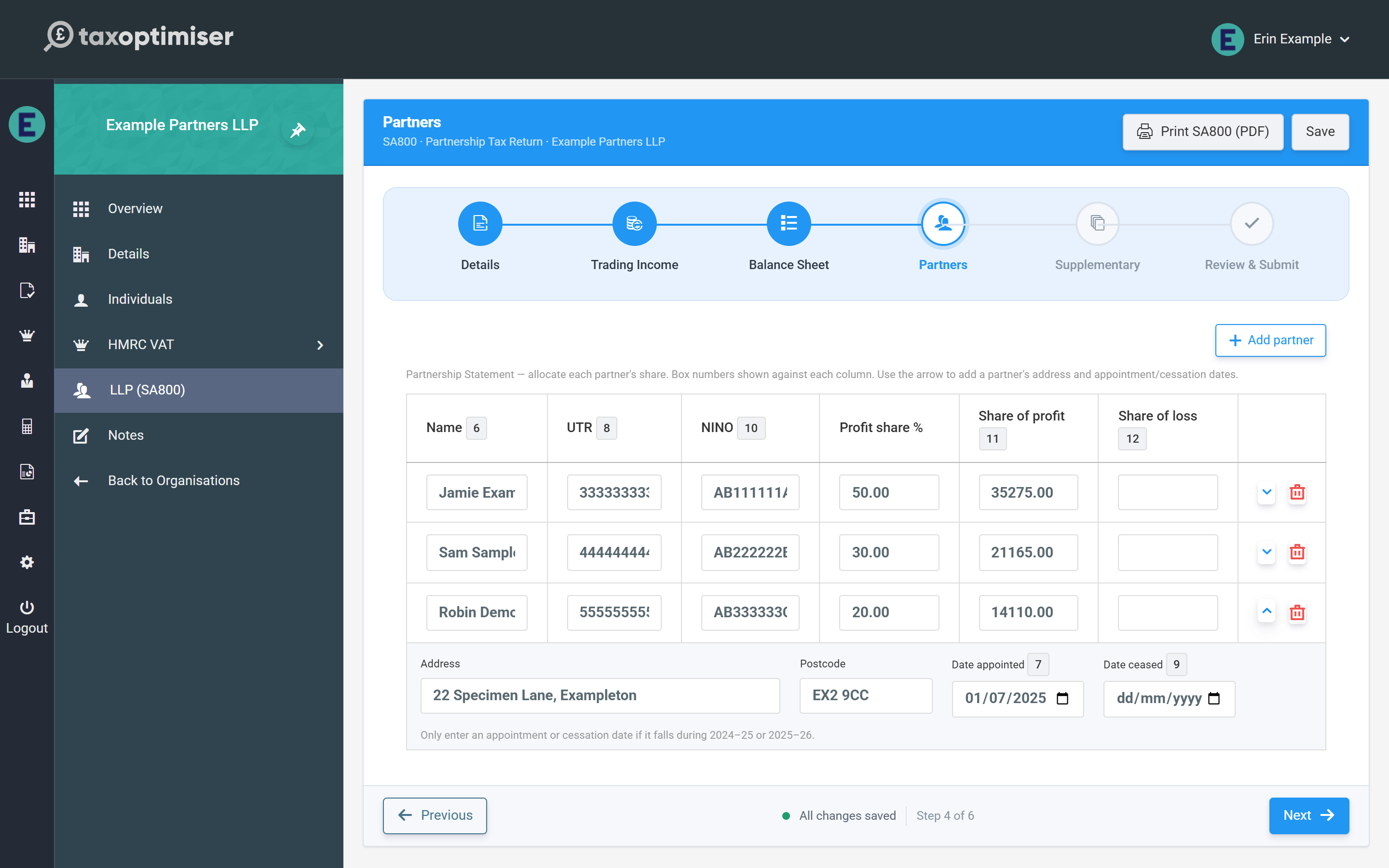
Click Add partner for each partner. The table columns carry the statement’s box numbers: name (box 6), the partner’s own UTR (box 8), National Insurance number (box 10), and the shares of profit (box 11) and loss (box 12). The arrow at the end of each row opens the partner’s detail panel for their address and, where relevant, date appointed (box 7) or date ceased (box 9) — only enter those dates if they fall during 2024-25 or 2025-26.
Allocating profit shares
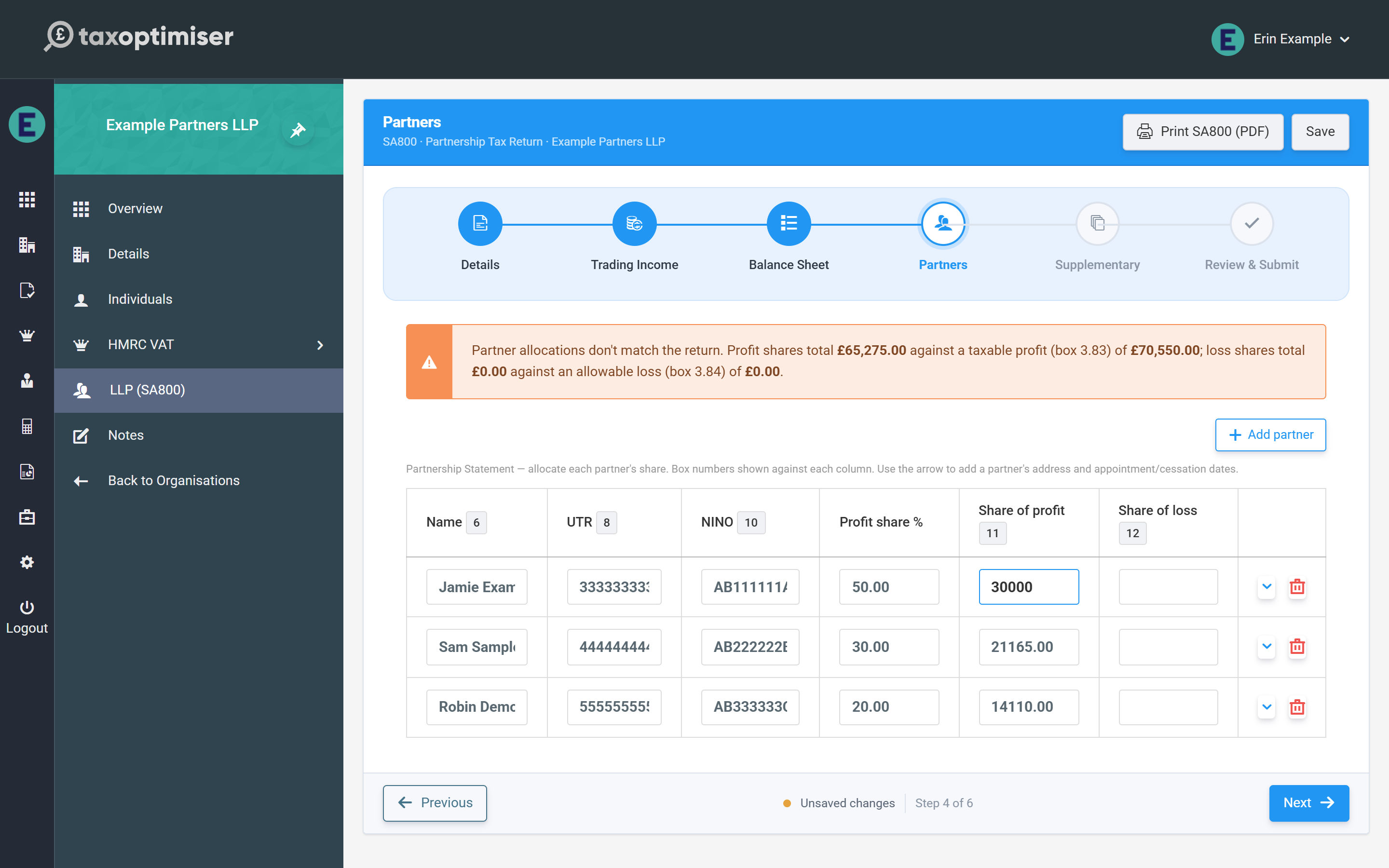
Enter each partner’s share of the result directly — the profit share % column is recorded on the statement but the money boxes are what HMRC reads, so agreements with fixed shares, salaries or interest on capital can be entered exactly as computed. The rule the statement must obey is simple: the partners’ shares must add up to the return — box 11 shares to the taxable profit (3.83), box 12 shares to the allowable loss (3.84).
Tax Optimiser totals the shares live and shows a warning whenever they don’t match the return, quoting both figures so you can see the gap at a glance. The warning also appears on the Review step, but it never blocks saving — you can leave the allocation half-done and come back.
The checks that stop an HMRC rejection
Two per-partner checks run as you type:
- Partner UTR — validated against the same HMRC check-digit rule as the partnership’s own UTR. One bad partner UTR causes HMRC to reject the whole return (error 8205), so the field turns red immediately.
- NINO — checked for the standard format (two letters, six digits, final letter A–D). This is a soft check; HMRC treats partner NINOs as optional.