
Every box in the capture screen carries a small badge with its HMRC box reference (EMP1, SSE9, INC4…) matching the paper forms and HMRC’s own notes — so if you are working from a P60, accounts or last year’s return, you can cross-check box by box.
Employment (SA102)
Open Employment (SA102) and press Add Employment for each job — a return can carry any number, each in its own card titled by employer name. Enter the pay and tax taken off from the P45/P60, plus any benefits and allowable expenses.
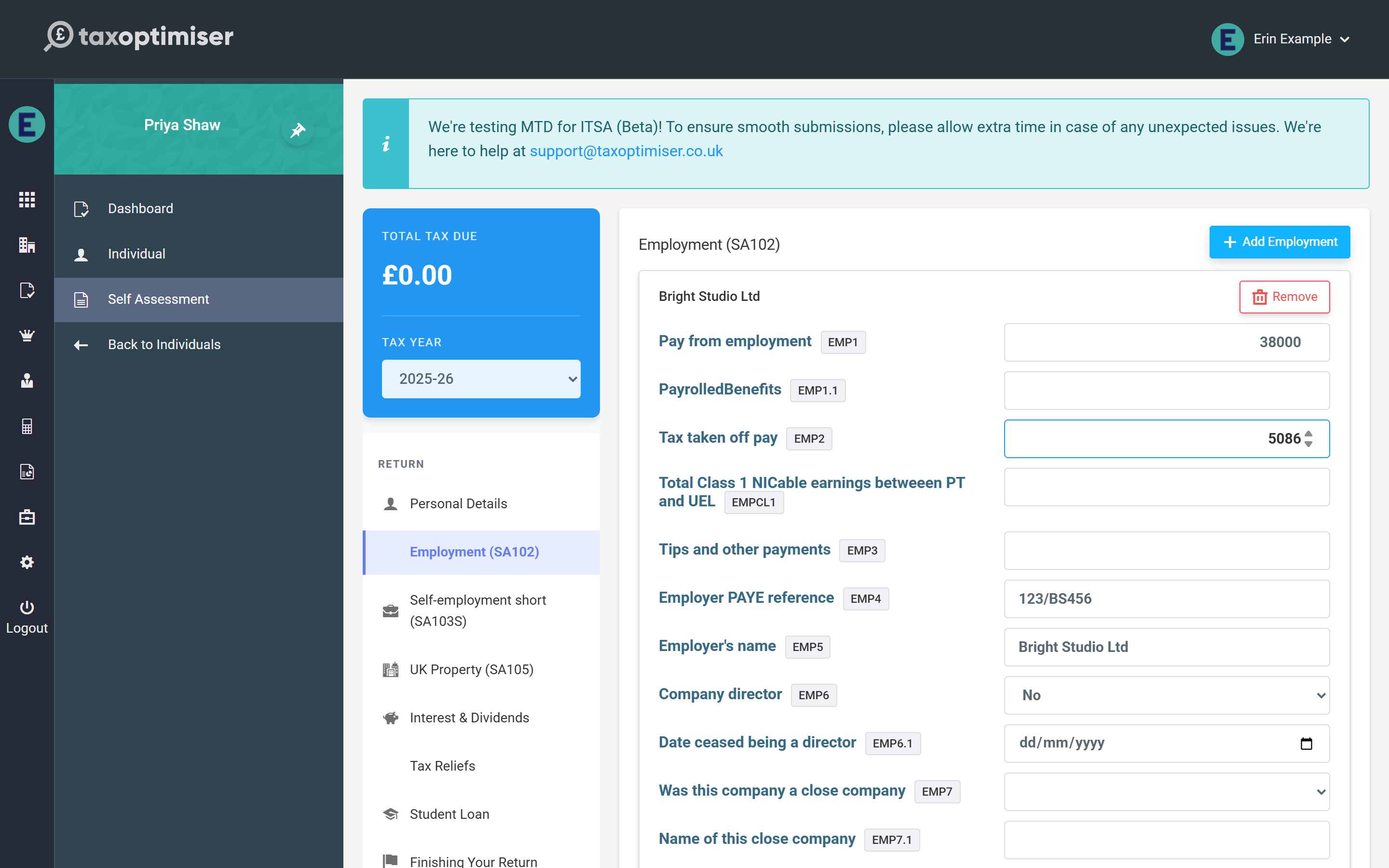
Two boxes are required by HMRC for every employment: the employer’s PAYE reference and the “company director” yes/no. A return missing either is rejected by HMRC’s systems, so answer them even when they feel obvious.
Self-employment (SA103S / SA103F)
Choose short pages for straightforward businesses under the VAT threshold, or full pages where turnover is higher or the accounts need the detailed breakdown. As with employments, add one business card per trade.
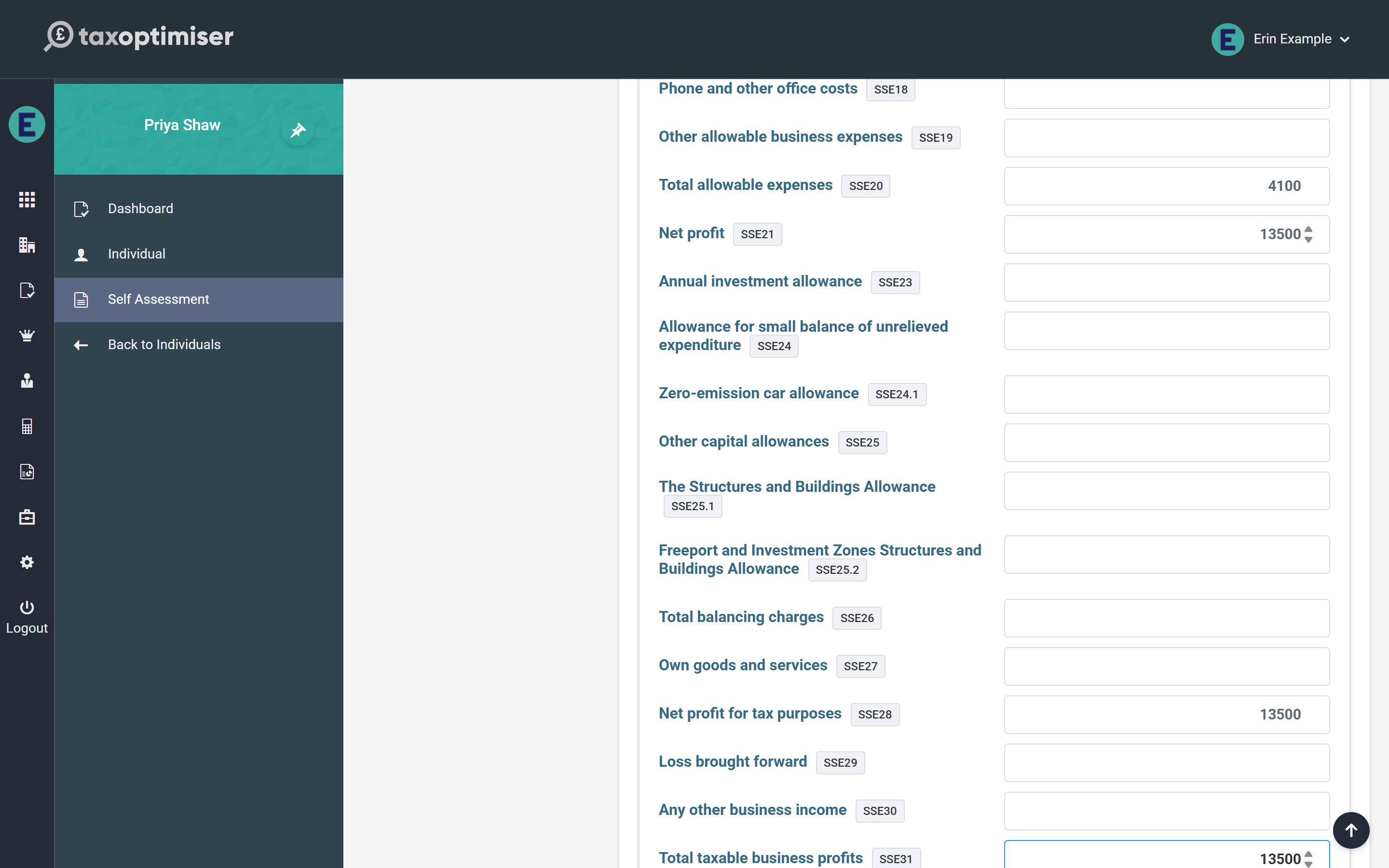
The business description and the did the business start / cease in the year questions are required by HMRC on every business. Enter the turnover and expense boxes, then the profit boxes as they appear on the accounts — the taxable profit you enter in the “total taxable profits” box is what flows into the tax calculation, including Class 4 National Insurance.
UK Property (SA105)
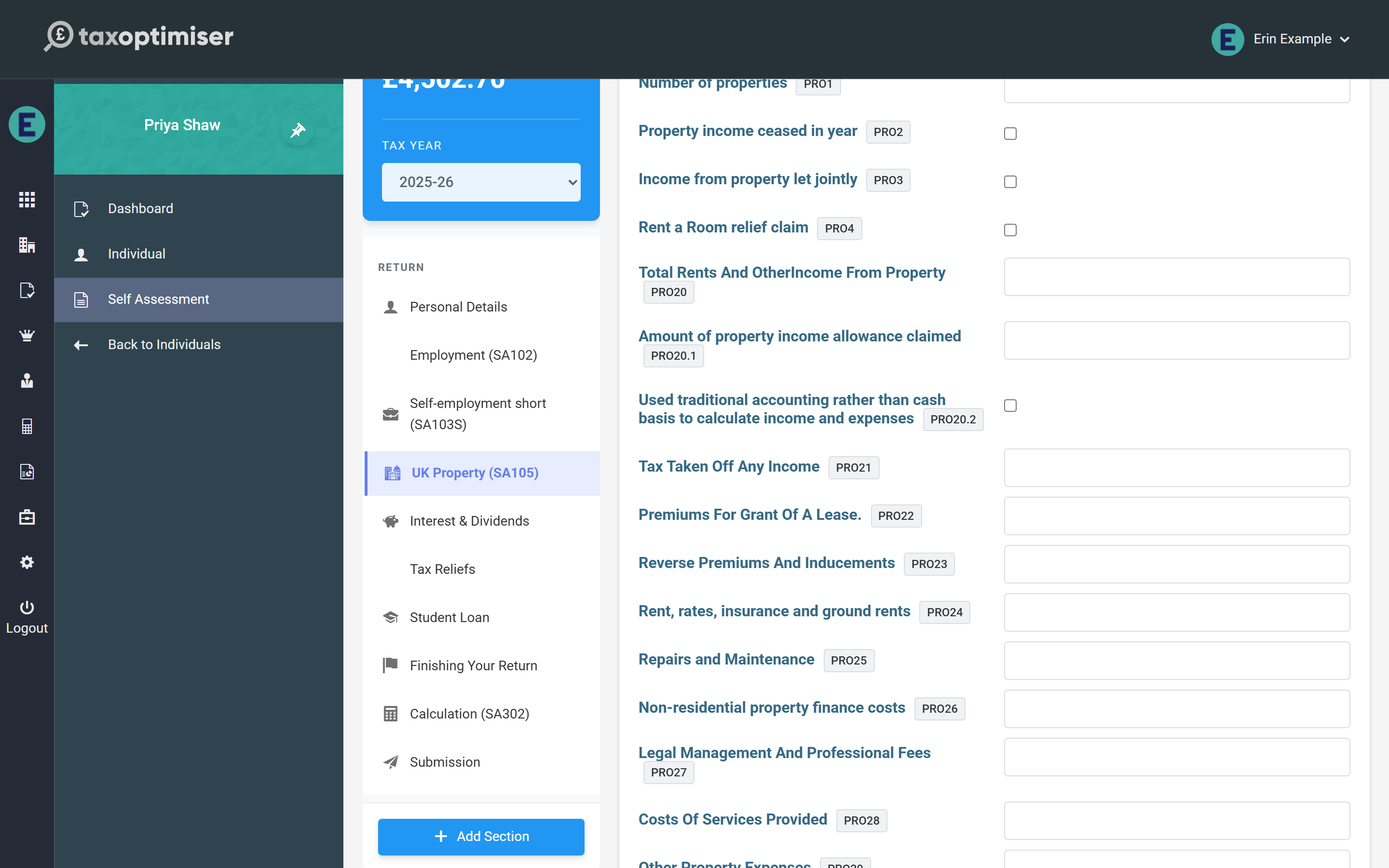
The property page follows the SA105 layout: rents and other income, the expense categories, and the adjusted and taxable profit for the year. Residential finance costs (mortgage interest) go in their own box — the calculation gives the 20% tax reduction automatically rather than deducting them from profits.
Interest, dividends and other income
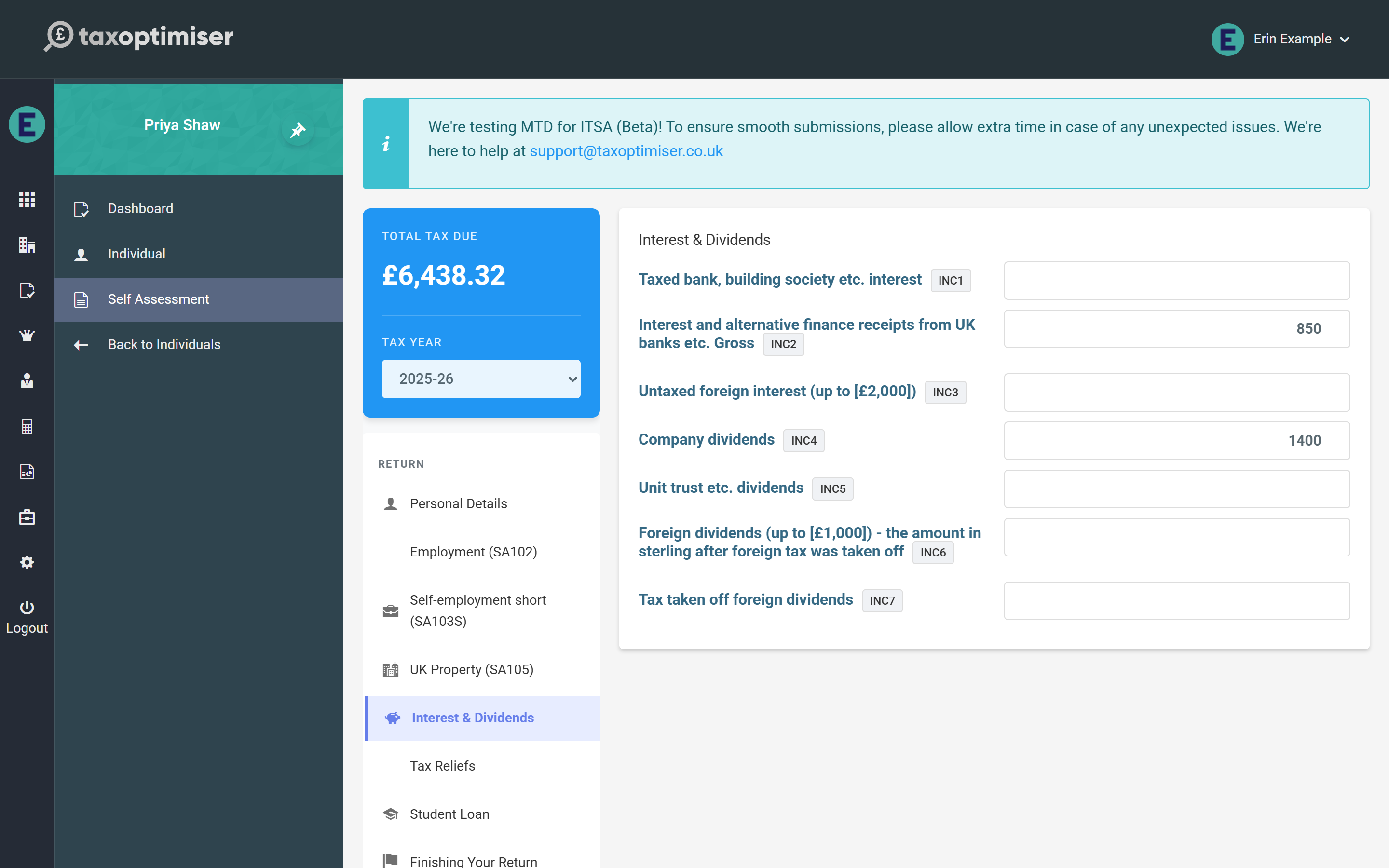
Interest & Dividends takes bank and building society interest (taxed interest is entered net, exactly as the paper form asks, and grossed up in the calculation) and dividends from companies and unit trusts. State Benefits & Pensions and Other UK Income cover the rest of the SA100’s core income boxes.
Partnership shares, foreign income, trust and estate income, capital gains, residence status and the Additional Information pages each have their own section — they are covered together in the supplementary pages.
Next: The supplementary pages.