
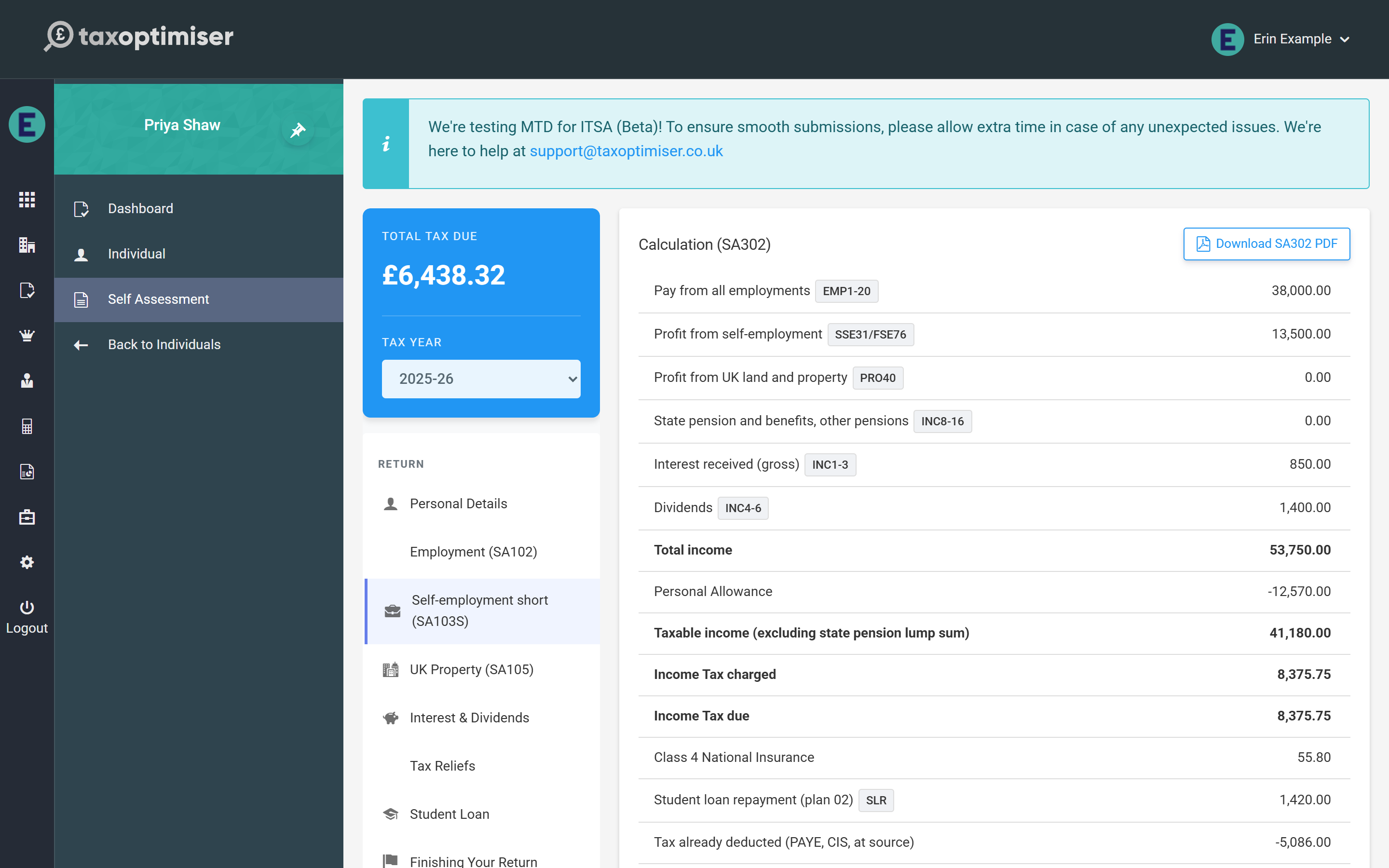
Tax Optimiser can now prepare and file the full Self Assessment tax return (the SA100 and its supplementary pages) for individual clients who are not in Making Tax Digital — the traditional annual return, filed to HMRC through their online channel. You enter the return box by box, watch the tax calculation build live, download an SA302-style calculation for the client, and submit to HMRC without leaving Tax Optimiser.
How this differs from the MTD ITSA screens
Tax Optimiser’s MTD ITSA screens are for clients in Making Tax Digital: digital records, quarterly updates, and HMRC doing the tax calculation. The Self Assessment screens are for everyone else — clients below the MTD threshold or not yet mandated, who still file one annual return. Because the traditional channel has no HMRC calculation service, Tax Optimiser calculates the tax itself, live as you type, so you always see the position before anything is filed. Both features can be used side by side across your client base.
What is supported today
The beta supports tax year 2025-26 (6 April 2025 to 5 April 2026) with the full set of SA100 pages:
- Employment (SA102) — any number of employments
- Self-employment, short and full (SA103S / SA103F)
- Partnership (SA104), short and full statements — any number of partnerships
- UK Property (SA105)
- Foreign (SA106), Trusts (SA107), Capital Gains (SA108), Residence (SA109) and Additional Information (SA101)
- Interest & dividends, state benefits and pensions, other UK income
- Tax reliefs — pension contributions, Gift Aid, Marriage Allowance, Blind Person’s Allowance, the High Income Child Benefit Charge
- Student and postgraduate loans
A handful of genuinely specialist entries remain outside the calculation for now — life-insurance policy gains needing top-slicing relief, the remittance basis and FIG-regime claims, non-resident trust and Transfer of Assets Abroad charges, double-taxation partial-relief amounts, non-resident CGT and pension annual-allowance charges. If a return uses one of those boxes the calculation says so clearly and online filing is blocked, so nothing incorrect can reach HMRC. See the supplementary pages article for the details.
Getting access
The feature is enabled per accountant firm while in beta. Email support@taxoptimiser.co.uk from your firm’s account and the team will switch it on, walk you through the first return, and agree when live filing is enabled for your firm. Feedback during beta directly shapes what gets built next.