
A members’ sports club, a village hall committee, a residents’ association, a society, an unincorporated charity — if it has a constitution and a committee but has never been incorporated, it is an unincorporated association. For Corporation Tax purposes HMRC treats an unincorporated association as a company, so when HMRC asks for a return it files a CT600 like any company. But it is not registered at Companies House, it has no company number and it prepares no statutory accounts, so most of what a limited company does in Tax Optimiser simply does not apply. This article walks the journey that does: signing up, telling us you are an association, entering the figures, taking members’ income out of charge, choosing the right company type on the return, and sending it to HMRC.
What a club files, and what it doesn't
Three things shape what you will see in the app:
- It files a CT600 when HMRC asks for one. An unincorporated association is within the charge to Corporation Tax. HMRC issues a notice to deliver a Company Tax Return, and once it has, the return is due whether or not any tax is payable.
- It files nothing at Companies House. There is no company number and no annual accounts filing. Tax Optimiser hides the statutory-accounts and Companies House screens entirely, so the period menu shows only Overview, Trial Balance, Corp Tax Calculations and Corp Tax Submission.
- No accounts are attached to the return. Tax Optimiser sends the CT600 and the Corporation Tax computation; it does not attach the club’s own annual accounts, and the return records that none are attached. Keep the accounts your treasurer prepares — HMRC can ask to see them.
So the shape of the job is: get the figures in, build the computation, take out the income that is not taxable, choose the company type, and send.
Before you start
Two of these come from HMRC rather than from Tax Optimiser, so check you have them before you begin:
- A Corporation Tax UTR. An association does not get one automatically — there is no Companies House incorporation to trigger it. You must register the club with HMRC for Corporation Tax (within three months of starting any activity that could be taxable), and HMRC issues the ten-digit Unique Taxpayer Reference.
- HMRC Government Gateway credentials enrolled for Corporation Tax Online, which is what the return is filed with.
- Your Community Amateur Sports Club (CASC) or charity registration, if the club has one. It changes the company type you choose later and adds a supplementary page to the return.
You may not need to file every year. HMRC can treat a club run for the benefit of its members as dormant when its Corporation Tax bill would be small, and then only asks for a return periodically. If you have not received a notice to deliver for a period, you generally do not have to file for it — but if you have, the return is due.
Sign up and tell us you're a club
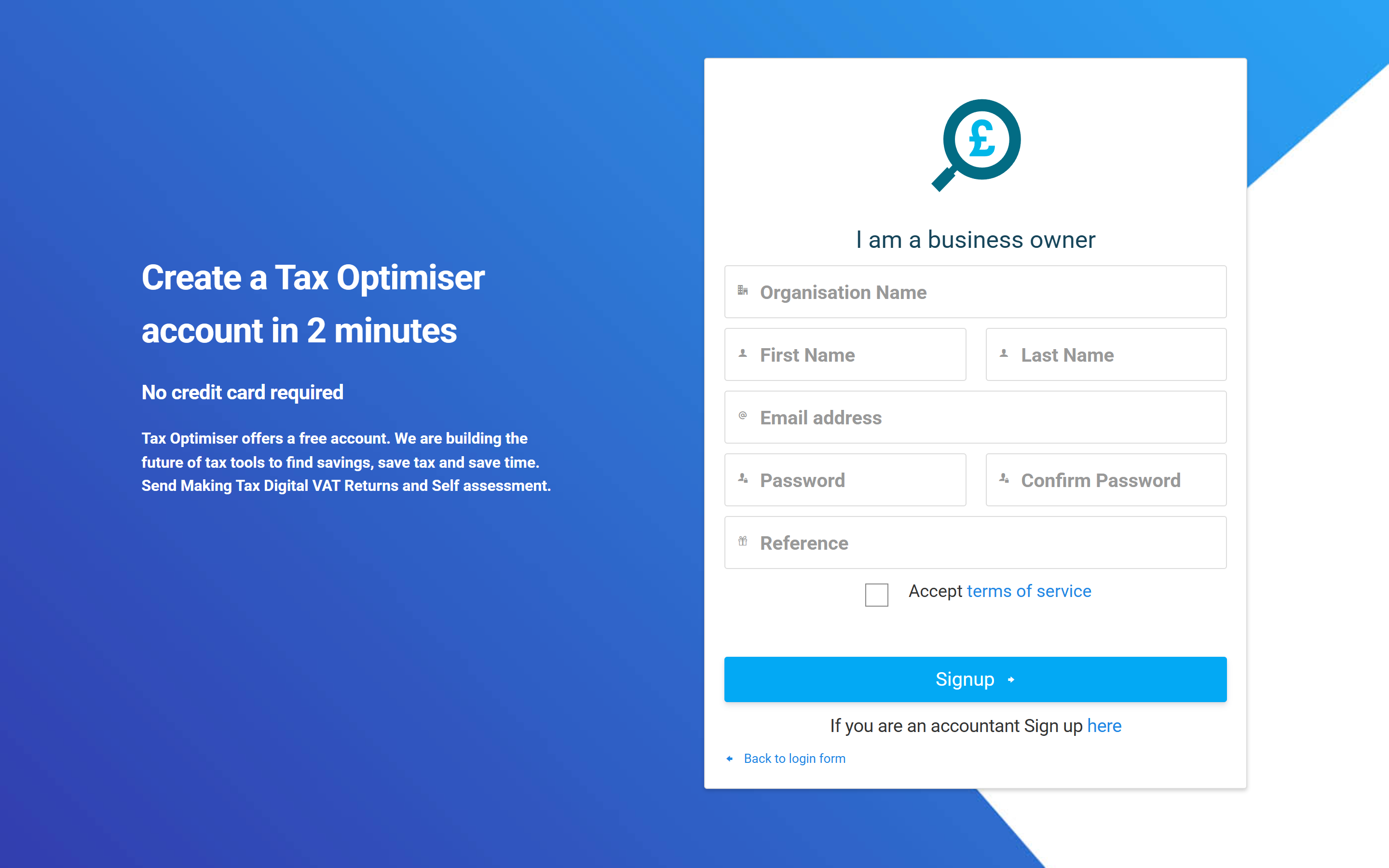
Start at the normal organisation sign-up page and create your account with the club's name and your email address.
Every new organisation starts out assumed to be a limited company, because most are. On your dashboard, find the Accounts & Corporation Tax card and choose Enable Accounts. The card turns into a short setup checklist whose first step is Enter your Companies House number — the one step an association can never complete. So the checklist offers the way out underneath it:
“…or, if you’re a charity, club or association, you won’t have one. Tell us which and we’ll set you up to file a Corporation Tax return only — no statutory accounts, no Companies House.”
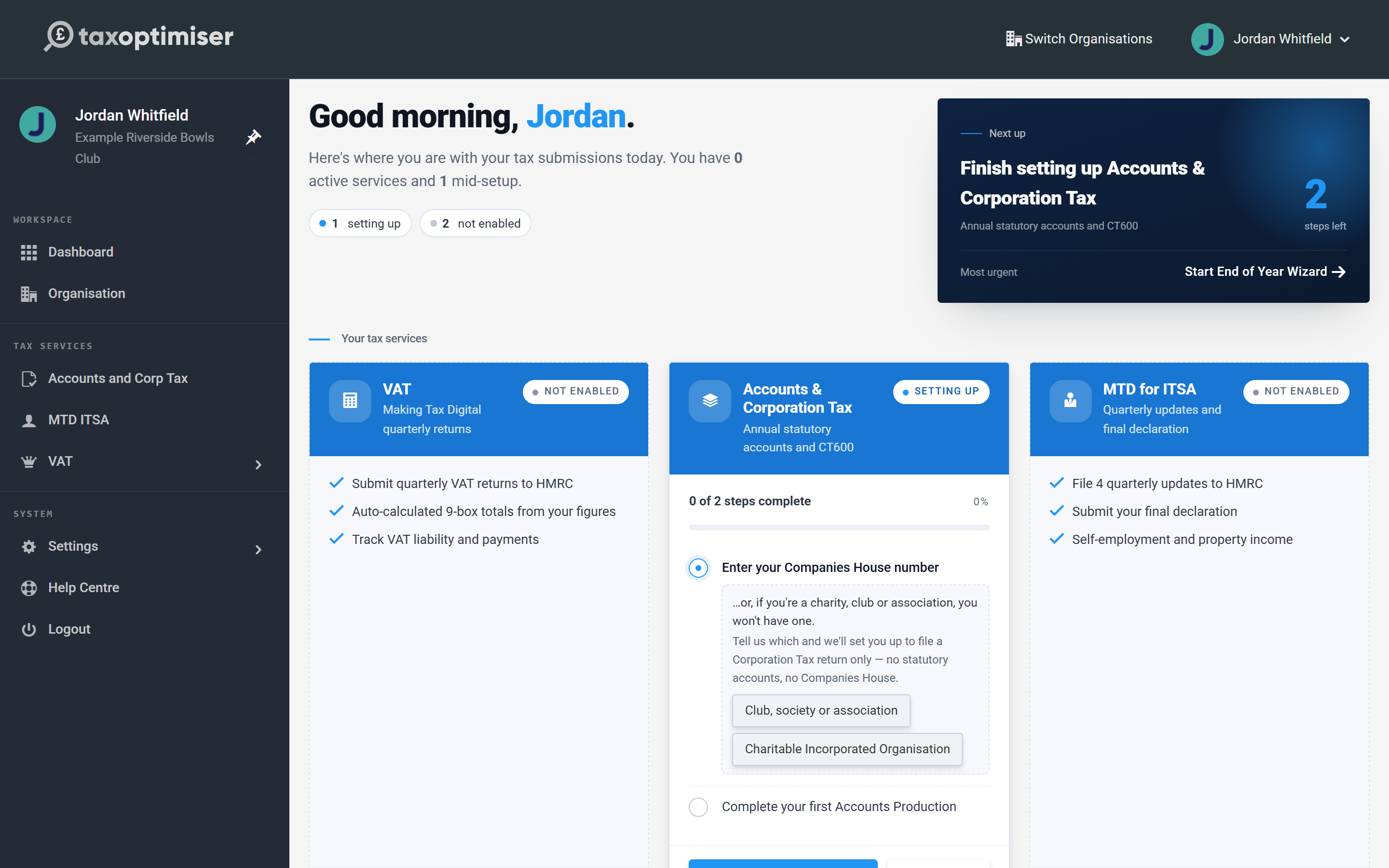
There are two answers, and they are not interchangeable — choose Club, society or association. (The other, Charitable Incorporated Organisation, is for a CIO registered with the Charity Commission, which is a body corporate and attaches its accounts to the return as a PDF; see Corporation Tax for a CIO.) Choosing the club answer does two things at once:
- switches the organisation off the statutory-accounts and Companies House route — the card is retitled Corporation Tax and the checklist shrinks to the return itself; and
- takes you straight to creating your first accounting period.
It does not set your Corporation Tax company type, because a club can be an ordinary members’ club, a CASC or a charity, and only you know which. You choose that on the return itself, a few steps from now.
Leave the Companies House number blank. An association does not have one. If a company number is saved against the organisation, Tax Optimiser will sync the organisation with the Companies House register and reset it to a limited company — which silently undoes the club setting.
If you are an accountant setting up a client rather than a club signing itself up, you do not use the dashboard question: choose Unincorporated association from the Company structure dropdown when you create the client organisation, and leave the company number empty. Everything after that is identical.
Create the accounting period
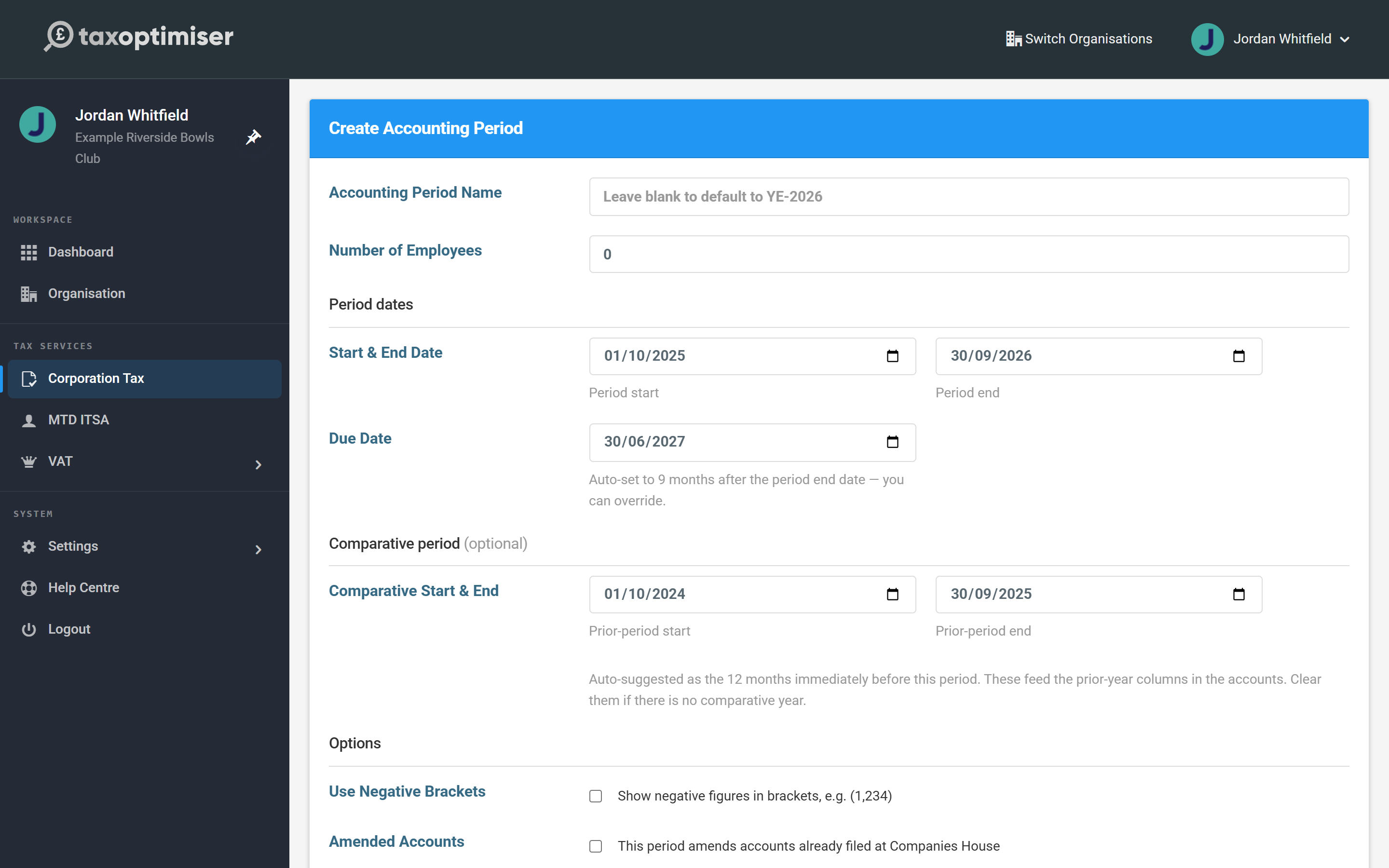
Enter the period the club's accounts cover, its start and end dates, and (optionally) the comparative year. There is no Companies House company search on the way in — that route exists only for companies, whose dates come from the register. A club's dates come from its constitution and its accounts.
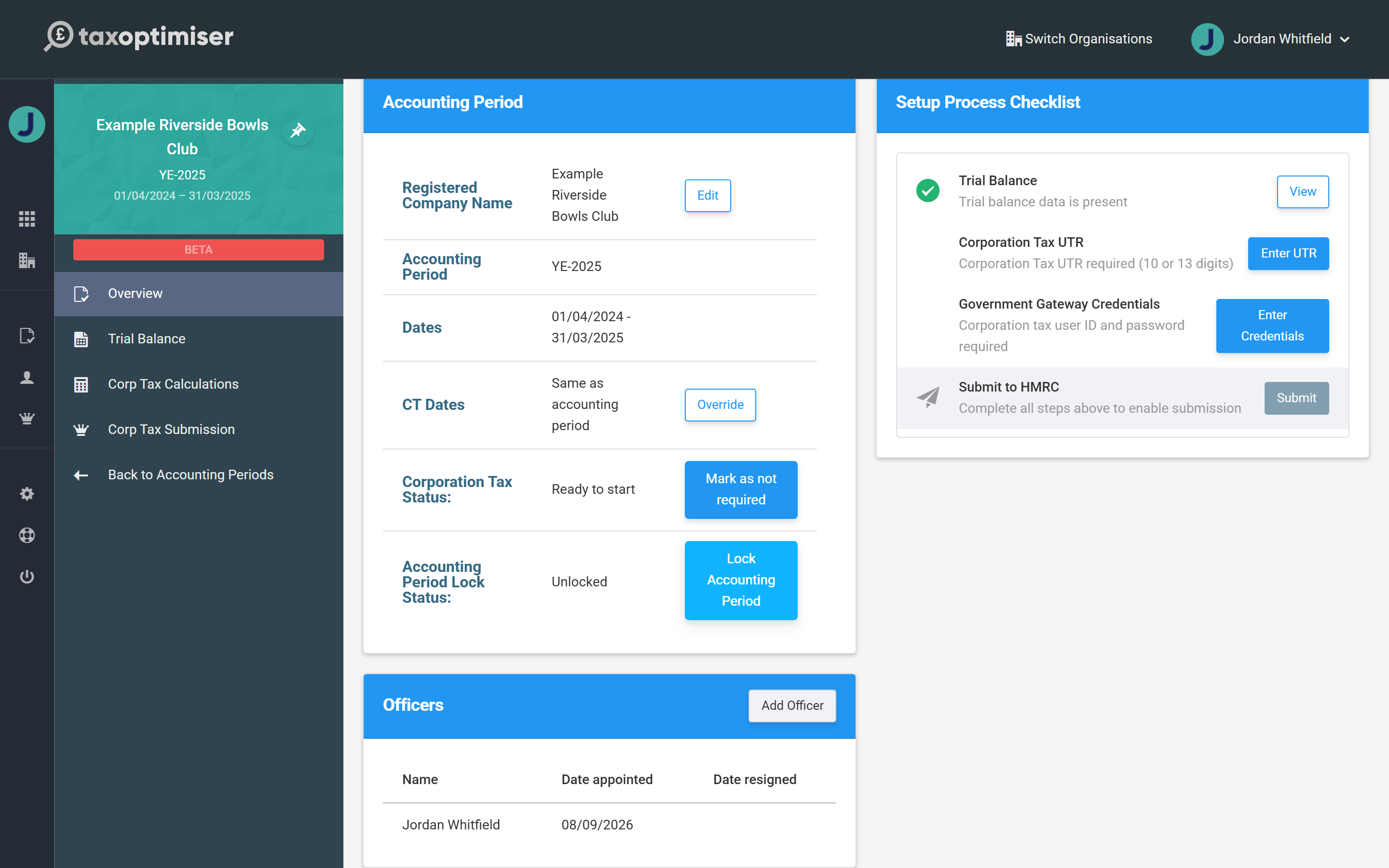
Once the period exists, its left-hand menu shows only what applies to an association. On the Overview, the people card is titled Officers rather than Directors — a club has a committee, and one of its officers (typically the treasurer or secretary) will accept the declaration when you file. Use Add Officer to record them.
Enter the trial balance
The computation is built from a trial balance, and you can get one in three ways: type it into the manual-entry grid, import it from a spreadsheet, or sync it from Xero, QuickBooks or Sage. Whichever you use, the trial balance must balance before you can go on.
Enter all of the club's income here, including members' subscriptions and takings from members — the trial balance mirrors the accounts, and you will take the non-taxable part out in the next step rather than by leaving it out of the figures. In the example below the club has bar and hall-hire income from non-members under Sales and its members' subscriptions under Other income received.
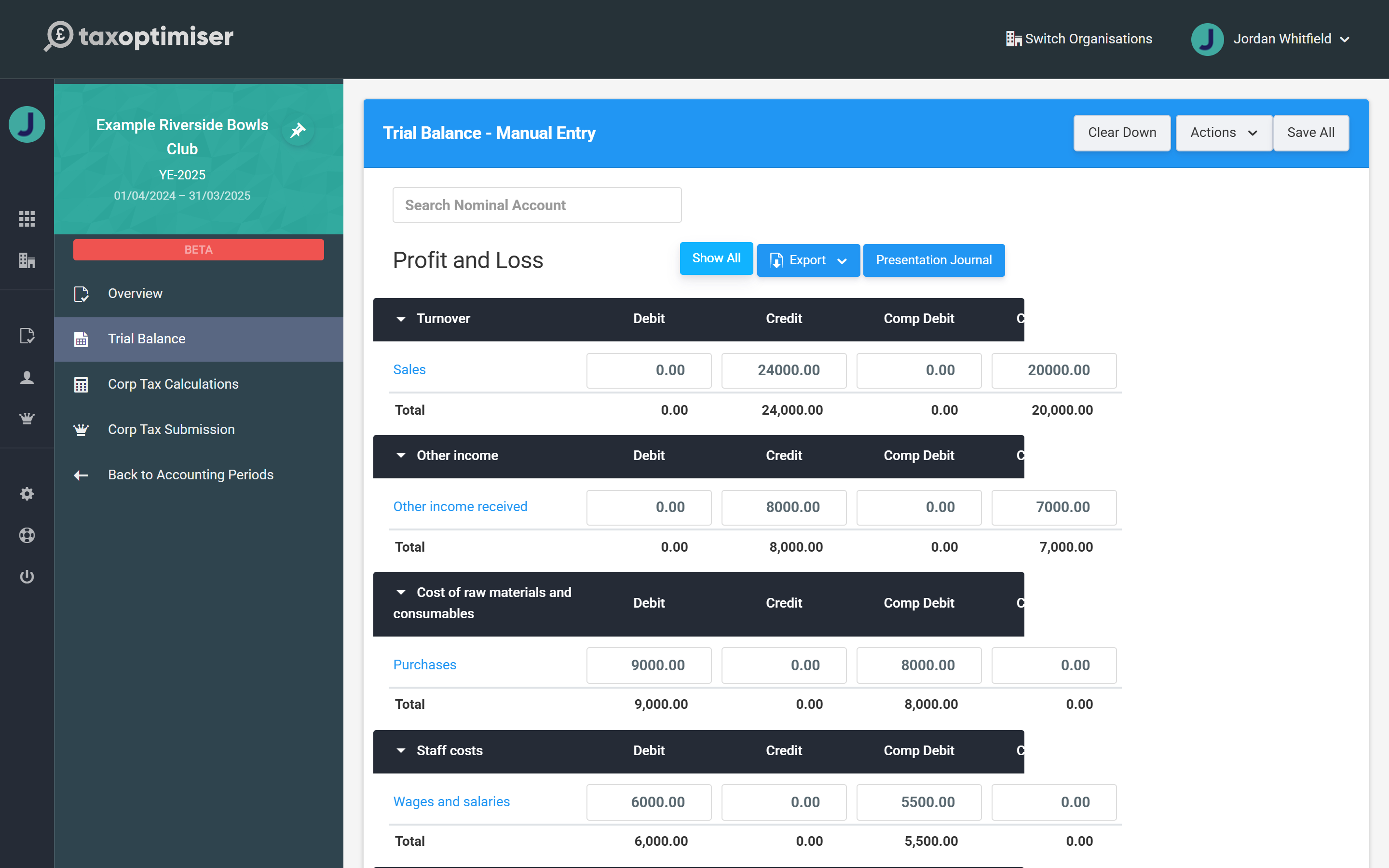
This step works the same way for every structure — see Getting the figures in: the trial balance for the detail, including the spreadsheet import.
Build the computation, and take out members' income
Open Corp Tax Calculations. This is where the accounting figures become taxable figures: disallowable expenditure such as depreciation is added back, capital allowances are claimed on equipment, and any losses are applied. Building the Corporation Tax computation covers the adjustments in full, and Capital allowances covers assets and the Annual Investment Allowance.
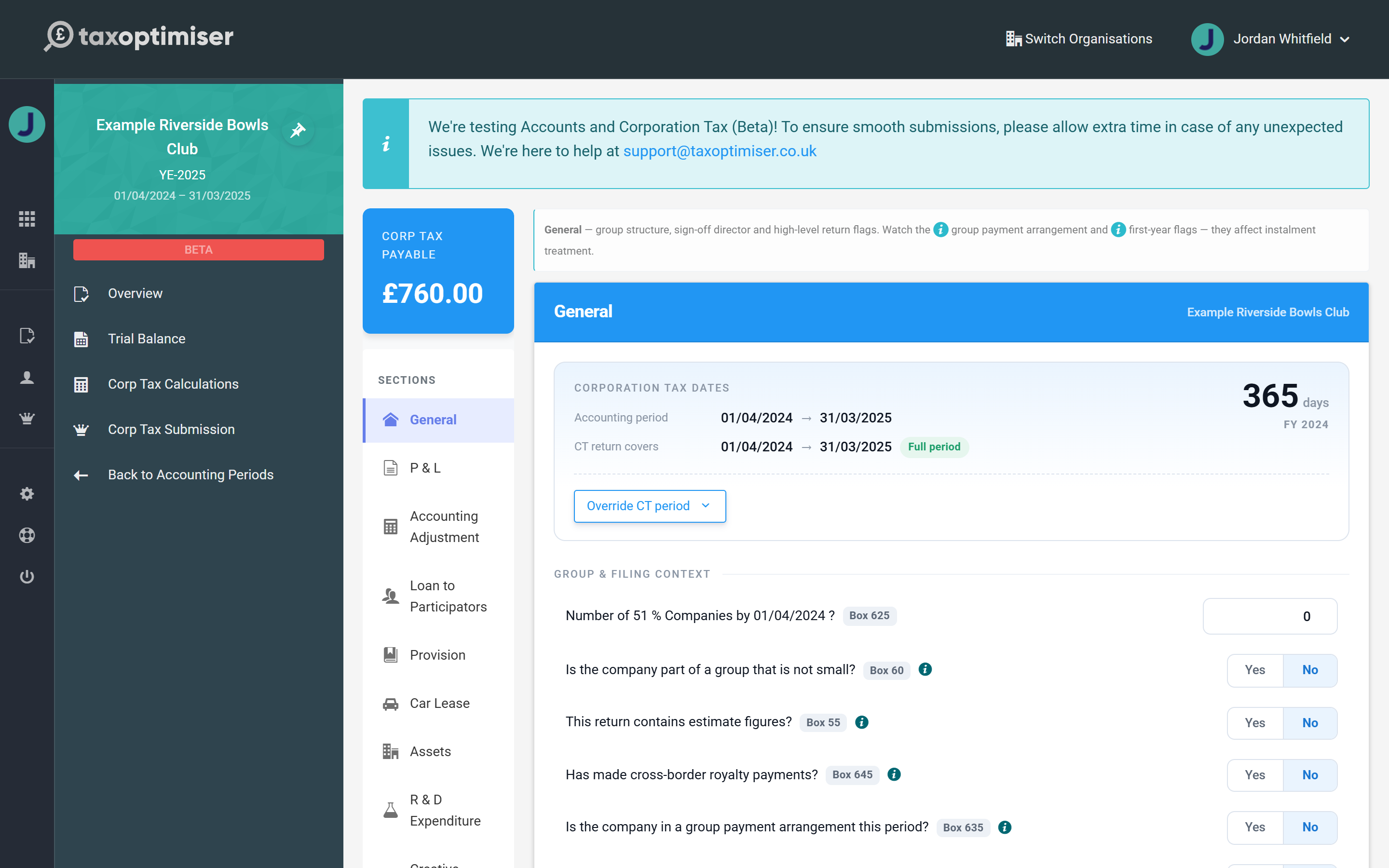
What is different for a members' club is mutual trading. Money a club makes from its own members — subscriptions, and any surplus on selling to members — is not taxable, because a body cannot trade with itself. What is taxable is income from outside the membership: bar takings from visitors, hiring the hall to the public, sponsorship, bank interest, rent. The computation does not know which of your income lines is which, so you tell it:
- Open Accounting Adjustment in the sections menu and stay on the Income tab.
- Choose Add Income Adjustment and name the row — Members' subscriptions, say.
- Put the amount in P/L Amount (what went through the accounts) and again in Non-Taxable, leaving Taxable at zero. The row then carries forward nil.
- Save. The amount is deducted from taxable profit and appears in the computation as Income adjustments.
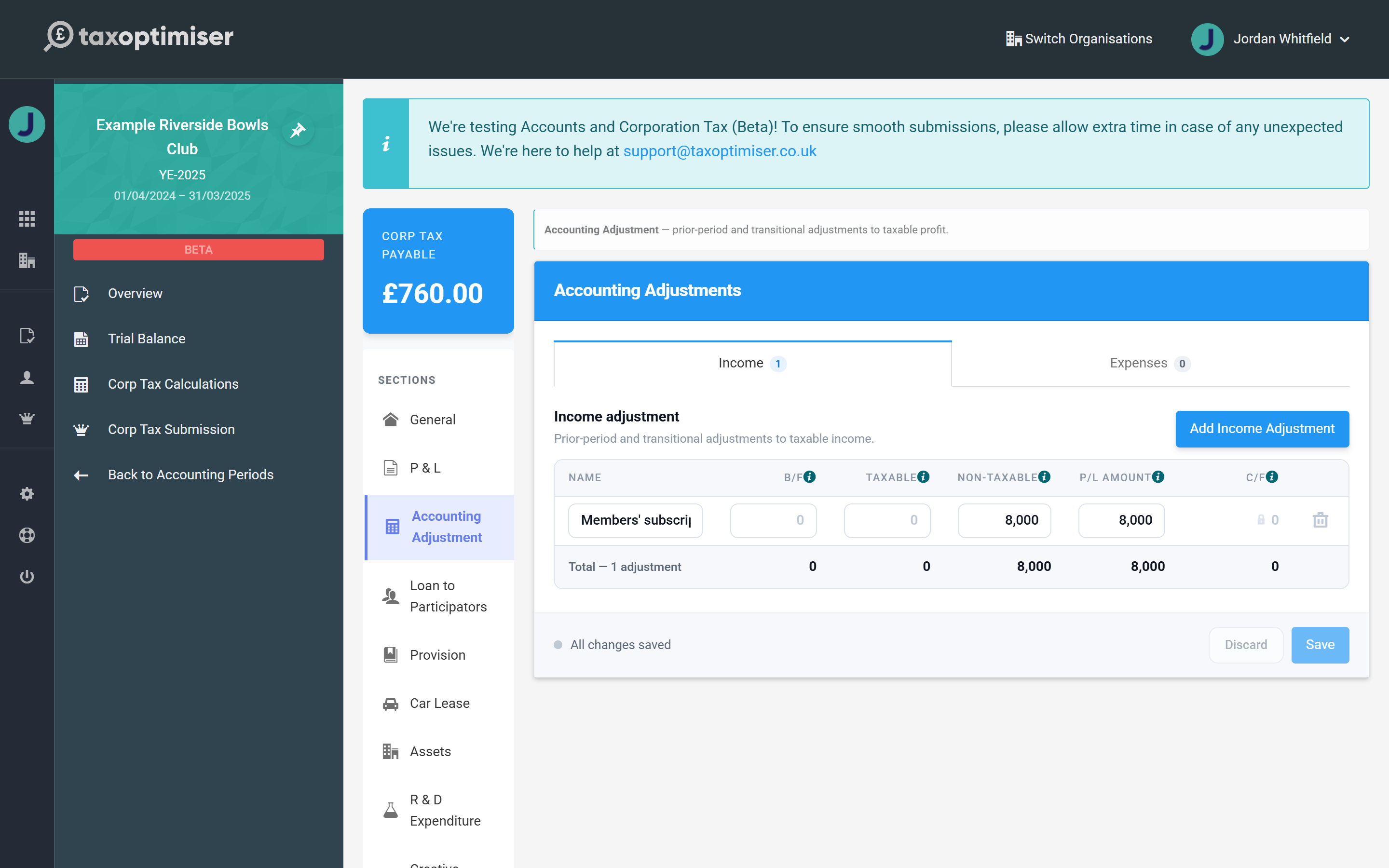
In the example, the club's accounts show a surplus of £11,000; taking out £8,000 of members' subscriptions and adding back £1,000 of depreciation leaves taxable profits of £4,000 and Corporation Tax of £760 at the 19% small profits rate. Add one row per source of members' income. Which income counts as mutual, and how much of the club's costs belong to it, is a judgement your accountant can help with — the app records the split, it does not decide it.
Choose the company type
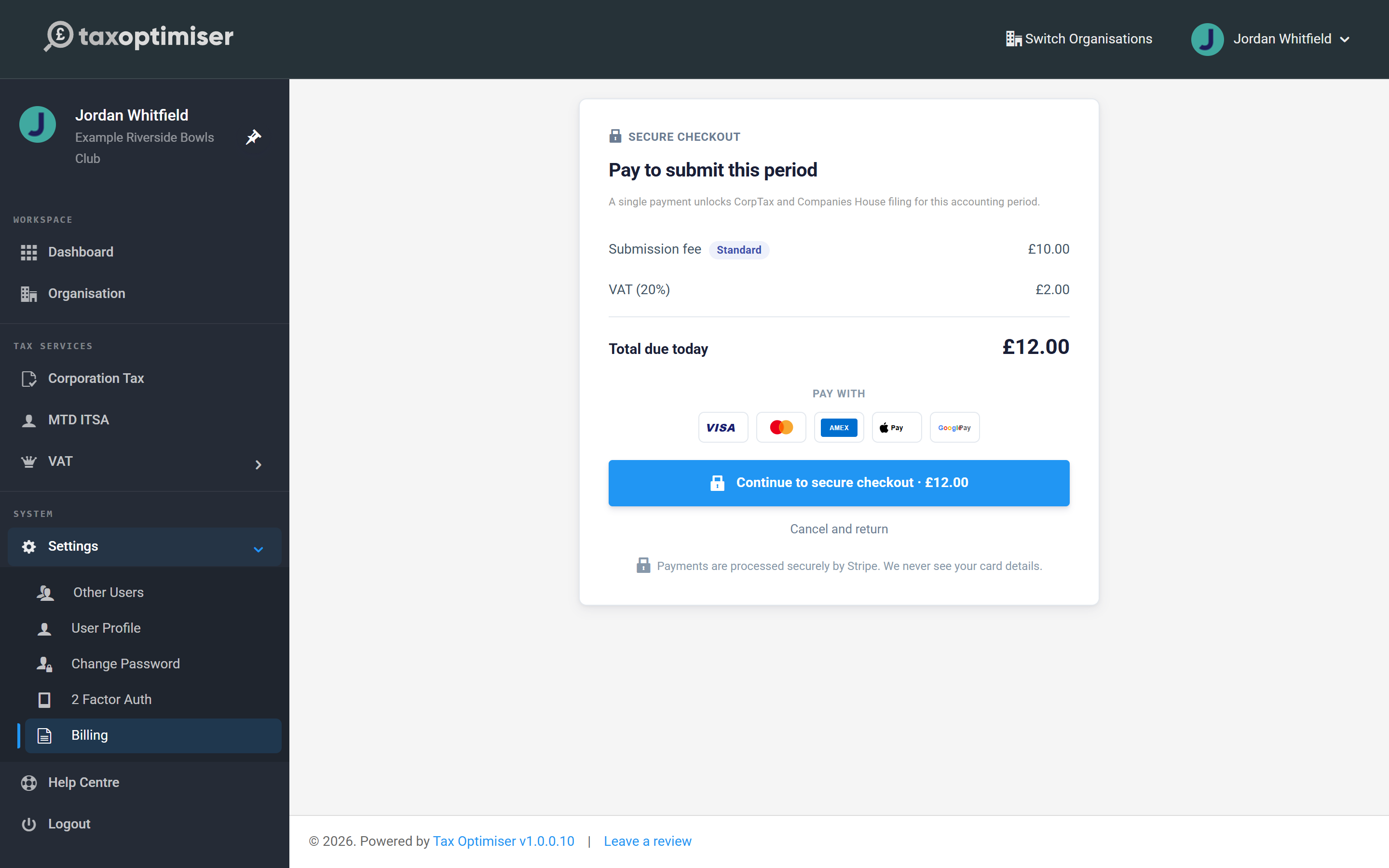
Open Corp Tax Submission to start the filing wizard. Filing a return carries a one-off fee for the accounting period, shown with VAT before you pay; if your accountant files on your behalf through their firm, it is covered by their filing credits instead.
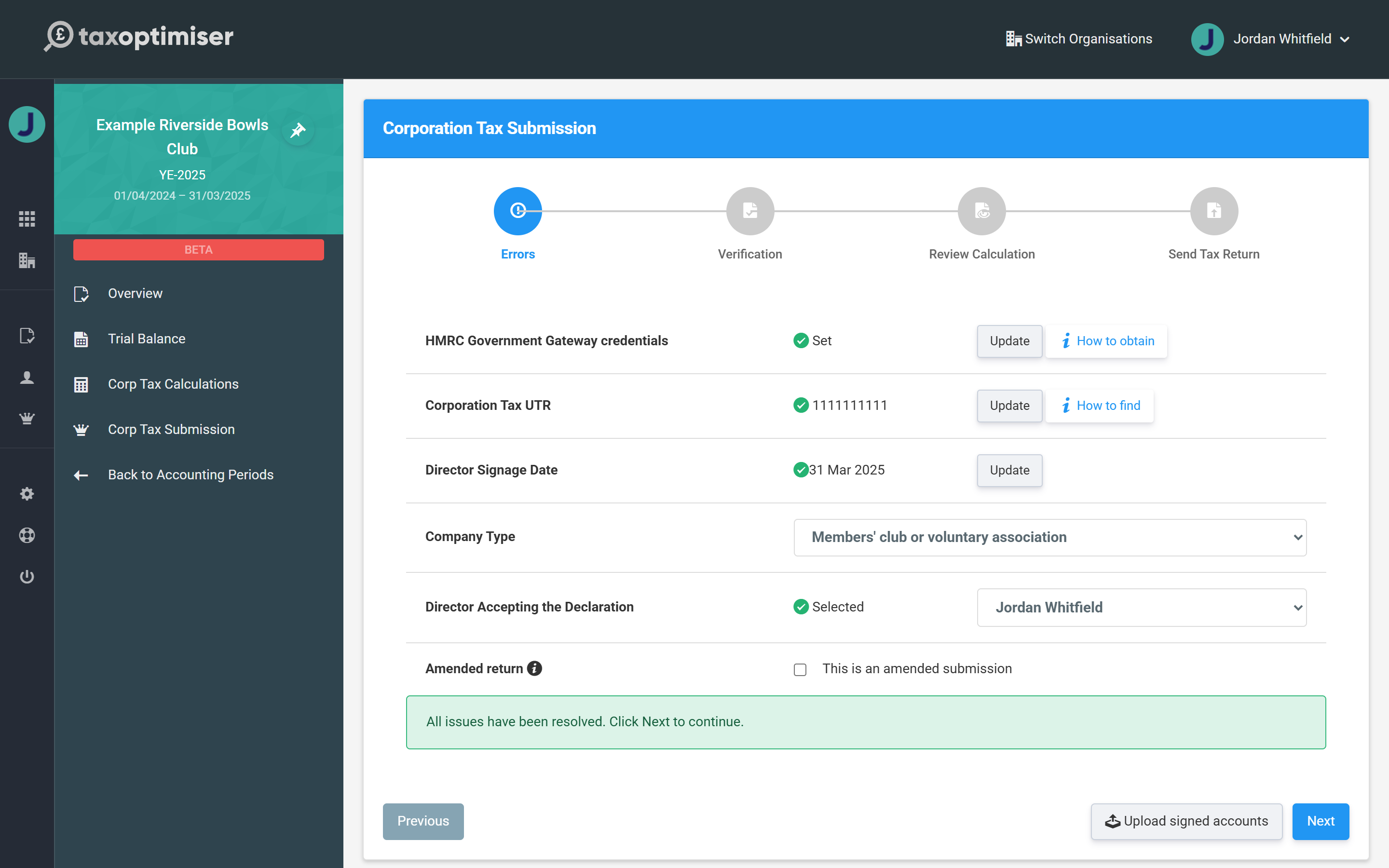
The first step of the wizard lists everything still outstanding, each with a button to fix it on the spot — and it holds the one setting a club must get right: Company Type. This is box 4 of the CT600, and for an unincorporated association it should read Members' club or voluntary association. It starts out as Not applicable, so choose it here.
- A club registered with HMRC as a Community Amateur Sports Club chooses Community Amateur Sports Club (CASC) instead; an unincorporated charity chooses Charity or owned by a charity. Either of those makes a CT600E page appear in Corp Tax Calculations, where the exemption on the club's income is claimed — Corporation Tax for charities and CASCs (CT600E) explains it.
- The other rows are the same as for any return: HMRC Government Gateway credentials, the Corporation Tax UTR, the signage date (when the committee approved the accounts), the officer accepting the declaration (add officers on the period Overview if the list is empty) and the period's Draft status — choose Take out of draft, you cannot move on while it is there.
Send the return to HMRC
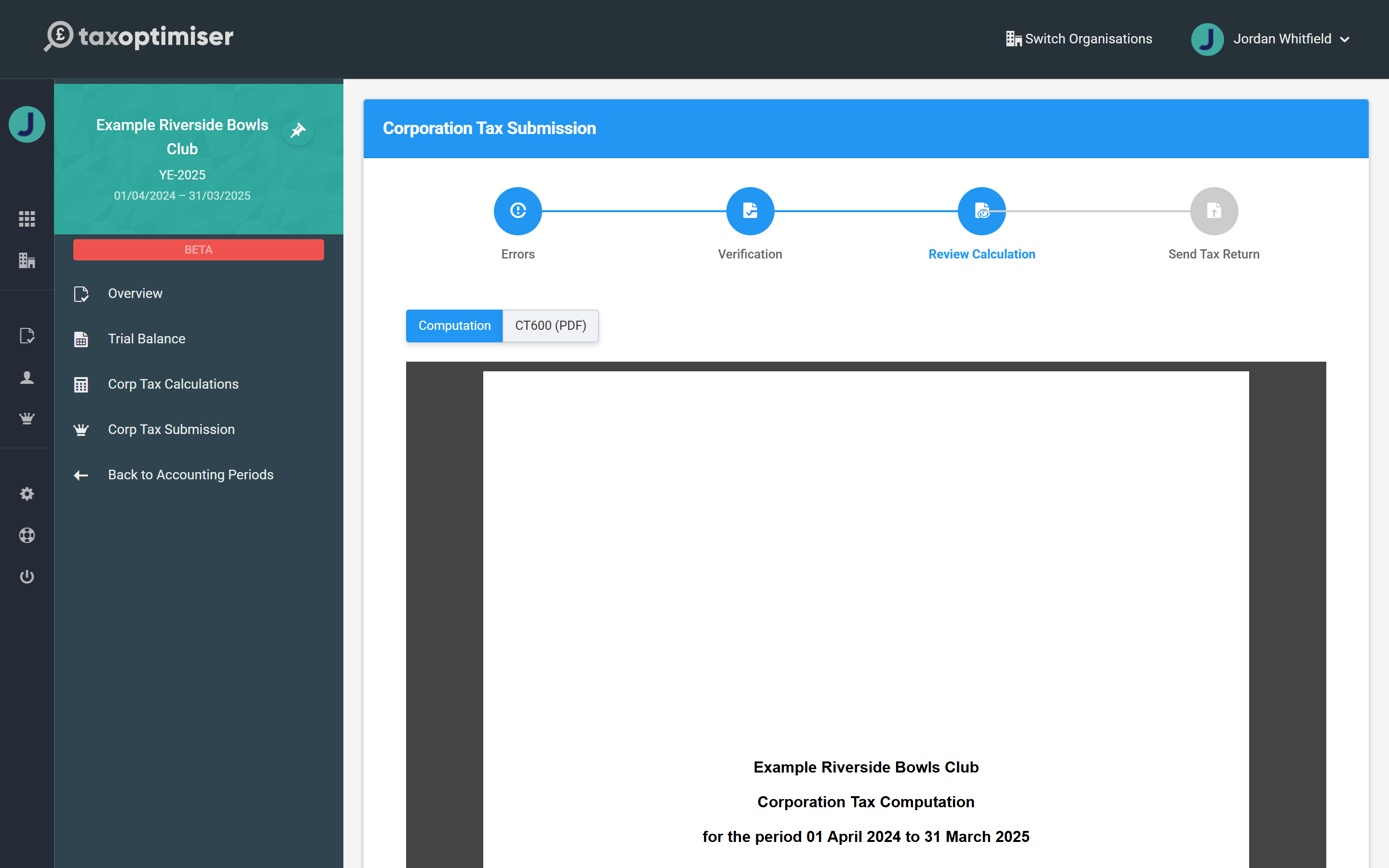
Work down the first step until it reports All issues have been resolved. Then Verification asks you to confirm the committee has approved the figures, and Review Calculation shows the computation and the populated CT600 itself — you can read and download either as a PDF before anything is sent. There is no accounts document to review, because none is filed.
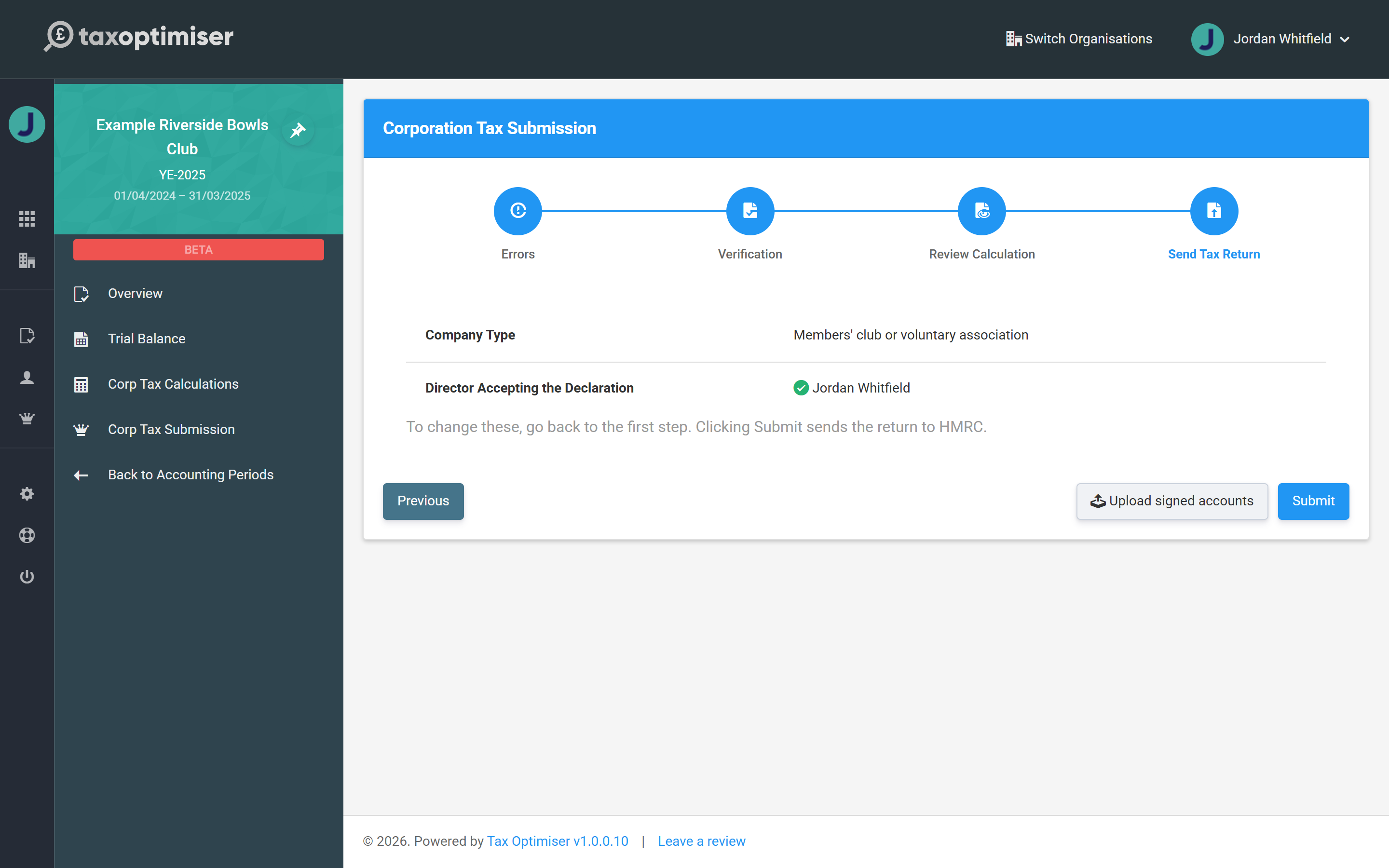
The last step, Send Tax Return, confirms the company type and the declaring officer. Submit files the CT600 and the computation to HMRC as a single submission.
After you've filed
HMRC responds with an acceptance or with errors, and the result is recorded against the accounting period, so you always have evidence of what was sent and when. The frozen copies of the computation and the CT600 are kept with the submission — they are the return as filed, and they do not change if you later edit the period.
If you need to correct a return you have already filed, tick This is an amended submission on the first step of the wizard and file again; HMRC accepts amendments for a period for twelve months after the filing deadline. When the next year comes round, create the new accounting period and repeat — the club setting, the company type and your credentials all carry forward.
Related: Corporation Tax for charities and CASCs (CT600E) · Corporation Tax for a CIO · Submitting to HMRC and Companies House · Corporation Tax: getting started.