
Tax Optimiser can prepare and file the full Self Assessment tax return (the SA100 and every supplementary page) for individuals who are not in Making Tax Digital, whether an accountant files it for a client or the individual files their own — the traditional annual return, filed to HMRC through their online channel. You enter the return box by box, watch the tax calculation build live, see the finished return on HMRC’s own forms, send it to the client to approve and sign, and submit to HMRC without leaving Tax Optimiser.
How this differs from the MTD ITSA screens
Tax Optimiser’s MTD ITSA screens are for clients in Making Tax Digital: digital records, quarterly updates, and HMRC doing the tax calculation. The Self Assessment screens are for everyone else — clients below the MTD threshold or not yet mandated, who still file one annual return. Because the traditional channel has no HMRC calculation service, Tax Optimiser calculates the tax itself, live as you type, so you always see the position before anything is filed. Both features can be used side by side across your client base.
What is supported today
The beta supports tax year 2025-26 (6 April 2025 to 5 April 2026) with the full set of SA100 pages, each with its own article in this guide:
- Employment (SA102) — any number of employments — article
- Self-employment, short and full (SA103S / SA103F) — article
- UK property (SA105) — article
- Partnership, short and full (SA104S / SA104F) — article
- Foreign (SA106) — article
- Trusts and estates (SA107) — article
- Capital gains (SA108) — article
- Residence, remittance basis and the FIG regime (SA109) — article
- Additional information (SA101) — article
- the SA100’s own boxes: interest, dividends, pensions, benefits and other income, tax reliefs, student and postgraduate loans and finishing your return
Two things remain outside the product for now — the Lloyd’s underwriter and minister of religion pages, which are not offered, and foreign income of the same kind from more than one country (or more than one overseas property), because the Foreign page holds one row per income group. Everything else — including top-slicing relief, pension savings charges, the FIG regime, Overseas Workday Relief, the Temporary Repatriation Facility, the remittance basis, double taxation relief, non-resident CGT, and income from non-resident settlor-interested trusts and Transfer of Assets Abroad — is calculated and files online. See the supplementary pages overview for the details.
What you get beyond the boxes
- HMRC’s own rules, before you file — every box carries HMRC’s reference and, where HMRC has a rule about it, a hint or an inline warning; the pre-flight checks run HMRC’s own validation over the return and link each problem to the box that fixes it. See how the pages work.
- The return on HMRC’s forms — the Return Preview section draws the whole return on the official SA100 and supplementary-page PDFs, and clicking any box takes you to where it is entered. The same document downloads as the full SA100 return PDF. See the return on HMRC’s forms.
- Client sign-off — firms can send the finished return to the client to read, approve and sign electronically before it is filed. See sending the return to the client.
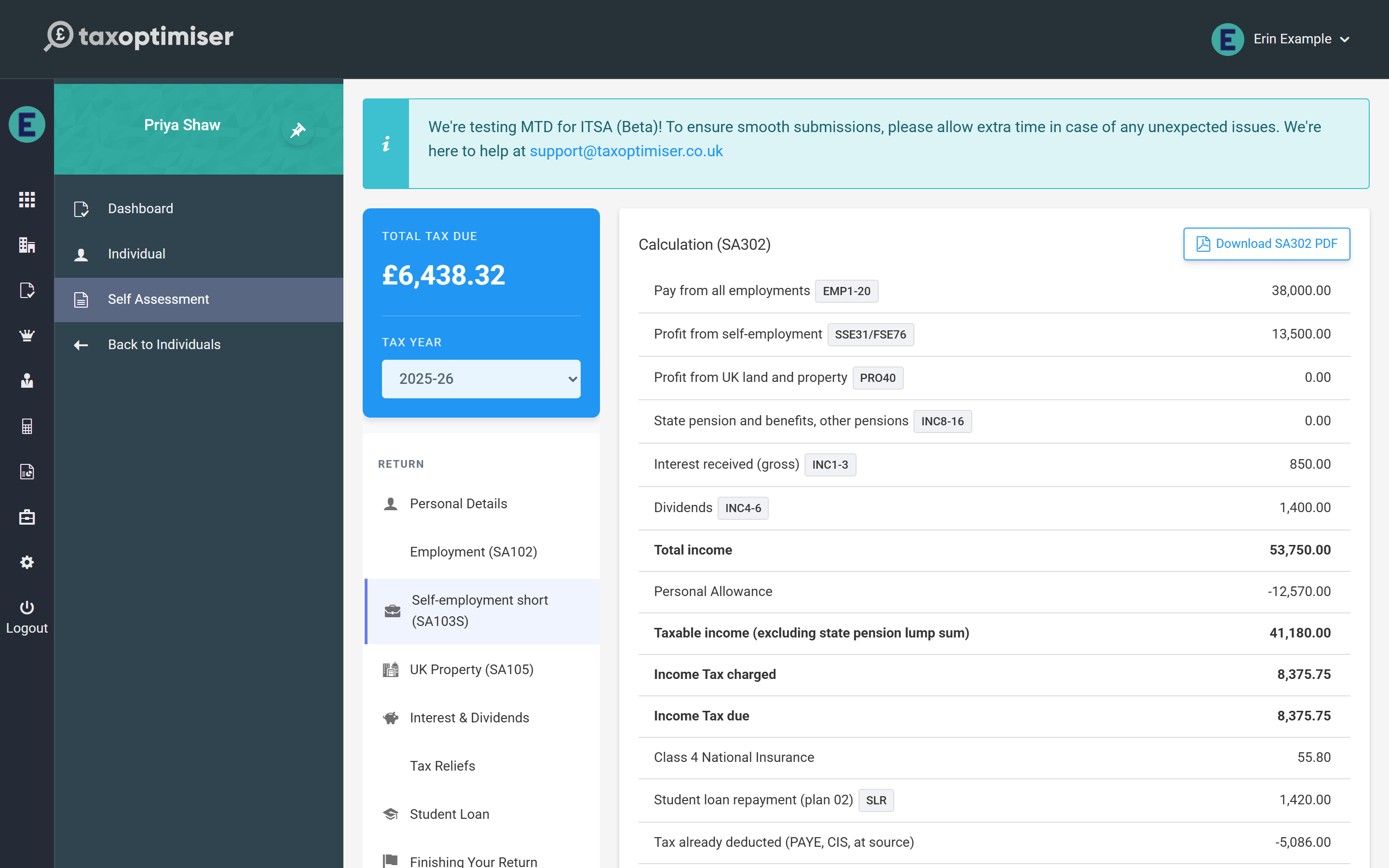
- The SA302 — the lender-ready tax calculation PDF, recalculated on every save. See the tax calculation.
- A firm-wide view — the Individuals list shows every client’s SA100 year, status and tax due, and the firm dashboard counts what is filed, in progress and not started. See Self Assessment across your clients.
Getting access
Nothing needs switching on. Accountant firms find Self Assessment (Beta) in the menu of every individual client, and individuals who signed up themselves find it in their own menu. Questions and feedback go to support@taxoptimiser.co.uk — feedback during beta directly shapes what gets built next.
